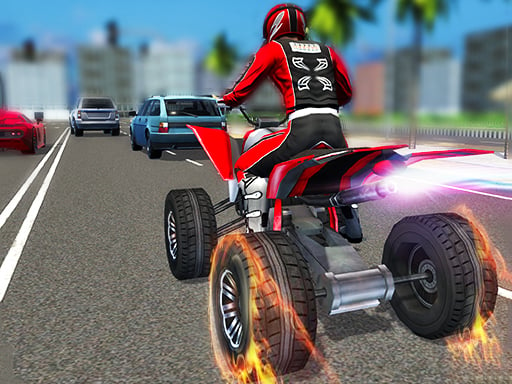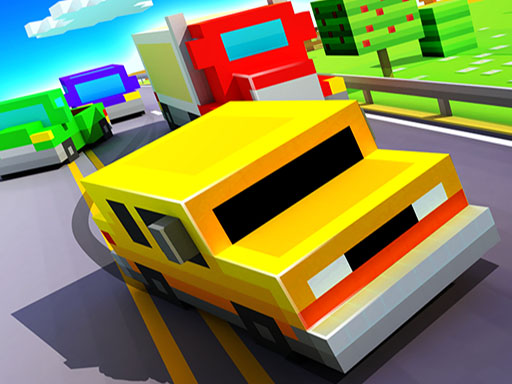
13 The game is a free online racing game you can play right here in your browser, with no download and no sign-up. Racing games live or die on how the vehicle feels, and 13 The game gives you a car (or something like one) that you can actually learn: brake late, steer smooth, and the lap times start dropping.
About 13 The game
Get ready to dive into the thrilling world of 13 The Game, a classic favorite designed for kids and families alike! This game is not only perfect for quality time with friends but also boasts stunning graphics and delightful sound effects that enhance your gaming experience. With its straightforward controls and easy-to-learn mechanics, players of all ages can join in
Judged as a racing game, 13 The game hits the notes you would hope for: a scoring system based on time, position or distance, upgrades or unlocks between races and responsive steering. Playing it works your risk management and anticipation, which is a large part of why the "one more round" feeling is so strong.
How to play 13 The game
- Press the play button above and wait for 13 The game to finish loading. On first load this can take a few seconds while the game files are fetched.
- Follow the on-screen prompts. The developer describes the controls like this: are you ready to play best classic game for kid and family play now with your friends this game she have great graphics and nice sound and very easy to play are you ready
- Do a warm-up lap without worrying about position. Feel how the vehicle brakes and turns, then race for real.
- Use the full-screen button under the frame for the best view, and keep an eye on the score, timer or health display so you know what the game is asking of you.
Controls
You will not need a manual for 13 The game, but knowing the inputs before you start saves the first minute of fumbling:
| Input | What it does |
|---|---|
| Mouse | Point and click to play; the game shows its own prompts on screen. |
| Keyboard | Some actions may use the arrow keys or space bar — check the in-game hints. |
It is designed for desktop play with a keyboard and mouse.
Tips and tricks
- Use the whole width of the road. Cutting across from the outside to the inside of a bend and back out again shortens the distance and keeps your speed up.
- On mobile, tilt controls feel exciting but touch buttons are usually more precise. Try both before you settle.
- Slow in, fast out. Entering a corner a little slower lets you accelerate earlier on the exit, which almost always beats a hard, late braking approach.
- Nitro or boost is best used on straights where you are already stable, not to rescue a bad corner.
Who will enjoy it
Who is 13 The game for? In a word, anyone who enjoys speed, vehicles and shaving seconds off a personal best. In terms of time, think of a single race of one to three minutes, or a longer career if unlocks are involved. The learning curve is forgiving on early tracks, demanding on later ones. It is designed for desktop play with a keyboard and mouse.
Game details
| Category | Racing Games |
|---|---|
| Tags | Arcade, Kids, Puzzleblock, Funny, Girls, Action, Fall Boys, Bmx Games, Dress Up, Trial Car, Supercars, Running, Jumping, Cartoon Network, Driving, Animal, Race, Cute, Brain, Educational, Coloring, Dragon Ball Z, Monstertruck, Baby Hazel, Onlinegames Io, Battleship, Street Fighting, Bubble Shooter, Gun, Classic, Drawing, Family, Crazy, Tower Defense, Anime, Business, Killing, Bike, Barbie, Chair, 8 Ball Pool, Army, City, Disney, Cake, Magic, Bounce, Ballon, Ninjago, Ben 10, Quiz, Miner, Police, Blood, Gta, Monkey, Ever After High |
| Platform | Browser (desktop) |
| Controls | Mouse |
| Technology | HTML5 — no download or plugin required |
| Frame | Landscape (800×600) |
| Added | 25 October 2024 |
| Plays | 4 |
| Price | Free to play |
Frequently asked questions
Is 13 The game free to play?
Yes. 13 The game is completely free to play on Diemakora. There is no download, no account and no payment — the game runs in your browser.
Can I play 13 The game on my phone?
13 The game is best played on a desktop or laptop. It relies on keyboard and mouse input, and while it may load on a phone, the controls will not be comfortable.
What are the controls for 13 The game?
The developer did not publish detailed controls, but the game follows genre conventions: Mouse — Point and click to play; the game shows its own prompts on screen; Keyboard — Some actions may use the arrow keys or space bar — check the in-game hints. The full list is in the controls section above.
Does 13 The game save my progress?
Progress in 13 The game is kept by the game itself inside your browser storage. It will normally be there when you come back on the same device and browser.
How do I play 13 The game in full screen?
Click the expand icon under the game to switch 13 The game to full screen. Esc returns you to the normal view.
Is 13 The game suitable for children?
It is tagged Kids, Girls, Educational, Family, Coloring, which usually indicates content aimed at younger players. As with any online game, we suggest a parent takes a quick look first.
Games similar to 13 The game
You will find more games like 13 The game further down this page, chosen by matching tags and category.