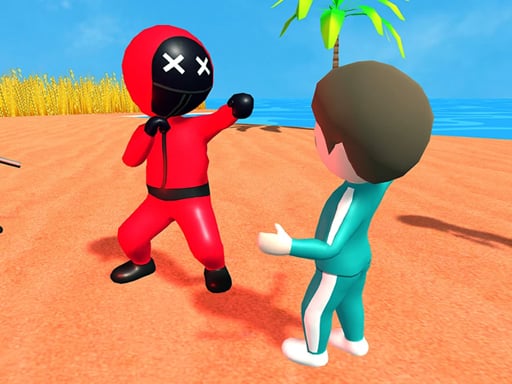
Looking for a action game that starts instantly? 456 - Squid Game runs in your browser and is completely free to play. 456 - Squid Game belongs to the action family, which means the fun comes from momentum — moving, dodging, striking and recovering before the next wave arrives. A few things the tags reveal: fast reactions and constant movement are the point; there is a journey with a beginning and an end rather than an endless score chase.
About 456 - Squid Game
Welcome to the world of 456 - Squid Game, where a thrilling challenge awaits you and 455 other desperate players, each eager to secure their future. Dive into the heartbeat of an exhilarating competition filled with endless levels. In this high-stakes game, all participants share one common goal: to win a staggering prize pool of 486 billion won! As you step
Judged as a action game, 456 - Squid Game hits the notes you would hope for: short, intense rounds, tight controls and escalating difficulty. Playing it works your pattern recognition and reaction time, which is a large part of why the "one more round" feeling is so strong.
How to play 456 - Squid Game
- Start by clicking the big play button. 456 - Squid Game loads inside the frame; give it a moment, especially on a slow connection.
- Look for the in-game tutorial or hints on the first screen; most browser games explain their controls in the opening seconds.
- Start slowly. Learn the movement and the first enemy pattern before you push for score; speed comes naturally once the inputs are automatic.
- When you are comfortable, set a target: a score to beat, a level to clear or a time to shave. Small goals are what make 456 - Squid Game stick.
Controls
You will not need a manual for 456 - Squid Game, but knowing the inputs before you start saves the first minute of fumbling:
| Input | What it does |
|---|---|
| Mouse | Point and click to play; the game shows its own prompts on screen. |
| Keyboard | Some actions may use the arrow keys or space bar — check the in-game hints. |
It is designed for desktop play with a keyboard and mouse.
Tips and tricks
- Use short practice sessions. Ten focused minutes will improve your timing far more than an hour of frustrated retries.
- Learn the enemy or obstacle patterns before you try to go fast — most action games repeat a handful of behaviours, and once you recognise them the game slows down in your head.
- If there is a dash, jump or dodge move, treat it as a resource: use it to escape, not to attack, until you know the level.
- When you die, note exactly what killed you. The answer is usually one specific pattern, and fixing that one thing is worth more than "trying harder".
- Because this is a Adventure game, explore side paths early; adventure games hide their best upgrades away from the main route.
Who will enjoy it
We would recommend 456 - Squid Game to players who enjoy adrenaline, arcade-style progression and beating their own high score. Expect rounds of two to five minutes, which makes it ideal for a quick break. Difficulty-wise it is easy to pick up but genuinely demanding to master. It is designed for desktop play with a keyboard and mouse.
Game details
| Category | Action Games |
|---|---|
| Tags | Adventure, Action, Street Fighting |
| Platform | Browser (desktop) |
| Controls | Mouse |
| Technology | HTML5 — no download or plugin required |
| Frame | Landscape (800×600) |
| Added | 25 October 2024 |
| Plays | 1 |
| Price | Free to play |
Frequently asked questions
Is 456 - Squid Game free to play?
Yes. 456 - Squid Game is completely free to play on Diemakora. There is no download, no account and no payment — the game runs in your browser.
Can I play 456 - Squid Game on my phone?
456 - Squid Game is best played on a desktop or laptop. It relies on keyboard and mouse input, and while it may load on a phone, the controls will not be comfortable.
What are the controls for 456 - Squid Game?
The developer did not publish detailed controls, but the game follows genre conventions: Mouse — Point and click to play; the game shows its own prompts on screen; Keyboard — Some actions may use the arrow keys or space bar — check the in-game hints. The full list is in the controls section above.
Does 456 - Squid Game save my progress?
Progress in 456 - Squid Game is kept by the game itself inside your browser storage. It will normally be there when you come back on the same device and browser.
What if 456 - Squid Game does not load?
If 456 - Squid Game does not load, refresh the page, make sure your browser is up to date and check that hardware acceleration is enabled. Ad blockers occasionally interfere with the game frame as well.
What kind of game is 456 - Squid Game?
It is a action game with the tags Adventure, Action, Street Fighting. Easy to pick up but genuinely demanding to master, and rounds of two to five minutes, which makes it ideal for a quick break.
Games similar to 456 - Squid Game
Finished a session? The games listed below were picked because they share tags or a category with 456 - Squid Game.