Play Aquapark Shark for free — a arcade game that runs directly in your browser on desktop, tablet or phone. Aquapark Shark follows the oldest recipe in gaming: one clear rule, one clear score, and the urge to try just one more time. Its tags tell you what to expect: it follows the hyper-casual formula: one mechanic, instant play and very short rounds; it is a runner — your character moves forward automatically and you steer, jump or dodge; there is a journey with a beginning and an end rather than an endless score chase.
About Aquapark Shark
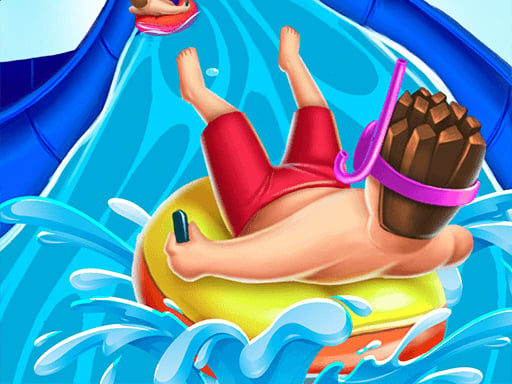
Welcome to the thrilling world of Aquapark Shark, a fantastic casual game designed to bring joy and excitement to players of all ages. In this immersive water park environment, help your adorable character navigate through exhilarating water slides while striving to achieve the highest score. Dive into a series of challenging courses filled with twists, turns, and thrilling leaps,
Judged as a arcade game, Aquapark Shark hits the notes you would hope for: the "one more go" effect, difficulty that ramps steadily and instant restarts. The skills it leans on are rhythm and timing; both improve noticeably after a few sessions.
How to play Aquapark Shark
- Press the play button above and wait for Aquapark Shark to finish loading. On first load this can take a few seconds while the game files are fetched.
- Follow the on-screen prompts. The developer describes the controls like this: PC controls Use the mouse left click to accelerate and release to brake Mobile and Tablet controls Touch the screen to accelerate and brake
- Play the first run purely to learn. Notice the rhythm of the obstacles, then start a fresh run and aim for a clean start.
- Use the full-screen button under the frame for the best view, and keep an eye on the score, timer or health display so you know what the game is asking of you.
Controls
The controls in Aquapark Shark are straightforward once you have seen them written down:
| Input | What it does |
|---|---|
| Left mouse click | PC controls Use the mouse left click to accelerate and release to brake Mobile. |
| Mouse | PC controls Use the mouse left click to accelerate and release to brake Mobile. |
| Tap (touch) | Tablet controls Touch the screen to accelerate and brake. |
The controls are tap and drag based, which makes it comfortable on touch screens as well as with a mouse.
Tips and tricks
- Combo systems reward patience: keep the chain alive with safe moves rather than reaching for risky bonuses.
- Restart early. If a run starts badly, do not grind it out; a fresh attempt costs nothing and saves your focus.
- Aim for consistency before you aim for records. A steady run that avoids mistakes usually scores higher than a flashy one that ends early.
- Find the rhythm. Most arcade games have an underlying beat — taps, jumps or moves that fall on a regular interval — and once you feel it, your accuracy jumps.
- Because this is a Hypercasual game, find the rhythm of the single mechanic — that is the entire skill.
- Because this is a Running game, look at the middle distance rather than right in front of you.
Who will enjoy it
Aquapark Shark is a good fit for anyone with a few minutes to spare and a competitive streak. A typical session is runs of thirty seconds to a few minutes, endlessly repeatable. Difficulty-wise it is simple rules, high skill ceiling. The controls are tap and drag based, which makes it comfortable on touch screens as well as with a mouse.
Game details
| Category | Arcade Games |
|---|---|
| Tags | Hypercasual, Adventure, Running |
| Platform | Browser (desktop, tablet and mobile) |
| Controls | Touch and mouse |
| Technology | HTML5 — no download or plugin required |
| Frame | Landscape (800×600) |
| Added | 26 September 2024 |
| Plays | 1 |
| Price | Free to play |
Frequently asked questions
Is Aquapark Shark free to play?
Yes. Aquapark Shark is completely free to play on Diemakora. There is no download, no account and no payment — the game runs in your browser.
Can I play Aquapark Shark on my phone?
Aquapark Shark works on mobile devices. Open this page on your phone or tablet and use the touch controls; rotating the device to landscape usually gives the best view.
What are the controls for Aquapark Shark?
In short: Left mouse click — PC controls Use the mouse left click to accelerate and release to brake Mobile; Mouse — PC controls Use the mouse left click to accelerate and release to brake Mobile; Tap (touch) — Tablet controls Touch the screen to accelerate and brake. The full list is in the controls section above.
Does Aquapark Shark save my progress?
Progress in Aquapark Shark is kept by the game itself inside your browser storage. It will normally be there when you come back on the same device and browser.
How do I play Aquapark Shark in full screen?
Click the expand icon under the game to switch Aquapark Shark to full screen. Esc returns you to the normal view.
What kind of game is Aquapark Shark?
It is a arcade game with the tags Hypercasual, Adventure, Running. Simple rules, high skill ceiling, and runs of thirty seconds to a few minutes, endlessly repeatable.
Games similar to Aquapark Shark
When you are done, scroll down for more arcade games and titles that share tags with Aquapark Shark.