Play Archer Hero for free — a arcade game that runs directly in your browser on desktop, tablet or phone. Arcade games are designed around the loop, and Archer Hero has a good one — short attempts, instant restarts and a score that begs to be beaten. Its tags tell you what to expect: the content and difficulty are tuned for younger players; fast reactions and constant movement are the point; there is a journey with a beginning and an end rather than an endless score chase.
About Archer Hero
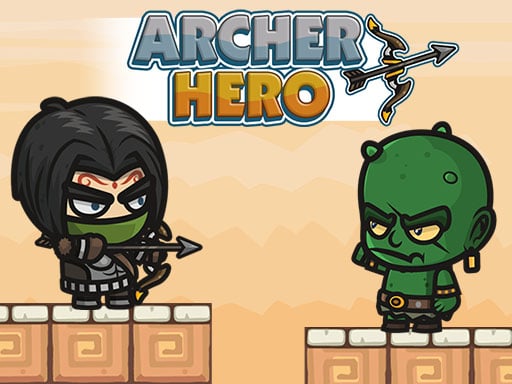
Welcome to the world of Archer Hero, an exciting HTML5 platform adventure/action game that takes you through the perilous Monster Valley! As the brave archer, your quest is to navigate through treacherous terrains while encountering ferocious monsters and various challenges along the way. With vibrant and enchanting graphics, each level immerses you deeper into this fantastical realm. Your primary objective in
What makes a good arcade game? Usually instant restarts, the "one more go" effect and difficulty that ramps steadily — and Archer Hero has each of them in some measure. Under the surface it is a test of focus and consistency, dressed up in playful presentation.
How to play Archer Hero
- Press the play button above and wait for Archer Hero to finish loading. On first load this can take a few seconds while the game files are fetched.
- Follow the on-screen prompts. The developer describes the controls like this: Desktop A - Move Left D - Move Right W - Jump K - Attack Mobile Touch Buttons on Screen
- Play the first run purely to learn. Notice the rhythm of the obstacles, then start a fresh run and aim for a clean start.
- When you are comfortable, set a target: a score to beat, a level to clear or a time to shave. Small goals are what make Archer Hero stick.
Controls
Here is how Archer Hero is controlled, based on the developer's instructions and our own testing:
| Input | What it does |
|---|---|
| Tap (touch) | Desktop A - Move Left D - Move Right W - Jump K - Attack Mobile Touch Buttons on Screen. |
The controls are tap and drag based, which makes it comfortable on touch screens as well as with a mouse.
Tips and tricks
- Aim for consistency before you aim for records. A steady run that avoids mistakes usually scores higher than a flashy one that ends early.
- Restart early. If a run starts badly, do not grind it out; a fresh attempt costs nothing and saves your focus.
- Take a short break after three or four failed runs. Arcade games punish tired eyes more than any other genre.
- Look one step ahead of your character. Reacting to what is under you is too late; reacting to what is coming is exactly on time.
- Because this is a Platform game, jump from the very edge of a platform for maximum distance.
- Because this is a Adventure game, explore side paths early; adventure games hide their best upgrades away from the main route.
Who will enjoy it
We would recommend Archer Hero to anyone with a few minutes to spare and a competitive streak. Expect runs of thirty seconds to a few minutes, endlessly repeatable. How hard is it? Simple rules, high skill ceiling. The controls are tap and drag based, which makes it comfortable on touch screens as well as with a mouse.
Game details
| Category | Arcade Games |
|---|---|
| Tags | Kids, Adventure, Action, Bmx Games, Best Games, Platform, Side Scrolling |
| Platform | Browser (desktop, tablet and mobile) |
| Controls | Touch and mouse |
| Technology | HTML5 — no download or plugin required |
| Frame | Landscape (1280×720) |
| Added | 25 October 2024 |
| Plays | 2 |
| Price | Free to play |
Frequently asked questions
Is Archer Hero free to play?
Yes. Archer Hero is completely free to play on Diemakora. There is no download, no account and no payment — the game runs in your browser.
Can I play Archer Hero on my phone?
Yes — the game supports touch input and adapts to smaller screens, so you can play Archer Hero on a phone or tablet as well as on a computer.
What are the controls for Archer Hero?
In short: Tap (touch) — Desktop A - Move Left D - Move Right W - Jump K - Attack Mobile Touch Buttons on Screen. The full list is in the controls section above.
Does Archer Hero save my progress?
Progress in Archer Hero is kept by the game itself inside your browser storage. It will normally be there when you come back on the same device and browser.
What if Archer Hero does not load?
If Archer Hero does not load, refresh the page, make sure your browser is up to date and check that hardware acceleration is enabled. Ad blockers occasionally interfere with the game frame as well.
Is Archer Hero suitable for children?
It is tagged Kids, which usually indicates content aimed at younger players. As with any online game, we suggest a parent takes a quick look first.
Games similar to Archer Hero
Finished a session? The games listed below were picked because they share tags or a category with Archer Hero.