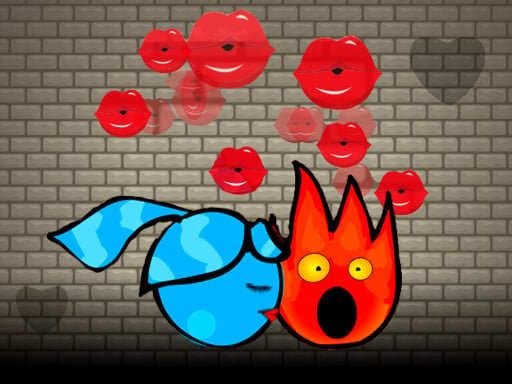
Baby Hazel Skin Care is one of the arcade games in the Diemakora collection. It loads in seconds and needs nothing installed. Baby Hazel Skin Care follows the oldest recipe in gaming: one clear rule, one clear score, and the urge to try just one more time. From the tags you can already tell that the content and difficulty are tuned for younger players; it is filed in the collection that traditionally appeals to girls, though the gameplay is for everyone.
About Baby Hazel Skin Care
Winter is a season that children eagerly anticipate, as it offers a magical opportunity to frolic in the snow. Baby Hazel, like many kids, delights in engaging in outdoor activities amidst the winter wonderland. However, the cold weather can take a toll on her delicate skin, causing it to lose its softness and become dry. As a caring friend, your
The genre lives on difficulty that ramps steadily, instant restarts and the "one more go" effect. Baby Hazel Skin Care understands that, and it shows in the first minute of play. Playing it works your focus and consistency, which is a large part of why the "one more round" feeling is so strong.
How to play Baby Hazel Skin Care
- Press the play button above and wait for Baby Hazel Skin Care to finish loading. On first load this can take a few seconds while the game files are fetched.
- Follow the on-screen prompts. The developer describes the controls like this: Click or tap to play the game
- Play the first run purely to learn. Notice the rhythm of the obstacles, then start a fresh run and aim for a clean start.
- When you are comfortable, set a target: a score to beat, a level to clear or a time to shave. Small goals are what make Baby Hazel Skin Care stick.
Controls
Here is how Baby Hazel Skin Care is controlled, based on the developer's instructions and our own testing:
| Input | What it does |
|---|---|
| Mouse | Click or tap to play the game. |
| Tap (touch) | Click or tap to play the game. |
The controls are tap and drag based, which makes it comfortable on touch screens as well as with a mouse.
Tips and tricks
- Aim for consistency before you aim for records. A steady run that avoids mistakes usually scores higher than a flashy one that ends early.
- Restart early. If a run starts badly, do not grind it out; a fresh attempt costs nothing and saves your focus.
- Take a short break after three or four failed runs. Arcade games punish tired eyes more than any other genre.
- Find the rhythm. Most arcade games have an underlying beat — taps, jumps or moves that fall on a regular interval — and once you feel it, your accuracy jumps.
- Because this is a Kids game, younger children do better with a mouse or touch screen than with keyboard combinations.
- Because this is a Girls game, take your time with creative choices; there is rarely a wrong answer in this kind of game.
Who will enjoy it
We would recommend Baby Hazel Skin Care to anyone with a few minutes to spare and a competitive streak. In terms of time, think of runs of thirty seconds to a few minutes, endlessly repeatable. How hard is it? Simple rules, high skill ceiling. The controls are tap and drag based, which makes it comfortable on touch screens as well as with a mouse.
Game details
| Category | Arcade Games |
|---|---|
| Tags | Kids, Girls, Baby Hazel |
| Platform | Browser (desktop, tablet and mobile) |
| Controls | Touch and mouse |
| Technology | HTML5 — no download or plugin required |
| Frame | Landscape (800×480) |
| Added | 25 October 2024 |
| Plays | 3 |
| Price | Free to play |
Frequently asked questions
Is Baby Hazel Skin Care free to play?
It is free. Open the page, press play and the game loads in the browser. You do not need to install anything or register.
Can I play Baby Hazel Skin Care on my phone?
Yes — the game supports touch input and adapts to smaller screens, so you can play Baby Hazel Skin Care on a phone or tablet as well as on a computer.
What are the controls for Baby Hazel Skin Care?
In short: Mouse — Click or tap to play the game; Tap (touch) — Click or tap to play the game. The full list is in the controls section above.
Does Baby Hazel Skin Care save my progress?
Most browser games, including Baby Hazel Skin Care, store progress locally in your browser. If you clear your cookies or switch devices, that progress may be lost, so finish sessions before clearing browser data.
What if Baby Hazel Skin Care does not load?
If Baby Hazel Skin Care does not load, refresh the page, make sure your browser is up to date and check that hardware acceleration is enabled. Ad blockers occasionally interfere with the game frame as well.
Is Baby Hazel Skin Care suitable for children?
It is tagged Kids, Girls, which usually indicates content aimed at younger players. As with any online game, we suggest a parent takes a quick look first.
Games similar to Baby Hazel Skin Care
You will find more games like Baby Hazel Skin Care further down this page, chosen by matching tags and category.