Balls: Puzzle is a free online arcade game you can play right here in your browser, with no download and no sign-up. Arcade games are designed around the loop, and Balls: Puzzle has a good one — short attempts, instant restarts and a score that begs to be beaten.
About Balls: Puzzle
Experience the excitement of Balls: Puzzle, a fresh take on the arcade platformer genre that combines engaging puzzle mechanics with vibrant gameplay. In this captivating game, you are not simply controlling a ball; you are also interacting with intricately designed levels that challenge your quick thinking and problem-solving skills. Use your strategic mind to navigate through a variety of obstacles
Judged as a arcade game, Balls: Puzzle hits the notes you would hope for: a single, easy-to-read score, instant restarts and the "one more go" effect. The skills it leans on are consistency and focus; both improve noticeably after a few sessions.
How to play Balls: Puzzle
- Press the play button above and wait for Balls: Puzzle to finish loading. On first load this can take a few seconds while the game files are fetched.
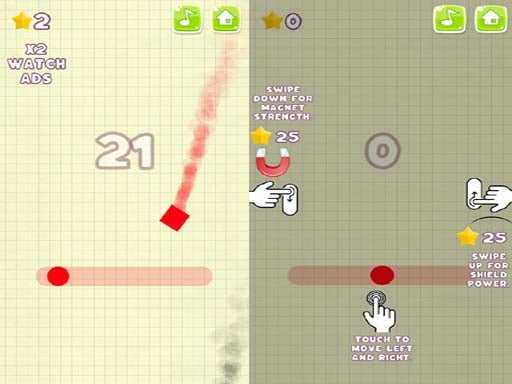
- Follow the on-screen prompts. The developer describes the controls like this: In your control a whole level The main goal to bring the ball to the pocket do it And pass all levels
- Play the first run purely to learn. Notice the rhythm of the obstacles, then start a fresh run and aim for a clean start.
- When you are comfortable, set a target: a score to beat, a level to clear or a time to shave. Small goals are what make Balls: Puzzle stick.
Controls
The controls in Balls: Puzzle are straightforward once you have seen them written down:
| Input | What it does |
|---|---|
| Mouse | Point and click to play; the game shows its own prompts on screen. |
| Keyboard | Some actions may use the arrow keys or space bar — check the in-game hints. |
It is designed for desktop play with a keyboard and mouse.
Tips and tricks
- Play in a quiet tab with nothing else running. Small frame drops cause missed timing that feels like bad luck but is not.
- Take a short break after three or four failed runs. Arcade games punish tired eyes more than any other genre.
- Restart early. If a run starts badly, do not grind it out; a fresh attempt costs nothing and saves your focus.
- Aim for consistency before you aim for records. A steady run that avoids mistakes usually scores higher than a flashy one that ends early.
- Because this is a Arcade game, restart early when a run goes wrong instead of grinding out a poor score.
Who will enjoy it
We would recommend Balls: Puzzle to anyone with a few minutes to spare and a competitive streak. A typical session is runs of thirty seconds to a few minutes, endlessly repeatable. How hard is it? Simple rules, high skill ceiling. It is designed for desktop play with a keyboard and mouse.
Game details
| Category | Arcade Games |
|---|---|
| Tags | Arcade, 1 Player, 2d, .io Games, Dragon Ball Z, Violence, 8 Ball Pool |
| Platform | Browser (desktop) |
| Controls | Mouse |
| Technology | HTML5 — no download or plugin required |
| Frame | Landscape (800×600) |
| Added | 26 September 2024 |
| Plays | 2 |
| Price | Free to play |
Frequently asked questions
Is Balls: Puzzle free to play?
Yes. Balls: Puzzle is completely free to play on Diemakora. There is no download, no account and no payment — the game runs in your browser.
Can I play Balls: Puzzle on my phone?
Balls: Puzzle is best played on a desktop or laptop. It relies on keyboard and mouse input, and while it may load on a phone, the controls will not be comfortable.
What are the controls for Balls: Puzzle?
The developer did not publish detailed controls, but the game follows genre conventions: Mouse — Point and click to play; the game shows its own prompts on screen; Keyboard — Some actions may use the arrow keys or space bar — check the in-game hints. The full list is in the controls section above.
Does Balls: Puzzle save my progress?
Most browser games, including Balls: Puzzle, store progress locally in your browser. If you clear your cookies or switch devices, that progress may be lost, so finish sessions before clearing browser data.
How do I play Balls: Puzzle in full screen?
Use the full-screen button just below the game frame. Press Esc on your keyboard to leave full-screen mode again.
What kind of game is Balls: Puzzle?
It is a arcade game with the tags Arcade, 1 Player, 2d, .io Games. Simple rules, high skill ceiling, and runs of thirty seconds to a few minutes, endlessly repeatable.
Games similar to Balls: Puzzle
If you enjoy Balls: Puzzle, the related games below share its category or tags and are a natural next step.