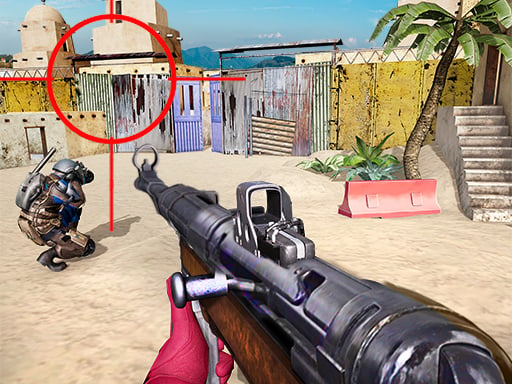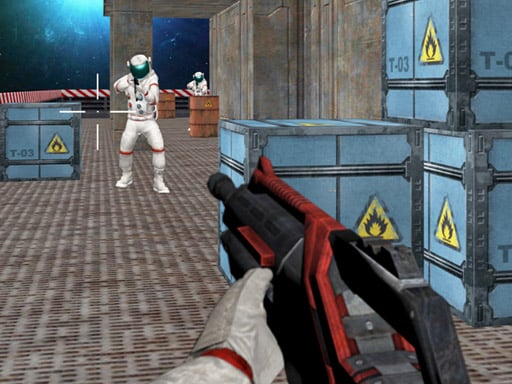
Welcome to Battle Area, a browser-based shooting game. Click play, wait a moment for it to load, and you are in. The appeal of Battle Area is simple and old: line up the shot, take it, and watch the result. What makes it stick is the escalation that follows.
About Battle Area
Step into the action-packed world of Battle Area, a thrilling 3D first-person shooter game that takes you to the rugged terrain of Mars. In this gripping narrative, enemies have taken control of a vital mineral mine, crucial for resources and advancements. As an elite soldier, you are tasked with the formidable mission of infiltrating the enemy stronghold, eliminating all threats,
What makes a good shooting game? Usually enemies with distinct behaviours, ammunition or cooldown management and precise aiming — and Battle Area has each of them in some measure. The skills it leans on are aim and target prioritisation; both improve noticeably after a few sessions.
How to play Battle Area
- Start by clicking the big play button. Battle Area loads inside the frame; give it a moment, especially on a slow connection.
- Follow the on-screen prompts. The developer describes the controls like this: Desktop Arrow keys or W A S D to move the character Mouse to turn the character aim and shoot Mobile Use on-screen joystick to move fire button to shoot tap and drag on right side of the screen to aim and turn the…
- Take a few practice shots at the first targets to learn the aim speed, then move on to prioritising the dangerous enemies.
- Switch to full screen if precision matters, and remember that the game keeps its own progress — finish a level before you close the tab.
Controls
Here is how Battle Area is controlled, based on the developer's instructions and our own testing:
| Input | What it does |
|---|---|
| Arrow keys | Desktop Arrow keys or W A S D to move the character Mouse to turn the character aim and shoot Mobile Use on-screen joystick to move fire button to shoot tap and drag on right side of the screen to aim and turn the character. |
| Mouse | Desktop Arrow keys or W A S D to move the character Mouse to turn the character aim and shoot Mobile Use on-screen joystick to move fire button to shoot tap and drag on right side of the screen to aim and turn the character. |
| Tap (touch) | Desktop Arrow keys or W A S D to move the character Mouse to turn the character aim and shoot Mobile Use on-screen joystick to move fire button to shoot tap and drag on right side of the screen to aim and turn the character. |
| Drag | Desktop Arrow keys or W A S D to move the character Mouse to turn the character aim and shoot Mobile Use on-screen joystick to move fire button to shoot tap and drag on right side of the screen to aim and turn the character. |
The controls are tap and drag based, which makes it comfortable on touch screens as well as with a mouse.
Tips and tricks
- Prioritise the threat that will hurt you soonest, not the one that is closest or biggest. Fast enemies before slow ones, shooters before melee.
- Learn the spawn points. Most levels reuse the same few entry points, and knowing them turns panic into routine.
- Headshots, weak points and combo multipliers are where high scores live; once survival is comfortable, start hunting for them.
- Keep your cursor or crosshair roughly where enemies appear, not on the spot where the last one died.
Who will enjoy it
Battle Area is a good fit for players who like precision, quick targeting and progressively tougher waves. A typical session is levels of a few minutes each, with longer runs in survival modes. How hard is it? Approachable at first, with a steep climb in the later waves. The controls are tap and drag based, which makes it comfortable on touch screens as well as with a mouse.
Game details
| Category | Shooting Games |
|---|---|
| Tags | Html5 Games For Your Site, 3d Games, Mobile, Action, Fall Boys, First Person Shooter, Gun, Killing, Weapons, Army |
| Platform | Browser (desktop, tablet and mobile) |
| Controls | Keyboard and mouse |
| Technology | HTML5 — no download or plugin required |
| Frame | Landscape (800×450) |
| Added | 25 October 2024 |
| Plays | 1 |
| Price | Free to play |
Frequently asked questions
Is Battle Area free to play?
It is free. Open the page, press play and the game loads in the browser. You do not need to install anything or register.
Can I play Battle Area on my phone?
Battle Area works on mobile devices. Open this page on your phone or tablet and use the touch controls; rotating the device to landscape usually gives the best view.
What are the controls for Battle Area?
In short: Arrow keys — Desktop Arrow keys or W A S D to move the character Mouse to turn the character aim and shoot Mobile Use on-screen joystick to move fire button to shoot tap and drag on right side of the screen to aim and turn the character; Mouse — Desktop Arrow keys or W A S D to move the character Mouse to turn the character aim and shoot Mobile Use on-screen joystick to move fire button to shoot tap and drag on right side of the screen to aim and turn the character; Tap (touch) — Desktop Arrow keys or W A S D to move the character Mouse to turn the character aim and shoot Mobile Use on-screen joystick to move fire button to shoot tap and drag on right side of the screen to aim and turn the character. The full list is in the controls section above.
Does Battle Area save my progress?
Progress in Battle Area is kept by the game itself inside your browser storage. It will normally be there when you come back on the same device and browser.
What if Battle Area does not load?
A blank frame usually means the game is still loading or a browser extension blocked it. Wait a few seconds, then reload; if that fails, try another browser.
What kind of game is Battle Area?
It is a shooting game with the tags Html5 Games For Your Site, 3d Games, Mobile, Action. Approachable at first, with a steep climb in the later waves, and levels of a few minutes each, with longer runs in survival modes.
Games similar to Battle Area
If you enjoy Battle Area, the related games below share its category or tags and are a natural next step.