Welcome to Ben 10 Alien, a browser-based arcade game. Click play, wait a moment for it to load, and you are in. Ben 10 Alien follows the oldest recipe in gaming: one clear rule, one clear score, and the urge to try just one more time.
About Ben 10 Alien
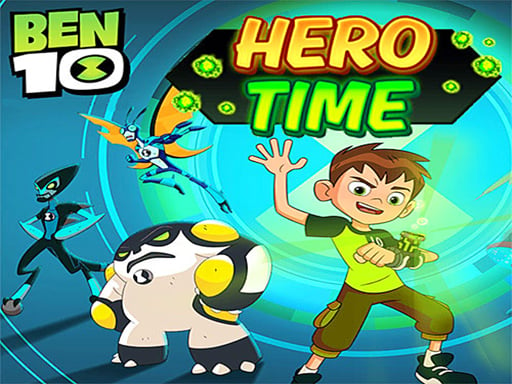
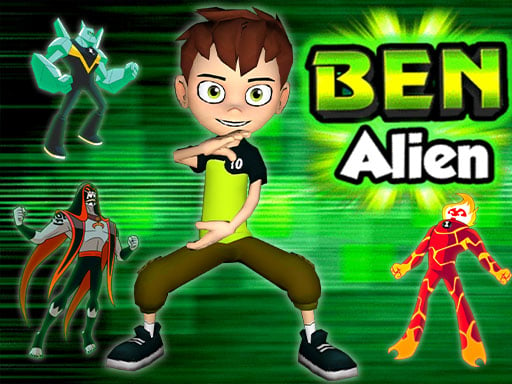
Are you a die-hard fan of Ben 10? Then get ready to immerse yourself in the thrilling world of Ben 10 Alien! Join Ben, the Super Hero boy, as he transforms into an array of powerful aliens such as Heatblast, Humungousaur, Ghostfreak, and many more. With the Omnitrix, you can switch into your favorite alien and harness unique abilities to
Judged as a arcade game, Ben 10 Alien hits the notes you would hope for: instant restarts, bright, readable visuals and the "one more go" effect. Under the surface it is a test of consistency and consistency, dressed up in upbeat presentation.
How to play Ben 10 Alien
- Press the play button above and wait for Ben 10 Alien to finish loading. On first load this can take a few seconds while the game files are fetched.
- Follow the on-screen prompts. The developer describes the controls like this: Do you love ben Are u crazy fans of bentn alien ben Super Hero boy Transform to Heatblast humungousaur ghostfreak Four Arms Swampfire Big Chill Diamondhead Shocksquatch XLR8 omnitrix Omniverse gwen tennyson Vilgax…
- Play the first run purely to learn. Notice the rhythm of the obstacles, then start a fresh run and aim for a clean start.
- When you are comfortable, set a target: a score to beat, a level to clear or a time to shave. Small goals are what make Ben 10 Alien stick.
Controls
Here is how Ben 10 Alien is controlled, based on the developer's instructions and our own testing:
| Input | What it does |
|---|---|
| Mouse | Point and click to play; the game shows its own prompts on screen. |
| Keyboard | Some actions may use the arrow keys or space bar — check the in-game hints. |
It is designed for desktop play with a keyboard and mouse.
Tips and tricks
- Find the rhythm. Most arcade games have an underlying beat — taps, jumps or moves that fall on a regular interval — and once you feel it, your accuracy jumps.
- Look one step ahead of your character. Reacting to what is under you is too late; reacting to what is coming is exactly on time.
- Aim for consistency before you aim for records. A steady run that avoids mistakes usually scores higher than a flashy one that ends early.
- Combo systems reward patience: keep the chain alive with safe moves rather than reaching for risky bonuses.
Who will enjoy it
Ben 10 Alien is a good fit for anyone with a few minutes to spare and a competitive streak. A typical session is runs of thirty seconds to a few minutes, endlessly repeatable. Difficulty-wise it is simple rules, high skill ceiling. It is designed for desktop play with a keyboard and mouse.
Game details
| Category | Arcade Games |
|---|---|
| Tags | Alien, Ben 10 |
| Platform | Browser (desktop) |
| Controls | Mouse |
| Technology | HTML5 — no download or plugin required |
| Frame | Landscape (960×600) |
| Added | 25 October 2024 |
| Plays | 4 |
| Price | Free to play |
Frequently asked questions
Is Ben 10 Alien free to play?
It is free. Open the page, press play and the game loads in the browser. You do not need to install anything or register.
Can I play Ben 10 Alien on my phone?
Ben 10 Alien is best played on a desktop or laptop. It relies on keyboard and mouse input, and while it may load on a phone, the controls will not be comfortable.
What are the controls for Ben 10 Alien?
The developer did not publish detailed controls, but the game follows genre conventions: Mouse — Point and click to play; the game shows its own prompts on screen; Keyboard — Some actions may use the arrow keys or space bar — check the in-game hints. The full list is in the controls section above.
Does Ben 10 Alien save my progress?
Most browser games, including Ben 10 Alien, store progress locally in your browser. If you clear your cookies or switch devices, that progress may be lost, so finish sessions before clearing browser data.
How do I play Ben 10 Alien in full screen?
Click the expand icon under the game to switch Ben 10 Alien to full screen. Esc returns you to the normal view.
What kind of game is Ben 10 Alien?
It is a arcade game with the tags Alien, Ben 10. Simple rules, high skill ceiling, and runs of thirty seconds to a few minutes, endlessly repeatable.
Games similar to Ben 10 Alien
If you enjoy Ben 10 Alien, the related games below share its category or tags and are a natural next step.