Ben 10 Tower Defense is a free online shooting game you can play right here in your browser, with no download and no sign-up. The appeal of Ben 10 Tower Defense is simple and old: line up the shot, take it, and watch the result. What makes it stick is the escalation that follows. From the tags you can already tell that there is a journey with a beginning and an end rather than an endless score chase; aiming and firing at targets is the primary action.
About Ben 10 Tower Defense
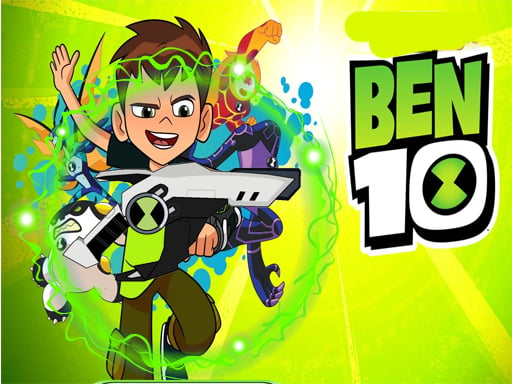
Prepare yourself for exhilarating online battles in Ben 10 Tower Defense! Join the legendary hero Ben Tennyson as you strive to protect your territories from a relentless wave of evil invaders. Your mission is to strategically place and upgrade an array of formidable defenses, including advanced snipers, powerful gunners, explosive rockets, and chilling ice towers. Each unit plays a pivotal
The genre lives on waves or levels that build up, precise aiming and satisfying hit feedback. Ben 10 Tower Defense understands that, and it shows in the first minute of play. Playing it works your aim and target prioritisation, which is a large part of why the "one more round" feeling is so strong.
How to play Ben 10 Tower Defense
- Press the play button above and wait for Ben 10 Tower Defense to finish loading. On first load this can take a few seconds while the game files are fetched.
- Follow the on-screen prompts. The developer describes the controls like this: Simple gameplay with efficient and easy to learn controls
- Take a few practice shots at the first targets to learn the aim speed, then move on to prioritising the dangerous enemies.
- Use the full-screen button under the frame for the best view, and keep an eye on the score, timer or health display so you know what the game is asking of you.
Controls
The controls in Ben 10 Tower Defense are straightforward once you have seen them written down:
| Input | What it does |
|---|---|
| Mouse | Point and click to play; the game shows its own prompts on screen. |
| Keyboard | Some actions may use the arrow keys or space bar — check the in-game hints. |
It is designed for desktop play with a keyboard and mouse.
Tips and tricks
- Move between shots. Many shooters make you an easy target only when you stand in one place.
- Learn the spawn points. Most levels reuse the same few entry points, and knowing them turns panic into routine.
- Sound tells you where an enemy is before you can see it. Headphones help more than you would expect.
- Headshots, weak points and combo multipliers are where high scores live; once survival is comfortable, start hunting for them.
- Because this is a Tower Defense game, build at corners where the path doubles back so towers get two passes at every enemy.
Who will enjoy it
We would recommend Ben 10 Tower Defense to players who like precision, quick targeting and progressively tougher waves. In terms of time, think of levels of a few minutes each, with longer runs in survival modes. The learning curve is approachable at first, with a steep climb in the later waves. It is designed for desktop play with a keyboard and mouse.
Game details
| Category | Shooting Games |
|---|---|
| Tags | Adventure, First Person Shooter, Shooting, Tower Defense, Ben 10 |
| Platform | Browser (desktop) |
| Controls | Mouse |
| Technology | HTML5 — no download or plugin required |
| Frame | Landscape (1280×720) |
| Added | 25 October 2024 |
| Plays | 1 |
| Price | Free to play |
Frequently asked questions
Is Ben 10 Tower Defense free to play?
It is free. Open the page, press play and the game loads in the browser. You do not need to install anything or register.
Can I play Ben 10 Tower Defense on my phone?
Ben 10 Tower Defense is best played on a desktop or laptop. It relies on keyboard and mouse input, and while it may load on a phone, the controls will not be comfortable.
What are the controls for Ben 10 Tower Defense?
The developer did not publish detailed controls, but the game follows genre conventions: Mouse — Point and click to play; the game shows its own prompts on screen; Keyboard — Some actions may use the arrow keys or space bar — check the in-game hints. The full list is in the controls section above.
Does Ben 10 Tower Defense save my progress?
Most browser games, including Ben 10 Tower Defense, store progress locally in your browser. If you clear your cookies or switch devices, that progress may be lost, so finish sessions before clearing browser data.
How do I play Ben 10 Tower Defense in full screen?
Click the expand icon under the game to switch Ben 10 Tower Defense to full screen. Esc returns you to the normal view.
What kind of game is Ben 10 Tower Defense?
It is a shooting game with the tags Adventure, First Person Shooter, Shooting, Tower Defense. Approachable at first, with a steep climb in the later waves, and levels of a few minutes each, with longer runs in survival modes.
Games similar to Ben 10 Tower Defense
You will find more games like Ben 10 Tower Defense further down this page, chosen by matching tags and category.