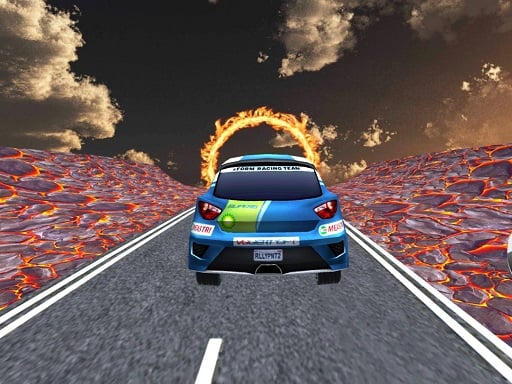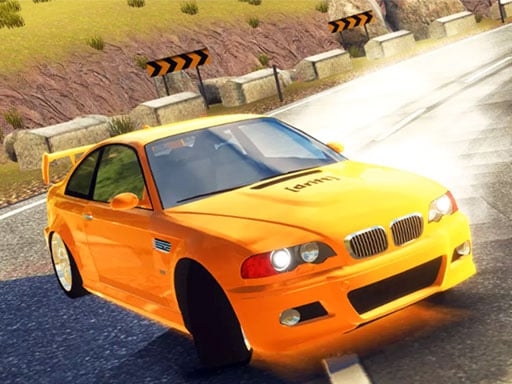
Play Burnout Car Drift for free — a racing game that runs directly in your browser on desktop, tablet or phone. Racing games live or die on how the vehicle feels, and Burnout Car Drift gives you a car (or something like one) that you can actually learn: brake late, steer smooth, and the lap times start dropping. A few things the tags reveal: it is a driving game where handling and road awareness matter more than raw speed.
About Burnout Car Drift
Prepare for an exhilarating adventure with Burnout Car Drift, a game that merges high-speed excitement with the thrill of drifting. In this dynamic racing experience, speed and precision are key. Whether you re taking on the winding roads in the daytime sun or cruising under the stars at night, every moment will challenge your driving skills and keep you on Master Every Drift in Burnout Car Drift Experience this high-speed drifting game and take control of powerful cars across exciting tracks. Burnout Car Drift rewards smooth cornering, precise control, and fast reactions as you perfect your drifting technique, improve your scores, and enjoy realistic driving challenges with every race.
The genre lives on responsive steering, upgrades or unlocks between races and tracks or roads that reward memorisation. Burnout Car Drift understands that, and it shows in the first minute of play. Playing it works your anticipation and timing, which is a large part of why the "one more round" feeling is so strong.
How to play Burnout Car Drift
- Start by clicking the big play button. Burnout Car Drift loads inside the frame; give it a moment, especially on a slow connection.
- Follow the on-screen prompts. The developer describes the controls like this: Movement WASD Arrow Keys Brake SPACE Key
- Do a warm-up lap without worrying about position. Feel how the vehicle brakes and turns, then race for real.
- Use the full-screen button under the frame for the best view, and keep an eye on the score, timer or health display so you know what the game is asking of you.
Controls
Controls for Burnout Car Drift at a glance:
| Input | What it does |
|---|---|
| WASD keys | Movement WASD Arrow Keys Brake SPACE Key. |
| Arrow keys | Movement WASD Arrow Keys Brake SPACE Key. |
| Space bar | Movement WASD Arrow Keys Brake SPACE Key. |
It is designed for desktop play with a keyboard and mouse.
Tips and tricks
- On mobile, tilt controls feel exciting but touch buttons are usually more precise. Try both before you settle.
- Use the whole width of the road. Cutting across from the outside to the inside of a bend and back out again shortens the distance and keeps your speed up.
- Learn one track completely before moving on. Knowing where every bend is worth several seconds a lap and the skill carries over.
- Look where you want to go, not at the wall you want to avoid. Your steering follows your attention.
- Because this is a Driving game, keep your eyes far down the road — you will react earlier to what is coming.
Who will enjoy it
We would recommend Burnout Car Drift to anyone who enjoys speed, vehicles and shaving seconds off a personal best. Expect a single race of one to three minutes, or a longer career if unlocks are involved. The learning curve is forgiving on early tracks, demanding on later ones. It is designed for desktop play with a keyboard and mouse.
Game details
| Category | Racing Games |
|---|---|
| Tags | 1 Player, Driving, Drifting, Car Tuning |
| Platform | Browser (desktop) |
| Controls | Keyboard |
| Technology | HTML5 — no download or plugin required |
| Frame | Landscape (800×600) |
| Added | 26 September 2024 |
| Plays | 2 |
| Price | Free to play |
Frequently asked questions
Is Burnout Car Drift free to play?
Yes. Burnout Car Drift is completely free to play on Diemakora. There is no download, no account and no payment — the game runs in your browser.
Can I play Burnout Car Drift on my phone?
This one is a desktop game. It expects a keyboard and mouse, so we recommend playing Burnout Car Drift on a computer for the intended experience.
What are the controls for Burnout Car Drift?
In short: WASD keys — Movement WASD Arrow Keys Brake SPACE Key; Arrow keys — Movement WASD Arrow Keys Brake SPACE Key; Space bar — Movement WASD Arrow Keys Brake SPACE Key. The full list is in the controls section above.
Does Burnout Car Drift save my progress?
Progress in Burnout Car Drift is kept by the game itself inside your browser storage. It will normally be there when you come back on the same device and browser.
What if Burnout Car Drift does not load?
If Burnout Car Drift does not load, refresh the page, make sure your browser is up to date and check that hardware acceleration is enabled. Ad blockers occasionally interfere with the game frame as well.
What kind of game is Burnout Car Drift?
It is a racing game with the tags 1 Player, Driving, Drifting, Car Tuning. Forgiving on early tracks, demanding on later ones, and a single race of one to three minutes, or a longer career if unlocks are involved.
Games similar to Burnout Car Drift
You will find more games like Burnout Car Drift further down this page, chosen by matching tags and category.