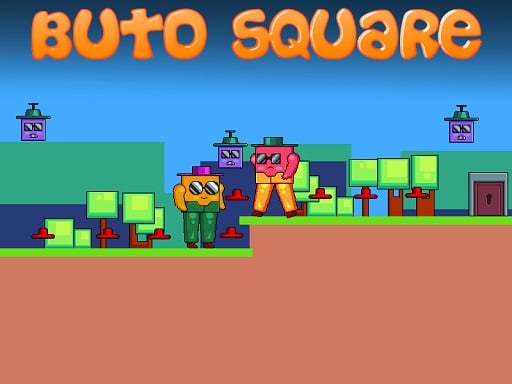
Welcome to Buto Square, a browser-based arcade game. Click play, wait a moment for it to load, and you are in. Buto Square follows the oldest recipe in gaming: one clear rule, one clear score, and the urge to try just one more time. A few things the tags reveal: it deliberately echoes classic arcade design.
About Buto Square
Buto Square is an engaging 2D platformer that challenges players to embark on an exciting adventure filled with captivating obstacles and rewarding collectibles. In this colorful world, players take on the role of a daring character navigating through intricately designed levels, each brimming with tricky square enemies, hazardous spikes, and aggressive ground saws. The primary objective is to collect all
The genre lives on bright, readable visuals, the "one more go" effect and a single, easy-to-read score. Buto Square understands that, and it shows in the first minute of play. The skills it leans on are timing and timing; both improve noticeably after a few sessions.
How to play Buto Square
- Start by clicking the big play button. Buto Square loads inside the frame; give it a moment, especially on a slow connection.
- Follow the on-screen prompts. The developer describes the controls like this: Use WASD or Arrow keys for the player s movement Use W or Up arrow key twice for double jump
- Play the first run purely to learn. Notice the rhythm of the obstacles, then start a fresh run and aim for a clean start.
- Use the full-screen button under the frame for the best view, and keep an eye on the score, timer or health display so you know what the game is asking of you.
Controls
Controls for Buto Square at a glance:
| Input | What it does |
|---|---|
| WASD keys | Use WASD or Arrow keys for the player s movement Use W or Up arrow key twice for double jump. |
| Arrow keys | Use WASD or Arrow keys for the player s movement Use W or Up arrow key twice for double jump. |
It is designed for desktop play with a keyboard and mouse.
Tips and tricks
- Find the rhythm. Most arcade games have an underlying beat — taps, jumps or moves that fall on a regular interval — and once you feel it, your accuracy jumps.
- Play in a quiet tab with nothing else running. Small frame drops cause missed timing that feels like bad luck but is not.
- Restart early. If a run starts badly, do not grind it out; a fresh attempt costs nothing and saves your focus.
- Learn the first thirty seconds perfectly. The opening is the same every time, so it should never be where you lose.
Who will enjoy it
Who is Buto Square for? In a word, anyone with a few minutes to spare and a competitive streak. Expect runs of thirty seconds to a few minutes, endlessly repeatable. The learning curve is simple rules, high skill ceiling. It is designed for desktop play with a keyboard and mouse.
Game details
| Category | Arcade Games |
|---|---|
| Tags | Arcade, 1 Player, Adventure, 2d, Jumping, Cartoon Network, Cute, Platform, Collecting, Pixel, Retro |
| Platform | Browser (desktop) |
| Controls | Keyboard |
| Technology | HTML5 — no download or plugin required |
| Frame | Landscape (800×640) |
| Added | 26 September 2024 |
| Plays | 1 |
| Price | Free to play |
Frequently asked questions
Is Buto Square free to play?
It is free. Open the page, press play and the game loads in the browser. You do not need to install anything or register.
Can I play Buto Square on my phone?
Buto Square is best played on a desktop or laptop. It relies on keyboard and mouse input, and while it may load on a phone, the controls will not be comfortable.
What are the controls for Buto Square?
In short: WASD keys — Use WASD or Arrow keys for the player s movement Use W or Up arrow key twice for double jump; Arrow keys — Use WASD or Arrow keys for the player s movement Use W or Up arrow key twice for double jump. The full list is in the controls section above.
Does Buto Square save my progress?
Most browser games, including Buto Square, store progress locally in your browser. If you clear your cookies or switch devices, that progress may be lost, so finish sessions before clearing browser data.
How do I play Buto Square in full screen?
Use the full-screen button just below the game frame. Press Esc on your keyboard to leave full-screen mode again.
What kind of game is Buto Square?
It is a arcade game with the tags Arcade, 1 Player, Adventure, 2d. Simple rules, high skill ceiling, and runs of thirty seconds to a few minutes, endlessly repeatable.
Games similar to Buto Square
You will find more games like Buto Square further down this page, chosen by matching tags and category.