Welcome to Cashier 3D, a browser-based arcade game. Click play, wait a moment for it to load, and you are in. Cashier 3D follows the oldest recipe in gaming: one clear rule, one clear score, and the urge to try just one more time. Its tags tell you what to expect: the structure is classic arcade — quick rounds, rising difficulty and a score to beat; the content and difficulty are tuned for younger players.
About Cashier 3D
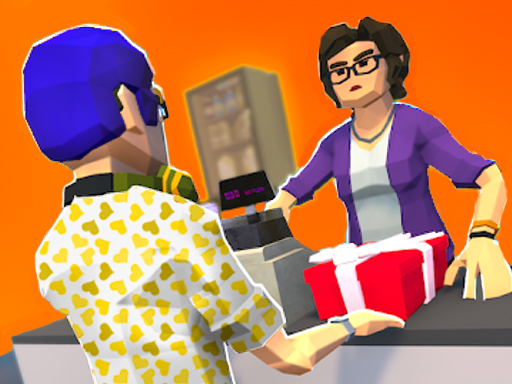
Step into the bustling world of retail with Cashier 3D, the ultimate simulation game that tests your skills as a cashier in a vibrant supermarket environment. Engage with a wide array of colorful characters while managing the checkout counter. Your primary task is to swiftly scan items, handle transactions, and ensure customer satisfaction. The more efficient you are, the happier
Judged as a arcade game, Cashier 3D hits the notes you would hope for: difficulty that ramps steadily, bright, readable visuals and a single, easy-to-read score. Under the surface it is a test of timing and rhythm, dressed up in upbeat presentation.
How to play Cashier 3D
- Start by clicking the big play button. Cashier 3D loads inside the frame; give it a moment, especially on a slow connection.
- Look for the in-game tutorial or hints on the first screen; most browser games explain their controls in the opening seconds.
- Play the first run purely to learn. Notice the rhythm of the obstacles, then start a fresh run and aim for a clean start.
- When you are comfortable, set a target: a score to beat, a level to clear or a time to shave. Small goals are what make Cashier 3D stick.
Controls
Controls for Cashier 3D at a glance:
| Input | What it does |
|---|---|
| Mouse | Point and click to play; the game shows its own prompts on screen. |
| Keyboard | Some actions may use the arrow keys or space bar — check the in-game hints. |
It is designed for desktop play with a keyboard and mouse.
Tips and tricks
- Restart early. If a run starts badly, do not grind it out; a fresh attempt costs nothing and saves your focus.
- Look one step ahead of your character. Reacting to what is under you is too late; reacting to what is coming is exactly on time.
- Find the rhythm. Most arcade games have an underlying beat — taps, jumps or moves that fall on a regular interval — and once you feel it, your accuracy jumps.
- Play in a quiet tab with nothing else running. Small frame drops cause missed timing that feels like bad luck but is not.
- Because this is a Arcade game, restart early when a run goes wrong instead of grinding out a poor score.
Who will enjoy it
Cashier 3D is a good fit for anyone with a few minutes to spare and a competitive streak. A typical session is runs of thirty seconds to a few minutes, endlessly repeatable. Difficulty-wise it is simple rules, high skill ceiling. It is designed for desktop play with a keyboard and mouse.
Game details
| Category | Arcade Games |
|---|---|
| Tags | Arcade, Kids, 3d Games, Fall Boys, Point And Click |
| Platform | Browser (desktop) |
| Controls | Mouse |
| Technology | HTML5 — no download or plugin required |
| Frame | Landscape (800×600) |
| Added | 25 October 2024 |
| Plays | 2 |
| Price | Free to play |
Frequently asked questions
Is Cashier 3D free to play?
Yes. Cashier 3D is completely free to play on Diemakora. There is no download, no account and no payment — the game runs in your browser.
Can I play Cashier 3D on my phone?
Cashier 3D is best played on a desktop or laptop. It relies on keyboard and mouse input, and while it may load on a phone, the controls will not be comfortable.
What are the controls for Cashier 3D?
The developer did not publish detailed controls, but the game follows genre conventions: Mouse — Point and click to play; the game shows its own prompts on screen; Keyboard — Some actions may use the arrow keys or space bar — check the in-game hints. The full list is in the controls section above.
Does Cashier 3D save my progress?
Progress in Cashier 3D is kept by the game itself inside your browser storage. It will normally be there when you come back on the same device and browser.
How do I play Cashier 3D in full screen?
Use the full-screen button just below the game frame. Press Esc on your keyboard to leave full-screen mode again.
Is Cashier 3D suitable for children?
It is tagged Kids, which usually indicates content aimed at younger players. As with any online game, we suggest a parent takes a quick look first.
Games similar to Cashier 3D
Finished a session? The games listed below were picked because they share tags or a category with Cashier 3D.