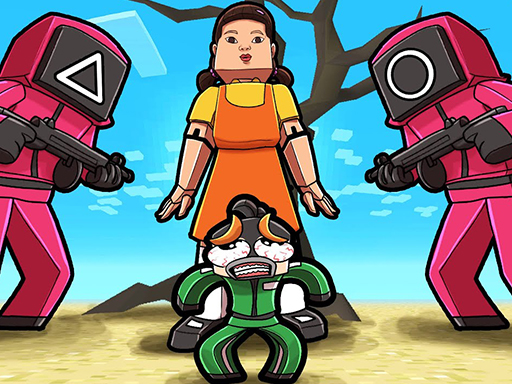
Chitu Adventures is a free online arcade game you can play right here in your browser, with no download and no sign-up. Chitu Adventures follows the oldest recipe in gaming: one clear rule, one clear score, and the urge to try just one more time. Its tags tell you what to expect: timing your jumps is the main mechanic; it has retro pixel-art visuals.
About Chitu Adventures
Chitu Adventures is an engaging 2D platformer that puts you in the shoes of Chitu, a determined employee on a quest to reclaim vital project papers stolen by mischievous coworkers. As you navigate through the colorful pixelated world, your objective is to dodge various obstacles including relentless spikes and menacing saws while strategically outsmarting your evil coworkers. As you progress through
What makes a good arcade game? Usually a single, easy-to-read score, difficulty that ramps steadily and instant restarts — and Chitu Adventures has each of them in some measure. Playing it works your consistency and focus, which is a large part of why the "one more round" feeling is so strong.
How to play Chitu Adventures
- Start by clicking the big play button. Chitu Adventures loads inside the frame; give it a moment, especially on a slow connection.
- Follow the on-screen prompts. The developer describes the controls like this: Use WASD or Arrow keys for the player s movement Use W or Up arrow key twice for double jump
- Play the first run purely to learn. Notice the rhythm of the obstacles, then start a fresh run and aim for a clean start.
- When you are comfortable, set a target: a score to beat, a level to clear or a time to shave. Small goals are what make Chitu Adventures stick.
Controls
The controls in Chitu Adventures are straightforward once you have seen them written down:
| Input | What it does |
|---|---|
| WASD keys | Use WASD or Arrow keys for the player s movement Use W or Up arrow key twice for double jump. |
| Arrow keys | Use WASD or Arrow keys for the player s movement Use W or Up arrow key twice for double jump. |
It is designed for desktop play with a keyboard and mouse.
Tips and tricks
- Restart early. If a run starts badly, do not grind it out; a fresh attempt costs nothing and saves your focus.
- Learn the first thirty seconds perfectly. The opening is the same every time, so it should never be where you lose.
- Combo systems reward patience: keep the chain alive with safe moves rather than reaching for risky bonuses.
- Find the rhythm. Most arcade games have an underlying beat — taps, jumps or moves that fall on a regular interval — and once you feel it, your accuracy jumps.
- Because this is a Jumping game, watch the landing spot, not your character.
Who will enjoy it
Chitu Adventures is a good fit for anyone with a few minutes to spare and a competitive streak. In terms of time, think of runs of thirty seconds to a few minutes, endlessly repeatable. Difficulty-wise it is simple rules, high skill ceiling. It is designed for desktop play with a keyboard and mouse.
Game details
| Category | Arcade Games |
|---|---|
| Tags | Arcade, 1 Player, Adventure, 2d, Jumping, Cartoon Network, Cute, Platform, Collecting, Pixel, Retro |
| Platform | Browser (desktop) |
| Controls | Keyboard |
| Technology | HTML5 — no download or plugin required |
| Frame | Landscape (800×640) |
| Added | 26 September 2024 |
| Plays | 1 |
| Price | Free to play |
Frequently asked questions
Is Chitu Adventures free to play?
It is free. Open the page, press play and the game loads in the browser. You do not need to install anything or register.
Can I play Chitu Adventures on my phone?
Chitu Adventures is best played on a desktop or laptop. It relies on keyboard and mouse input, and while it may load on a phone, the controls will not be comfortable.
What are the controls for Chitu Adventures?
In short: WASD keys — Use WASD or Arrow keys for the player s movement Use W or Up arrow key twice for double jump; Arrow keys — Use WASD or Arrow keys for the player s movement Use W or Up arrow key twice for double jump. The full list is in the controls section above.
Does Chitu Adventures save my progress?
Progress in Chitu Adventures is kept by the game itself inside your browser storage. It will normally be there when you come back on the same device and browser.
How do I play Chitu Adventures in full screen?
Click the expand icon under the game to switch Chitu Adventures to full screen. Esc returns you to the normal view.
What kind of game is Chitu Adventures?
It is a arcade game with the tags Arcade, 1 Player, Adventure, 2d. Simple rules, high skill ceiling, and runs of thirty seconds to a few minutes, endlessly repeatable.
Games similar to Chitu Adventures
When you are done, scroll down for more arcade games and titles that share tags with Chitu Adventures.