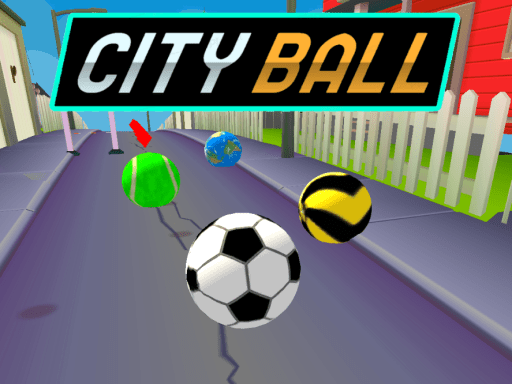
Looking for a arcade game that starts instantly? City Ball runs in your browser and is completely free to play. Arcade games are designed around the loop, and City Ball has a good one — short attempts, instant restarts and a score that begs to be beaten. A few things the tags reveal: gathering items or collectibles is the goal; dodging obstacles is the core mechanic; success depends on precision and timing rather than luck.
About City Ball
City Ball is an exhilarating rolling ball game that immerses players in the vibrant atmosphere of urban streets. In this colorful environment, you take control of a lively ball, navigating through a bustling cityscape filled with unique challenges and obstacles. As you roll through the city, you must remain agile and quick-thinking to evade barriers such as roadblocks, pedestrians, and
The genre lives on difficulty that ramps steadily, a single, easy-to-read score and instant restarts. City Ball understands that, and it shows in the first minute of play. The skills it leans on are timing and focus; both improve noticeably after a few sessions.
How to play City Ball
- Press the play button above and wait for City Ball to finish loading. On first load this can take a few seconds while the game files are fetched.
- Follow the on-screen prompts. The developer describes the controls like this: Avoid obstacles by moving left and right jumping over obstacles and smaller ball under them As the rolling time increases the rolling speed will also increase You have the right to hit 3 obstacles in total
- Play the first run purely to learn. Notice the rhythm of the obstacles, then start a fresh run and aim for a clean start.
- Switch to full screen if precision matters, and remember that the game keeps its own progress — finish a level before you close the tab.
Controls
You will not need a manual for City Ball, but knowing the inputs before you start saves the first minute of fumbling:
| Input | What it does |
|---|---|
| Mouse / Tap | Click or tap to interact with the game. |
| Drag | Hold and move to aim, steer or drag objects where the game asks for it. |
The controls are tap and drag based, which makes it comfortable on touch screens as well as with a mouse.
Tips and tricks
- Combo systems reward patience: keep the chain alive with safe moves rather than reaching for risky bonuses.
- Learn the first thirty seconds perfectly. The opening is the same every time, so it should never be where you lose.
- Aim for consistency before you aim for records. A steady run that avoids mistakes usually scores higher than a flashy one that ends early.
- Look one step ahead of your character. Reacting to what is under you is too late; reacting to what is coming is exactly on time.
- Because this is a Mobile game, turn on rotation lock so the screen does not flip mid-game.
- Because this is a Collecting game, plan a route that passes everything once.
Who will enjoy it
We would recommend City Ball to anyone with a few minutes to spare and a competitive streak. In terms of time, think of runs of thirty seconds to a few minutes, endlessly repeatable. Difficulty-wise it is simple rules, high skill ceiling. The controls are tap and drag based, which makes it comfortable on touch screens as well as with a mouse.
Game details
| Category | Arcade Games |
|---|---|
| Tags | Arcade, Hypercasual, 3d Games, Mobile, Skills, Platform, Collecting, Avoid |
| Platform | Browser (desktop, tablet and mobile) |
| Controls | Touch and mouse |
| Technology | HTML5 — no download or plugin required |
| Frame | Landscape (800×450) |
| Added | 26 September 2024 |
| Plays | 1 |
| Price | Free to play |
Frequently asked questions
Is City Ball free to play?
It is free. Open the page, press play and the game loads in the browser. You do not need to install anything or register.
Can I play City Ball on my phone?
Yes — the game supports touch input and adapts to smaller screens, so you can play City Ball on a phone or tablet as well as on a computer.
What are the controls for City Ball?
The developer did not publish detailed controls, but the game follows genre conventions: Mouse / Tap — Click or tap to interact with the game; Drag — Hold and move to aim, steer or drag objects where the game asks for it. The full list is in the controls section above.
Does City Ball save my progress?
Most browser games, including City Ball, store progress locally in your browser. If you clear your cookies or switch devices, that progress may be lost, so finish sessions before clearing browser data.
What if City Ball does not load?
If City Ball does not load, refresh the page, make sure your browser is up to date and check that hardware acceleration is enabled. Ad blockers occasionally interfere with the game frame as well.
What kind of game is City Ball?
It is a arcade game with the tags Arcade, Hypercasual, 3d Games, Mobile. Simple rules, high skill ceiling, and runs of thirty seconds to a few minutes, endlessly repeatable.
Games similar to City Ball
You will find more games like City Ball further down this page, chosen by matching tags and category.