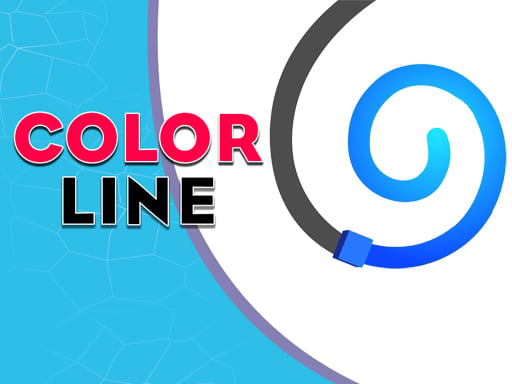
Color Line is one of the action games in the Diemakora collection. It loads in seconds and needs nothing installed. Color Line belongs to the action family, which means the fun comes from momentum — moving, dodging, striking and recovering before the next wave arrives. A few things the tags reveal: it follows the hyper-casual formula: one mechanic, instant play and very short rounds; you colour pictures at your own pace; fast reactions and constant movement are the point.
About Color Line
In the vibrant world of Color Line, players take on the exciting challenge of navigating a colorful cube through a series of obstacle-laden paths. This game captivates with its bright visuals and engaging gameplay, demanding sharp reflexes and strategic thinking. Your ultimate goal is to maneuver the color cube to reach its destination while skillfully avoiding various obstacles that may
The genre lives on short, intense rounds, escalating difficulty and tight controls. Color Line understands that, and it shows in the first minute of play. The skills it leans on are staying calm under pressure and pattern recognition; both improve noticeably after a few sessions.
How to play Color Line
- Start by clicking the big play button. Color Line loads inside the frame; give it a moment, especially on a slow connection.
- Follow the on-screen prompts. The developer describes the controls like this: Now control the color cube go to destination be careful about the obstacles on the road
- Start slowly. Learn the movement and the first enemy pattern before you push for score; speed comes naturally once the inputs are automatic.
- Switch to full screen if precision matters, and remember that the game keeps its own progress — finish a level before you close the tab.
Controls
Controls for Color Line at a glance:
| Input | What it does |
|---|---|
| Mouse / Tap | Click or tap to interact with the game. |
| Drag | Hold and move to aim, steer or drag objects where the game asks for it. |
The controls are tap and drag based, which makes it comfortable on touch screens as well as with a mouse.
Tips and tricks
- Keep moving. Standing still is the most common way to lose an action round, because the game is designed to punish hesitation.
- If there is a dash, jump or dodge move, treat it as a resource: use it to escape, not to attack, until you know the level.
- Watch the edges of the screen, not just your character. New threats almost always enter from the sides or the top, and spotting them early gives you a full second of extra time.
- Use short practice sessions. Ten focused minutes will improve your timing far more than an hour of frustrated retries.
- Because this is a Coloring game, zoom in for the small areas.
Who will enjoy it
We would recommend Color Line to players who enjoy adrenaline, arcade-style progression and beating their own high score. In terms of time, think of rounds of two to five minutes, which makes it ideal for a quick break. Difficulty-wise it is easy to pick up but genuinely demanding to master. The controls are tap and drag based, which makes it comfortable on touch screens as well as with a mouse.
Game details
| Category | Action Games |
|---|---|
| Tags | Html5 Games For Your Site, Hypercasual, Action, Coloring |
| Platform | Browser (desktop, tablet and mobile) |
| Controls | Touch and mouse |
| Technology | HTML5 — no download or plugin required |
| Frame | Landscape (800×600) |
| Added | 25 October 2024 |
| Plays | 3 |
| Price | Free to play |
Frequently asked questions
Is Color Line free to play?
It is free. Open the page, press play and the game loads in the browser. You do not need to install anything or register.
Can I play Color Line on my phone?
Color Line works on mobile devices. Open this page on your phone or tablet and use the touch controls; rotating the device to landscape usually gives the best view.
What are the controls for Color Line?
The developer did not publish detailed controls, but the game follows genre conventions: Mouse / Tap — Click or tap to interact with the game; Drag — Hold and move to aim, steer or drag objects where the game asks for it. The full list is in the controls section above.
Does Color Line save my progress?
Most browser games, including Color Line, store progress locally in your browser. If you clear your cookies or switch devices, that progress may be lost, so finish sessions before clearing browser data.
What if Color Line does not load?
A blank frame usually means the game is still loading or a browser extension blocked it. Wait a few seconds, then reload; if that fails, try another browser.
Is Color Line suitable for children?
It is tagged Coloring, which usually indicates content aimed at younger players. As with any online game, we suggest a parent takes a quick look first.
Games similar to Color Line
Finished a session? The games listed below were picked because they share tags or a category with Color Line.