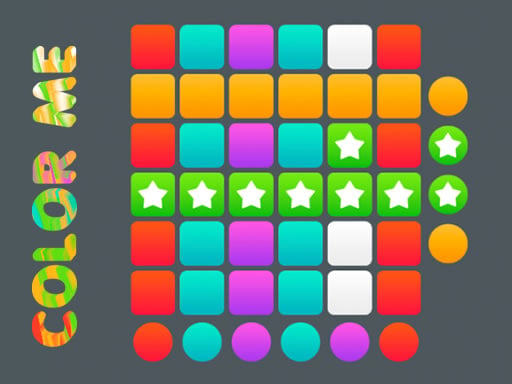
Color Me is one of the puzzle games in the Diemakora collection. It loads in seconds and needs nothing installed. Color Me is a game you can play in the gaps of the day. Each level is self-contained, the rules are consistent, and progress is saved in your head as much as on screen. A few things the tags reveal: it exercises logic and quick thinking; you colour pictures at your own pace.
About Color Me
Color Me is an engaging and captivating puzzle game that puts your problem-solving abilities and visual perception to the test. Each level presents you with an example image showcasing a fully colored puzzle, and your goal is to replicate this image by accurately coloring the various blocks. The game features a unique grid-like board filled with interconnected lines and blocks,
What makes a good puzzle game? Usually a gentle but real difficulty curve, clear rules that never change unfairly and a calm pace — and Color Me has each of them in some measure. Under the surface it is a test of pattern recognition and patience, dressed up in relaxing presentation.
How to play Color Me
- Press the play button above and wait for Color Me to finish loading. On first load this can take a few seconds while the game files are fetched.
- Follow the on-screen prompts. The developer describes the controls like this: Tap on the game screen to play this game Play and have fun in 90 levels
- Read the whole level before your first move. Identify the goal, then look for the forced moves that must happen regardless.
- Use the full-screen button under the frame for the best view, and keep an eye on the score, timer or health display so you know what the game is asking of you.
Controls
Here is how Color Me is controlled, based on the developer's instructions and our own testing:
| Input | What it does |
|---|---|
| Tap (touch) | Tap on the game screen to play this game Play and have fun in 90 levels. |
The controls are tap and drag based, which makes it comfortable on touch screens as well as with a mouse.
Tips and tricks
- Use undo or restart freely. Experimenting is how you learn the mechanics; there is no penalty for trying an idea.
- Read the whole board before your first move. In most puzzle games the first move is the most important one, and it deserves ten seconds of looking.
- If you are stuck for more than a couple of minutes, step away and come back. Puzzle solutions often arrive when you stop forcing them.
- Look for forced moves — places where only one option is legal. Solving those first shrinks the problem.
Who will enjoy it
Color Me is a good fit for players who prefer thinking to twitching, from casual brain-teaser fans to dedicated solvers. In terms of time, think of a level or two in five minutes, or a long relaxed session. How hard is it? Gentle at the start and genuinely tricky later. The controls are tap and drag based, which makes it comfortable on touch screens as well as with a mouse.
Game details
| Category | Puzzle Games |
|---|---|
| Tags | Kids, Puzzleblock, Brain, Coloring, Logical |
| Platform | Browser (desktop, tablet and mobile) |
| Controls | Touch and mouse |
| Technology | HTML5 — no download or plugin required |
| Frame | Portrait (720×1280) |
| Added | 26 September 2024 |
| Plays | 1 |
| Price | Free to play |
Frequently asked questions
Is Color Me free to play?
It is free. Open the page, press play and the game loads in the browser. You do not need to install anything or register.
Can I play Color Me on my phone?
Yes — the game supports touch input and adapts to smaller screens, so you can play Color Me on a phone or tablet as well as on a computer.
What are the controls for Color Me?
In short: Tap (touch) — Tap on the game screen to play this game Play and have fun in 90 levels. The full list is in the controls section above.
Does Color Me save my progress?
Progress in Color Me is kept by the game itself inside your browser storage. It will normally be there when you come back on the same device and browser.
What if Color Me does not load?
If Color Me does not load, refresh the page, make sure your browser is up to date and check that hardware acceleration is enabled. Ad blockers occasionally interfere with the game frame as well.
Is Color Me suitable for children?
It is tagged Kids, Coloring, which usually indicates content aimed at younger players. As with any online game, we suggest a parent takes a quick look first.
Games similar to Color Me
When you are done, scroll down for more puzzle games and titles that share tags with Color Me.