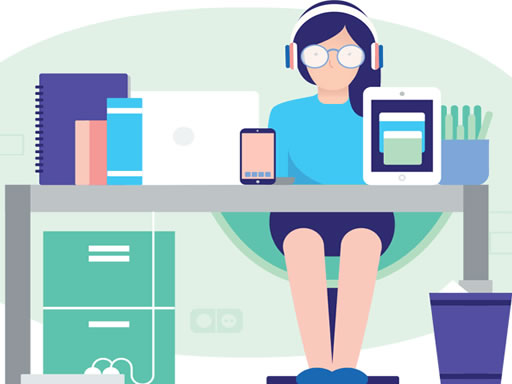
Play Cozy Office Difference for free — a arcade game that runs directly in your browser on desktop, tablet or phone. Cozy Office Difference follows the oldest recipe in gaming: one clear rule, one clear score, and the urge to try just one more time. From the tags you can already tell that you compare two pictures and spot what changed; the content and difficulty are tuned for younger players.
About Cozy Office Difference
Cozy Office Difference is an engaging and entertaining game designed specifically for children, providing a delightful way to spend their free time! In this interactive experience, players are challenged to spot the subtle differences between pairs of amusing images tailored for kids. Each level presents colorful and whimsical designs filled with playful characters and imaginative settings that captivate young players.
The genre lives on difficulty that ramps steadily, instant restarts and the "one more go" effect. Cozy Office Difference understands that, and it shows in the first minute of play. Playing it works your focus and consistency, which is a large part of why the "one more round" feeling is so strong.
How to play Cozy Office Difference
- Start by clicking the big play button. Cozy Office Difference loads inside the frame; give it a moment, especially on a slow connection.
- Follow the on-screen prompts. The developer describes the controls like this: Use your mouse to play the game or tap on the screen
- Play the first run purely to learn. Notice the rhythm of the obstacles, then start a fresh run and aim for a clean start.
- When you are comfortable, set a target: a score to beat, a level to clear or a time to shave. Small goals are what make Cozy Office Difference stick.
Controls
Controls for Cozy Office Difference at a glance:
| Input | What it does |
|---|---|
| Mouse | Use your mouse to play the game or tap on the screen. |
| Tap (touch) | Use your mouse to play the game or tap on the screen. |
The controls are tap and drag based, which makes it comfortable on touch screens as well as with a mouse.
Tips and tricks
- Aim for consistency before you aim for records. A steady run that avoids mistakes usually scores higher than a flashy one that ends early.
- Learn the first thirty seconds perfectly. The opening is the same every time, so it should never be where you lose.
- Combo systems reward patience: keep the chain alive with safe moves rather than reaching for risky bonuses.
- Restart early. If a run starts badly, do not grind it out; a fresh attempt costs nothing and saves your focus.
- Because this is a Kids game, younger children do better with a mouse or touch screen than with keyboard combinations.
Who will enjoy it
Who is Cozy Office Difference for? In a word, anyone with a few minutes to spare and a competitive streak. Expect runs of thirty seconds to a few minutes, endlessly repeatable. Difficulty-wise it is simple rules, high skill ceiling. The controls are tap and drag based, which makes it comfortable on touch screens as well as with a mouse.
Game details
| Category | Arcade Games |
|---|---|
| Tags | Html5 Games For Your Site, Kids, Puzzleblock, Funny, Mobile, Skills, Difference |
| Platform | Browser (desktop, tablet and mobile) |
| Controls | Touch and mouse |
| Technology | HTML5 — no download or plugin required |
| Frame | Landscape (1280×720) |
| Added | 25 October 2024 |
| Plays | 2 |
| Price | Free to play |
Frequently asked questions
Is Cozy Office Difference free to play?
It is free. Open the page, press play and the game loads in the browser. You do not need to install anything or register.
Can I play Cozy Office Difference on my phone?
Yes — the game supports touch input and adapts to smaller screens, so you can play Cozy Office Difference on a phone or tablet as well as on a computer.
What are the controls for Cozy Office Difference?
In short: Mouse — Use your mouse to play the game or tap on the screen; Tap (touch) — Use your mouse to play the game or tap on the screen. The full list is in the controls section above.
Does Cozy Office Difference save my progress?
Progress in Cozy Office Difference is kept by the game itself inside your browser storage. It will normally be there when you come back on the same device and browser.
What if Cozy Office Difference does not load?
If Cozy Office Difference does not load, refresh the page, make sure your browser is up to date and check that hardware acceleration is enabled. Ad blockers occasionally interfere with the game frame as well.
Is Cozy Office Difference suitable for children?
It is tagged Kids, which usually indicates content aimed at younger players. As with any online game, we suggest a parent takes a quick look first.
Games similar to Cozy Office Difference
Finished a session? The games listed below were picked because they share tags or a category with Cozy Office Difference.