Craft Island 3D Game is one of the arcade games in the Diemakora collection. It loads in seconds and needs nothing installed. Craft Island 3D Game follows the oldest recipe in gaming: one clear rule, one clear score, and the urge to try just one more time. A few things the tags reveal: the content and difficulty are tuned for younger players.
About Craft Island 3D Game
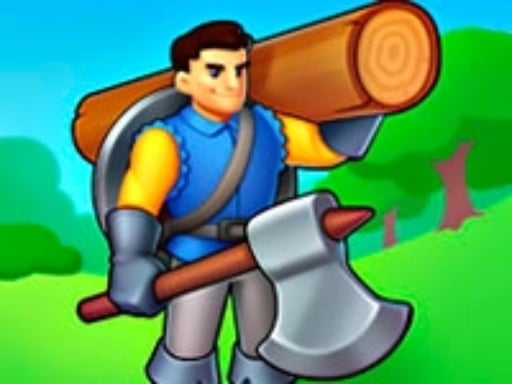
Welcome to Craft Island 3D, an enchanting new idle game that invites players to immerse themselves in a world of logging, building, and exploration. Set against stunning and diverse landscapes, you will embark on an exciting journey to become a prosperous island craft owner. Your adventure begins by chopping down trees, which serve as the fundamental resource for constructing various
The genre lives on instant restarts, difficulty that ramps steadily and the "one more go" effect. Craft Island 3D Game understands that, and it shows in the first minute of play. The skills it leans on are consistency and timing; both improve noticeably after a few sessions.
How to play Craft Island 3D Game
- Start by clicking the big play button. Craft Island 3D Game loads inside the frame; give it a moment, especially on a slow connection.
- Look for the in-game tutorial or hints on the first screen; most browser games explain their controls in the opening seconds.
- Play the first run purely to learn. Notice the rhythm of the obstacles, then start a fresh run and aim for a clean start.
- Switch to full screen if precision matters, and remember that the game keeps its own progress — finish a level before you close the tab.
Controls
Controls for Craft Island 3D Game at a glance:
| Input | What it does |
|---|---|
| Mouse | Point and click to play; the game shows its own prompts on screen. |
| Keyboard | Some actions may use the arrow keys or space bar — check the in-game hints. |
It is designed for desktop play with a keyboard and mouse.
Tips and tricks
- Play in a quiet tab with nothing else running. Small frame drops cause missed timing that feels like bad luck but is not.
- Learn the first thirty seconds perfectly. The opening is the same every time, so it should never be where you lose.
- Find the rhythm. Most arcade games have an underlying beat — taps, jumps or moves that fall on a regular interval — and once you feel it, your accuracy jumps.
- Aim for consistency before you aim for records. A steady run that avoids mistakes usually scores higher than a flashy one that ends early.
- Because this is a Arcade game, restart early when a run goes wrong instead of grinding out a poor score.
- Because this is a Kids game, younger children do better with a mouse or touch screen than with keyboard combinations.
Who will enjoy it
Who is Craft Island 3D Game for? In a word, anyone with a few minutes to spare and a competitive streak. A typical session is runs of thirty seconds to a few minutes, endlessly repeatable. The learning curve is simple rules, high skill ceiling. It is designed for desktop play with a keyboard and mouse.
Game details
| Category | Arcade Games |
|---|---|
| Tags | Arcade, Kids, 3d Games, Fall Boys, Skills, Collecting, H5, Avoid, Street Fighting, Warrior, Killing |
| Platform | Browser (desktop) |
| Controls | Mouse |
| Technology | HTML5 — no download or plugin required |
| Frame | Portrait (1080×1920) |
| Added | 26 September 2024 |
| Plays | 3 |
| Price | Free to play |
Frequently asked questions
Is Craft Island 3D Game free to play?
It is free. Open the page, press play and the game loads in the browser. You do not need to install anything or register.
Can I play Craft Island 3D Game on my phone?
Craft Island 3D Game is best played on a desktop or laptop. It relies on keyboard and mouse input, and while it may load on a phone, the controls will not be comfortable.
What are the controls for Craft Island 3D Game?
The developer did not publish detailed controls, but the game follows genre conventions: Mouse — Point and click to play; the game shows its own prompts on screen; Keyboard — Some actions may use the arrow keys or space bar — check the in-game hints. The full list is in the controls section above.
Does Craft Island 3D Game save my progress?
Progress in Craft Island 3D Game is kept by the game itself inside your browser storage. It will normally be there when you come back on the same device and browser.
How do I play Craft Island 3D Game in full screen?
Use the full-screen button just below the game frame. Press Esc on your keyboard to leave full-screen mode again.
Is Craft Island 3D Game suitable for children?
It is tagged Kids, which usually indicates content aimed at younger players. As with any online game, we suggest a parent takes a quick look first.
Games similar to Craft Island 3D Game
Finished a session? The games listed below were picked because they share tags or a category with Craft Island 3D Game.