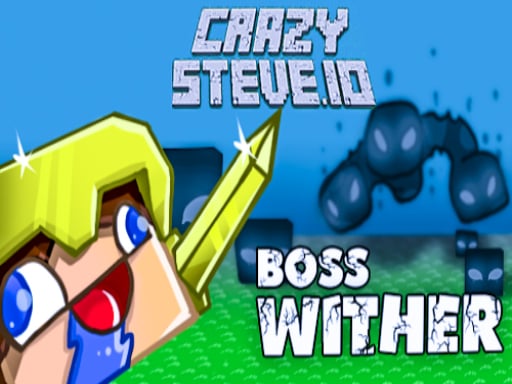
CrazySteve.io is one of the multiplayer games in the Diemakora collection. It loads in seconds and needs nothing installed. Solo games are predictable; other people are not. CrazySteve.io uses that unpredictability as its engine, and every match ends up telling a slightly different story. From the tags you can already tell that fast reactions and constant movement are the point.
About CrazySteve.io
CrazySteve.io is an exhilarating online multiplayer game that promises fast-paced fighting and endless fun. In this vibrant world, your primary objective is to amass as many points as you can while showcasing your superiority over rivals. As you navigate through the dynamic map, you'll encounter precious diamonds and health-restoring apples that will aid you in your quest for victory. Points are
What makes a good multiplayer game? Usually head-to-head or cooperative play, quick matchmaking or shared-screen setup and simple rules everyone can grasp fast — and CrazySteve.io has each of them in some measure. Under the surface it is a test of communication and composure, dressed up in fun presentation.
How to play CrazySteve.io
- Start by clicking the big play button. CrazySteve.io loads inside the frame; give it a moment, especially on a slow connection.
- Follow the on-screen prompts. The developer describes the controls like this: Mouse move - Move Left mouse button - Attack Right mouse button - Speed up Enter - Chat
- Try a round against the computer or alone first so the controls are familiar before you bring in another player.
- Switch to full screen if precision matters, and remember that the game keeps its own progress — finish a level before you close the tab.
Controls
The controls in CrazySteve.io are straightforward once you have seen them written down:
| Input | What it does |
|---|---|
| Mouse | Mouse move - Move Left mouse button - Attack Right mouse button - Speed up Enter - Chat. |
| Enter | Mouse move - Move Left mouse button - Attack Right mouse button - Speed up Enter - Chat. |
It works on phones and tablets with touch controls, and on desktop with a mouse or keyboard.
Tips and tricks
- Do not tilt. After a bad round, the next one is a fresh start; the player who resets emotionally usually wins the set.
- Use the first round to test. Try something unusual and see how the opponent reacts; the information is worth more than the round.
- Learn the controls alone for two minutes before you invite a friend. Fumbling the basics is the fastest way to lose a match you should win.
- Short, frequent matches build skill faster than marathon sessions.
Who will enjoy it
CrazySteve.io is a good fit for friends on one screen, online competitors and anyone who finds bots boring. Expect matches of two to ten minutes, best played in a series. Difficulty-wise it is entirely dependent on who you are playing against. It works on phones and tablets with touch controls, and on desktop with a mouse or keyboard.
Game details
| Category | Multiplayer Games |
|---|---|
| Tags | Funny, Action, First Person Shooter, Animal, Blocky, Minecraft, Sword, Bow |
| Platform | Browser (desktop, tablet and mobile) |
| Controls | Mouse |
| Technology | HTML5 — no download or plugin required |
| Frame | Landscape (1000×800) |
| Added | 26 September 2024 |
| Plays | 2 |
| Price | Free to play |
Frequently asked questions
Is CrazySteve.io free to play?
Yes. CrazySteve.io is completely free to play on Diemakora. There is no download, no account and no payment — the game runs in your browser.
Can I play CrazySteve.io on my phone?
CrazySteve.io works on mobile devices. Open this page on your phone or tablet and use the touch controls; rotating the device to landscape usually gives the best view.
What are the controls for CrazySteve.io?
In short: Mouse — Mouse move - Move Left mouse button - Attack Right mouse button - Speed up Enter - Chat; Enter — Mouse move - Move Left mouse button - Attack Right mouse button - Speed up Enter - Chat. The full list is in the controls section above.
Does CrazySteve.io save my progress?
Progress in CrazySteve.io is kept by the game itself inside your browser storage. It will normally be there when you come back on the same device and browser.
What if CrazySteve.io does not load?
A blank frame usually means the game is still loading or a browser extension blocked it. Wait a few seconds, then reload; if that fails, try another browser.
What kind of game is CrazySteve.io?
It is a multiplayer game with the tags Funny, Action, First Person Shooter, Animal. Entirely dependent on who you are playing against, and matches of two to ten minutes, best played in a series.
Games similar to CrazySteve.io
When you are done, scroll down for more multiplayer games and titles that share tags with CrazySteve.io.