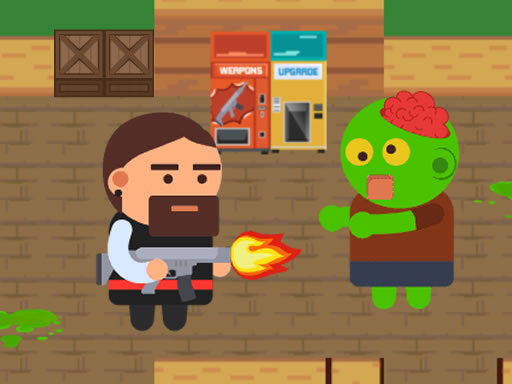
Looking for a shooting game that starts instantly? Cyberpuke runs in your browser and is completely free to play. Shooting games are really about attention: Cyberpuke rewards the player who tracks several moving things at once and picks the right one to deal with first. From the tags you can already tell that it features firearms and shooting mechanics.
About Cyberpuke
Welcome to the exhilarating world of Cyberpuke, where futuristic aesthetics meet intense combat action. As a special agent, players are thrust into a vibrant and immersive environment, filled with cutting-edge graphics that enhance each mission's thrill. Your primary objective? Eliminate all cyber cops standing in your way and navigate through each level to reach the extraction point successfully. Armed with an
Judged as a shooting game, Cyberpuke hits the notes you would hope for: ammunition or cooldown management, enemies with distinct behaviours and precise aiming. Under the surface it is a test of aim and resource management, dressed up in intense presentation.
How to play Cyberpuke
- Press the play button above and wait for Cyberpuke to finish loading. On first load this can take a few seconds while the game files are fetched.
- Follow the on-screen prompts. The developer describes the controls like this: WASD - Move LMB - Shoot RMB - Aim Mouse Wheel - Change weapon R - Reload T - Bullet time Space - Jump
- Take a few practice shots at the first targets to learn the aim speed, then move on to prioritising the dangerous enemies.
- Switch to full screen if precision matters, and remember that the game keeps its own progress — finish a level before you close the tab.
Controls
The controls in Cyberpuke are straightforward once you have seen them written down:
| Input | What it does |
|---|---|
| WASD keys | WASD - Move LMB - Shoot RMB - Aim Mouse Wheel - Change weapon R - Reload T - Bullet time Space - Jump. |
| Space bar | WASD - Move LMB - Shoot RMB - Aim Mouse Wheel - Change weapon R - Reload T - Bullet time Space - Jump. |
| Mouse | WASD - Move LMB - Shoot RMB - Aim Mouse Wheel - Change weapon R - Reload T - Bullet time Space - Jump. |
It is designed for desktop play with a keyboard and mouse.
Tips and tricks
- If there is a reload, reload during quiet moments — never in the middle of a wave.
- Learn the spawn points. Most levels reuse the same few entry points, and knowing them turns panic into routine.
- Move between shots. Many shooters make you an easy target only when you stand in one place.
- Keep your cursor or crosshair roughly where enemies appear, not on the spot where the last one died.
- Because this is a Shooting game, aim before you fire, and fire in short bursts.
Who will enjoy it
We would recommend Cyberpuke to players who like precision, quick targeting and progressively tougher waves. In terms of time, think of levels of a few minutes each, with longer runs in survival modes. How hard is it? Approachable at first, with a steep climb in the later waves. It is designed for desktop play with a keyboard and mouse.
Game details
| Category | Shooting Games |
|---|---|
| Tags | 3d Games, 1 Player, Action, Webgl, Unity3d, First Person Shooter, Shooting, Gun, Shoot Em Up |
| Platform | Browser (desktop) |
| Controls | Keyboard and mouse |
| Technology | HTML5 — no download or plugin required |
| Frame | Landscape (960×600) |
| Added | 25 October 2024 |
| Plays | 1 |
| Price | Free to play |
Frequently asked questions
Is Cyberpuke free to play?
It is free. Open the page, press play and the game loads in the browser. You do not need to install anything or register.
Can I play Cyberpuke on my phone?
Cyberpuke is best played on a desktop or laptop. It relies on keyboard and mouse input, and while it may load on a phone, the controls will not be comfortable.
What are the controls for Cyberpuke?
In short: WASD keys — WASD - Move LMB - Shoot RMB - Aim Mouse Wheel - Change weapon R - Reload T - Bullet time Space - Jump; Space bar — WASD - Move LMB - Shoot RMB - Aim Mouse Wheel - Change weapon R - Reload T - Bullet time Space - Jump; Mouse — WASD - Move LMB - Shoot RMB - Aim Mouse Wheel - Change weapon R - Reload T - Bullet time Space - Jump. The full list is in the controls section above.
Does Cyberpuke save my progress?
Most browser games, including Cyberpuke, store progress locally in your browser. If you clear your cookies or switch devices, that progress may be lost, so finish sessions before clearing browser data.
What if Cyberpuke does not load?
If Cyberpuke does not load, refresh the page, make sure your browser is up to date and check that hardware acceleration is enabled. Ad blockers occasionally interfere with the game frame as well.
What kind of game is Cyberpuke?
It is a shooting game with the tags 3d Games, 1 Player, Action, Webgl. Approachable at first, with a steep climb in the later waves, and levels of a few minutes each, with longer runs in survival modes.
Games similar to Cyberpuke
When you are done, scroll down for more shooting games and titles that share tags with Cyberpuke.