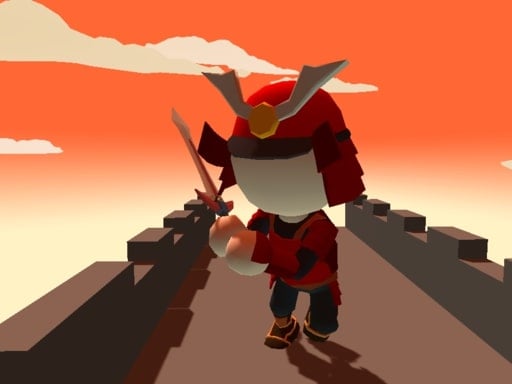
Deko is a free online arcade game you can play right here in your browser, with no download and no sign-up. Arcade games are designed around the loop, and Deko has a good one — short attempts, instant restarts and a score that begs to be beaten. A few things the tags reveal: the structure is classic arcade — quick rounds, rising difficulty and a score to beat; timing your jumps is the main mechanic.
About Deko
Deko is an exciting 2D platformer that challenges players to navigate vibrant levels filled with obstacles and enemies. In this captivating game, your main objective is to collect delicious ice cream while skillfully avoiding various hazards such as spikes and spinning saws. Your ultimate goal is to reach the pink-colored flag that signals the completion of each level. With a total
What makes a good arcade game? Usually bright, readable visuals, the "one more go" effect and a single, easy-to-read score — and Deko has each of them in some measure. Under the surface it is a test of consistency and consistency, dressed up in upbeat presentation.
How to play Deko
- Start by clicking the big play button. Deko loads inside the frame; give it a moment, especially on a slow connection.
- Follow the on-screen prompts. The developer describes the controls like this: Use WASD or Arrow keys for the player s movement Use W or Up arrow key for the double jump
- Play the first run purely to learn. Notice the rhythm of the obstacles, then start a fresh run and aim for a clean start.
- Use the full-screen button under the frame for the best view, and keep an eye on the score, timer or health display so you know what the game is asking of you.
Controls
The controls in Deko are straightforward once you have seen them written down:
| Input | What it does |
|---|---|
| WASD keys | Use WASD or Arrow keys for the player s movement Use W or Up arrow key for the double jump. |
| Arrow keys | Use WASD or Arrow keys for the player s movement Use W or Up arrow key for the double jump. |
It is designed for desktop play with a keyboard and mouse.
Tips and tricks
- Learn the first thirty seconds perfectly. The opening is the same every time, so it should never be where you lose.
- Restart early. If a run starts badly, do not grind it out; a fresh attempt costs nothing and saves your focus.
- Look one step ahead of your character. Reacting to what is under you is too late; reacting to what is coming is exactly on time.
- Play in a quiet tab with nothing else running. Small frame drops cause missed timing that feels like bad luck but is not.
- Because this is a Adventure game, explore side paths early; adventure games hide their best upgrades away from the main route.
- Because this is a Arcade game, restart early when a run goes wrong instead of grinding out a poor score.
Who will enjoy it
We would recommend Deko to anyone with a few minutes to spare and a competitive streak. A typical session is runs of thirty seconds to a few minutes, endlessly repeatable. How hard is it? Simple rules, high skill ceiling. It is designed for desktop play with a keyboard and mouse.
Game details
| Category | Arcade Games |
|---|---|
| Tags | Arcade, 1 Player, Adventure, 2d, Jumping, Cute, Platform, Collecting, Pixel, Retro |
| Platform | Browser (desktop) |
| Controls | Keyboard |
| Technology | HTML5 — no download or plugin required |
| Frame | Landscape (800×640) |
| Added | 26 September 2024 |
| Plays | 1 |
| Price | Free to play |
Frequently asked questions
Is Deko free to play?
It is free. Open the page, press play and the game loads in the browser. You do not need to install anything or register.
Can I play Deko on my phone?
This one is a desktop game. It expects a keyboard and mouse, so we recommend playing Deko on a computer for the intended experience.
What are the controls for Deko?
In short: WASD keys — Use WASD or Arrow keys for the player s movement Use W or Up arrow key for the double jump; Arrow keys — Use WASD or Arrow keys for the player s movement Use W or Up arrow key for the double jump. The full list is in the controls section above.
Does Deko save my progress?
Progress in Deko is kept by the game itself inside your browser storage. It will normally be there when you come back on the same device and browser.
What if Deko does not load?
A blank frame usually means the game is still loading or a browser extension blocked it. Wait a few seconds, then reload; if that fails, try another browser.
What kind of game is Deko?
It is a arcade game with the tags Arcade, 1 Player, Adventure, 2d. Simple rules, high skill ceiling, and runs of thirty seconds to a few minutes, endlessly repeatable.
Games similar to Deko
When you are done, scroll down for more arcade games and titles that share tags with Deko.