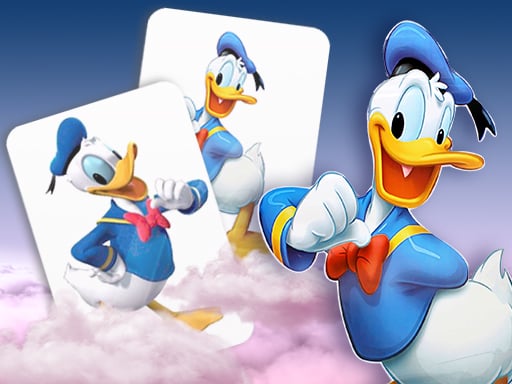
Looking for a puzzle game that starts instantly? Donald Duck runs in your browser and is completely free to play. Donald Duck is a game you can play in the gaps of the day. Each level is self-contained, the rules are consistent, and progress is saved in your head as much as on screen. Its tags tell you what to expect: it exercises logic and quick thinking; remembering positions or sequences is the challenge.
About Donald Duck
Donald Duck is a beloved cartoon character who made his debut in 1934, crafted by the creative minds at Walt Disney Productions. This charming anthropomorphic duck features a distinct white body, complemented by a vibrant yellow-orange bill, legs, and feet. Known for his sailor outfit, which typically consists of a sailor shirt, cap, and a bow tie, Donald is instantly
The genre lives on levels that teach one idea at a time, hints or undo options and a calm pace. Donald Duck understands that, and it shows in the first minute of play. The skills it leans on are patience and planning; both improve noticeably after a few sessions.
How to play Donald Duck
- Start by clicking the big play button. Donald Duck loads inside the frame; give it a moment, especially on a slow connection.
- Follow the on-screen prompts. The developer describes the controls like this: Use Your Mouse
- Read the whole level before your first move. Identify the goal, then look for the forced moves that must happen regardless.
- When you are comfortable, set a target: a score to beat, a level to clear or a time to shave. Small goals are what make Donald Duck stick.
Controls
Here is how Donald Duck is controlled, based on the developer's instructions and our own testing:
| Input | What it does |
|---|---|
| Mouse | Use Your Mouse. |
It works on phones and tablets with touch controls, and on desktop with a mouse or keyboard.
Tips and tricks
- Look for forced moves — places where only one option is legal. Solving those first shrinks the problem.
- Count. Tiles, moves, colours, matches — many puzzles are secretly arithmetic, and a quick count reveals the plan.
- Play with sound on if the game has it; audio cues often confirm a correct move before the animation finishes.
- Work backwards from the goal. Ask what the final state has to look like, then ask what the state before that must be.
- Because this is a Card game, track which cards have already been played.
- Because this is a Memory game, group items mentally in pairs or rows.
Who will enjoy it
Donald Duck is a good fit for players who prefer thinking to twitching, from casual brain-teaser fans to dedicated solvers. A typical session is a level or two in five minutes, or a long relaxed session. The learning curve is gentle at the start and genuinely tricky later. It works on phones and tablets with touch controls, and on desktop with a mouse or keyboard.
Game details
| Category | Puzzle Games |
|---|---|
| Tags | Puzzleblock, 3d Games, Brain, Memory, Card |
| Platform | Browser (desktop, tablet and mobile) |
| Controls | Mouse |
| Technology | HTML5 — no download or plugin required |
| Frame | Landscape (800×600) |
| Added | 26 September 2024 |
| Plays | 1 |
| Price | Free to play |
Frequently asked questions
Is Donald Duck free to play?
Yes. Donald Duck is completely free to play on Diemakora. There is no download, no account and no payment — the game runs in your browser.
Can I play Donald Duck on my phone?
Yes — the game supports touch input and adapts to smaller screens, so you can play Donald Duck on a phone or tablet as well as on a computer.
What are the controls for Donald Duck?
In short: Mouse — Use Your Mouse. The full list is in the controls section above.
Does Donald Duck save my progress?
Most browser games, including Donald Duck, store progress locally in your browser. If you clear your cookies or switch devices, that progress may be lost, so finish sessions before clearing browser data.
How do I play Donald Duck in full screen?
Use the full-screen button just below the game frame. Press Esc on your keyboard to leave full-screen mode again.
What kind of game is Donald Duck?
It is a puzzle game with the tags Puzzleblock, 3d Games, Brain, Memory. Gentle at the start and genuinely tricky later, and a level or two in five minutes, or a long relaxed session.
Games similar to Donald Duck
If you enjoy Donald Duck, the related games below share its category or tags and are a natural next step.