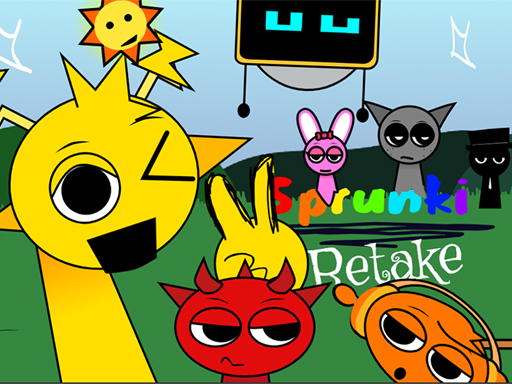
Drago Sky Quest is one of the adventure games in the Diemakora collection. It loads in seconds and needs nothing installed. You do not need a tutorial for Drago Sky Quest. The design explains itself as you go, and the difficulty grows exactly as fast as your confidence does. A few things the tags reveal: it features animals as characters or theme; the structure is classic arcade — quick rounds, rising difficulty and a score to beat.
About Drago Sky Quest
Drago Sky Quest takes you on a soaring adventure through mystical skies and floating kingdoms! Play as Drago, a brave young dragon on a mission to reclaim the lost sky crystals and restore balance to the clouds. Glide through challenging aerial paths, dodge magical traps, defeat airborne enemies, and uncover ancient secrets. With vibrant graphics, smooth flight controls, and epic
Judged as a adventure game, Drago Sky Quest hits the notes you would hope for: a friendly difficulty curve, a clear goal and quick loading. Under the surface it is a test of a little patience and focus, dressed up in cheerful presentation.
How to play Drago Sky Quest
- Start by clicking the big play button. Drago Sky Quest loads inside the frame; give it a moment, especially on a slow connection.
- Follow the on-screen prompts. The developer describes the controls like this: use keyboard arrow key and mouse to play game or touch screen
- Explore. Click everything once, try each button, and let the game teach you its loop.
- When you are comfortable, set a target: a score to beat, a level to clear or a time to shave. Small goals are what make Drago Sky Quest stick.
Controls
You will not need a manual for Drago Sky Quest, but knowing the inputs before you start saves the first minute of fumbling:
| Input | What it does |
|---|---|
| Arrow keys | Use keyboard arrow key and mouse to play game or touch screen. |
| Mouse | Use keyboard arrow key and mouse to play game or touch screen. |
| Tap (touch) | Use keyboard arrow key and mouse to play game or touch screen. |
The controls are tap and drag based, which makes it comfortable on touch screens as well as with a mouse.
Tips and tricks
- Sound effects are feedback, not decoration. Play with the volume up at least until you know the game.
- Read the on-screen prompts once. Most casual games explain their entire control scheme in the first ten seconds and never again.
- Full-screen mode makes a real difference to precision. Use the button beneath the game.
- If a level frustrates you, the game usually has a way around it: a different approach, a power-up you skipped or simply more practice on the previous level.
- Because this is a Animal game, each animal usually has a unique ability — test them all.
Who will enjoy it
Who is Drago Sky Quest for? In a word, casual players of all ages looking for a quick, free game in the browser. A typical session is anything from two minutes to an afternoon. Difficulty-wise it is friendly at first and steadily more demanding. The controls are tap and drag based, which makes it comfortable on touch screens as well as with a mouse.
Game details
| Category | Adventure Games |
|---|---|
| Tags | Arcade, Hypercasual, Animal, Cute, Dragon Ball Z |
| Platform | Browser (desktop, tablet and mobile) |
| Controls | Keyboard and mouse |
| Technology | HTML5 — no download or plugin required |
| Frame | Landscape (800×600) |
| Added | 28 May 2025 |
| Plays | 1 |
| Price | Free to play |
Frequently asked questions
Is Drago Sky Quest free to play?
It is free. Open the page, press play and the game loads in the browser. You do not need to install anything or register.
Can I play Drago Sky Quest on my phone?
Yes — the game supports touch input and adapts to smaller screens, so you can play Drago Sky Quest on a phone or tablet as well as on a computer.
What are the controls for Drago Sky Quest?
In short: Arrow keys — Use keyboard arrow key and mouse to play game or touch screen; Mouse — Use keyboard arrow key and mouse to play game or touch screen; Tap (touch) — Use keyboard arrow key and mouse to play game or touch screen. The full list is in the controls section above.
Does Drago Sky Quest save my progress?
Most browser games, including Drago Sky Quest, store progress locally in your browser. If you clear your cookies or switch devices, that progress may be lost, so finish sessions before clearing browser data.
How do I play Drago Sky Quest in full screen?
Click the expand icon under the game to switch Drago Sky Quest to full screen. Esc returns you to the normal view.
What kind of game is Drago Sky Quest?
It is a adventure game with the tags Arcade, Hypercasual, Animal, Cute. Friendly at first and steadily more demanding, and anything from two minutes to an afternoon.
Games similar to Drago Sky Quest
If you enjoy Drago Sky Quest, the related games below share its category or tags and are a natural next step.