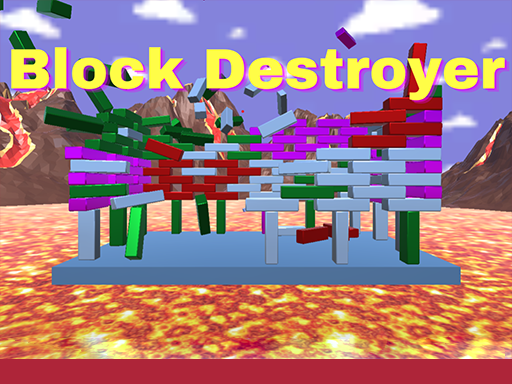
Drop The Zombie is a free online puzzle game you can play right here in your browser, with no download and no sign-up. Drop The Zombie is a game you can play in the gaps of the day. Each level is self-contained, the rules are consistent, and progress is saved in your head as much as on screen. A few things the tags reveal: the enemies are zombies, which usually means slow but relentless crowds; realistic-ish physics drive the fun: momentum, gravity and collisions behave consistently.
About Drop The Zombie
Drop the Zombie is an engaging and innovative physics-based puzzle game that challenges players' strategic thinking and problem-solving abilities. The objective is simple yet thrilling: you need to drop a zombie onto a metal block by eliminating all the other blocks that stand in your way. As you progress through the game, you'll encounter various obstacles and puzzles that will
The genre lives on clear rules that never change unfairly, levels that teach one idea at a time and a calm pace. Drop The Zombie understands that, and it shows in the first minute of play. Under the surface it is a test of pattern recognition and pattern recognition, dressed up in calm presentation.
How to play Drop The Zombie
- Start by clicking the big play button. Drop The Zombie loads inside the frame; give it a moment, especially on a slow connection.
- Follow the on-screen prompts. The developer describes the controls like this: Use your mouse to play
- Read the whole level before your first move. Identify the goal, then look for the forced moves that must happen regardless.
- Use the full-screen button under the frame for the best view, and keep an eye on the score, timer or health display so you know what the game is asking of you.
Controls
Here is how Drop The Zombie is controlled, based on the developer's instructions and our own testing:
| Input | What it does |
|---|---|
| Mouse | Use your mouse to play. |
It works on phones and tablets with touch controls, and on desktop with a mouse or keyboard.
Tips and tricks
- Play with sound on if the game has it; audio cues often confirm a correct move before the animation finishes.
- Read the whole board before your first move. In most puzzle games the first move is the most important one, and it deserves ten seconds of looking.
- Do not memorise solutions, memorise principles. The level after this one will use the same idea in a new arrangement.
- Look for forced moves — places where only one option is legal. Solving those first shrinks the problem.
- Because this is a Arcade game, restart early when a run goes wrong instead of grinding out a poor score.
Who will enjoy it
Who is Drop The Zombie for? In a word, players who prefer thinking to twitching, from casual brain-teaser fans to dedicated solvers. A typical session is a level or two in five minutes, or a long relaxed session. Difficulty-wise it is gentle at the start and genuinely tricky later. It works on phones and tablets with touch controls, and on desktop with a mouse or keyboard.
Game details
| Category | Puzzle Games |
|---|---|
| Tags | Arcade, Puzzleblock, Monstertruck, Blocky, Zombie, Physics |
| Platform | Browser (desktop, tablet and mobile) |
| Controls | Mouse |
| Technology | HTML5 — no download or plugin required |
| Frame | Landscape (1280×720) |
| Added | 26 September 2024 |
| Plays | 2 |
| Price | Free to play |
Frequently asked questions
Is Drop The Zombie free to play?
Yes. Drop The Zombie is completely free to play on Diemakora. There is no download, no account and no payment — the game runs in your browser.
Can I play Drop The Zombie on my phone?
Yes — the game supports touch input and adapts to smaller screens, so you can play Drop The Zombie on a phone or tablet as well as on a computer.
What are the controls for Drop The Zombie?
In short: Mouse — Use your mouse to play. The full list is in the controls section above.
Does Drop The Zombie save my progress?
Progress in Drop The Zombie is kept by the game itself inside your browser storage. It will normally be there when you come back on the same device and browser.
How do I play Drop The Zombie in full screen?
Use the full-screen button just below the game frame. Press Esc on your keyboard to leave full-screen mode again.
What kind of game is Drop The Zombie?
It is a puzzle game with the tags Arcade, Puzzleblock, Monstertruck, Blocky. Gentle at the start and genuinely tricky later, and a level or two in five minutes, or a long relaxed session.
Games similar to Drop The Zombie
You will find more games like Drop The Zombie further down this page, chosen by matching tags and category.