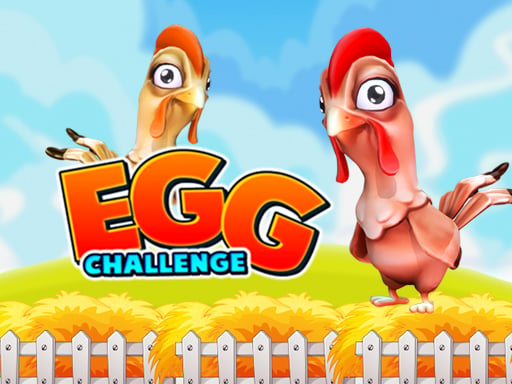
Welcome to Egg Challenge, a browser-based multiplayer game. Click play, wait a moment for it to load, and you are in. Solo games are predictable; other people are not. Egg Challenge uses that unpredictability as its engine, and every match ends up telling a slightly different story. A few things the tags reveal: the content and difficulty are tuned for younger players.
About Egg Challenge
Get ready for an egg-citing time with the Egg Challenge! This engaging game is designed to provide endless fun for 1, 2, or 3 players. As the countdown begins with a thrilling "3, 2, 1," you ll be all set to embark on this exhilarating challenge. The rules couldn t be simpler: just hit the button to start and aim
The genre lives on bragging rights, head-to-head or cooperative play and simple rules everyone can grasp fast. Egg Challenge understands that, and it shows in the first minute of play. The skills it leans on are communication and composure; both improve noticeably after a few sessions.
How to play Egg Challenge
- Press the play button above and wait for Egg Challenge to finish loading. On first load this can take a few seconds while the game files are fetched.
- Follow the on-screen prompts. The developer describes the controls like this: PLAYER 1 W PLAYER 2 J PLAYER 3 UP ARROW
- Try a round against the computer or alone first so the controls are familiar before you bring in another player.
- Use the full-screen button under the frame for the best view, and keep an eye on the score, timer or health display so you know what the game is asking of you.
Controls
You will not need a manual for Egg Challenge, but knowing the inputs before you start saves the first minute of fumbling:
| Input | What it does |
|---|---|
| Arrow keys / WASD | Move your character or vehicle. |
| Space | Jump, fire or confirm, depending on the level. |
It is designed for desktop play with a keyboard and mouse.
Tips and tricks
- Play the opponent, not the game. Notice what your rival keeps doing and punish that habit.
- Do not tilt. After a bad round, the next one is a fresh start; the player who resets emotionally usually wins the set.
- Use the first round to test. Try something unusual and see how the opponent reacts; the information is worth more than the round.
- In shared-keyboard games, agree on who uses which keys before you start — hand collisions cause more losses than skill does.
- Because this is a Animal game, each animal usually has a unique ability — test them all.
Who will enjoy it
Egg Challenge is a good fit for friends on one screen, online competitors and anyone who finds bots boring. Expect matches of two to ten minutes, best played in a series. Difficulty-wise it is entirely dependent on who you are playing against. It is designed for desktop play with a keyboard and mouse.
Game details
| Category | Multiplayer Games |
|---|---|
| Tags | Kids, Funny, 1 Player, Animal, Race, 2 Player Games |
| Platform | Browser (desktop) |
| Controls | Keyboard |
| Technology | HTML5 — no download or plugin required |
| Frame | Landscape (800×600) |
| Added | 26 September 2024 |
| Plays | 1 |
| Price | Free to play |
Frequently asked questions
Is Egg Challenge free to play?
It is free. Open the page, press play and the game loads in the browser. You do not need to install anything or register.
Can I play Egg Challenge on my phone?
This one is a desktop game. It expects a keyboard and mouse, so we recommend playing Egg Challenge on a computer for the intended experience.
What are the controls for Egg Challenge?
The developer did not publish detailed controls, but the game follows genre conventions: Arrow keys / WASD — Move your character or vehicle; Space — Jump, fire or confirm, depending on the level. The full list is in the controls section above.
Does Egg Challenge save my progress?
Most browser games, including Egg Challenge, store progress locally in your browser. If you clear your cookies or switch devices, that progress may be lost, so finish sessions before clearing browser data.
How do I play Egg Challenge in full screen?
Use the full-screen button just below the game frame. Press Esc on your keyboard to leave full-screen mode again.
Is Egg Challenge suitable for children?
It is tagged Kids, which usually indicates content aimed at younger players. As with any online game, we suggest a parent takes a quick look first.
Games similar to Egg Challenge
If you enjoy Egg Challenge, the related games below share its category or tags and are a natural next step.