Extreme Car Crush is one of the action games in the Diemakora collection. It loads in seconds and needs nothing installed. Fast reflexes matter more than long planning here: Extreme Car Crush throws obstacles, enemies or timers at you and asks you to react in the moment. A few things the tags reveal: it uses hardware-accelerated graphics in the browser.
About Extreme Car Crush
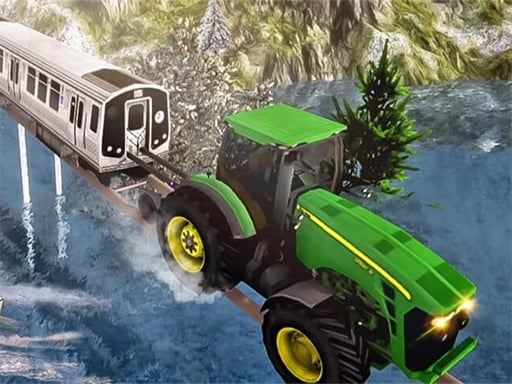
Step into the exhilarating world of Extreme Car Crush, an action-packed car smashing simulator where players can unleash their inner wrecking ball! This game features advanced physics that make every crash and collision feel realistic, providing an exciting experience suitable for players of all ages. In this captivating environment, your objective is to test the limits of various vehicles by
What makes a good action game? Usually a satisfying rhythm once you learn the patterns, escalating difficulty and short, intense rounds — and Extreme Car Crush has each of them in some measure. Playing it works your reaction time and reaction time, which is a large part of why the "one more round" feeling is so strong.
How to play Extreme Car Crush
- Press the play button above and wait for Extreme Car Crush to finish loading. On first load this can take a few seconds while the game files are fetched.
- Follow the on-screen prompts. The developer describes the controls like this: Create a car at the current position - R Reload Scene - T Keyboard Acceleration - W Up arrow Right trigger Brake Reverse - S Down arow Steering wheel - A D Left Right arrow Boost - F Hand brake - Sp
- Start slowly. Learn the movement and the first enemy pattern before you push for score; speed comes naturally once the inputs are automatic.
- When you are comfortable, set a target: a score to beat, a level to clear or a time to shave. Small goals are what make Extreme Car Crush stick.
Controls
The controls in Extreme Car Crush are straightforward once you have seen them written down:
| Input | What it does |
|---|---|
| Arrow keys / WASD | Move your character or vehicle. |
| Space | Jump, fire or confirm, depending on the level. |
It is designed for desktop play with a keyboard and mouse.
Tips and tricks
- If there is a dash, jump or dodge move, treat it as a resource: use it to escape, not to attack, until you know the level.
- Learn the enemy or obstacle patterns before you try to go fast — most action games repeat a handful of behaviours, and once you recognise them the game slows down in your head.
- Watch the edges of the screen, not just your character. New threats almost always enter from the sides or the top, and spotting them early gives you a full second of extra time.
- When you die, note exactly what killed you. The answer is usually one specific pattern, and fixing that one thing is worth more than "trying harder".
Who will enjoy it
Who is Extreme Car Crush for? In a word, players who enjoy adrenaline, arcade-style progression and beating their own high score. In terms of time, think of rounds of two to five minutes, which makes it ideal for a quick break. Difficulty-wise it is easy to pick up but genuinely demanding to master. It is designed for desktop play with a keyboard and mouse.
Game details
| Category | Action Games |
|---|---|
| Tags | Html5 Games For Your Site, Kids, Funny, 3d Games, 1 Player, Action, Bmx Games, Trial Car, Webgl, Unity3d, Simulation, Supercars, Simulator, Drifting, Obstacle, Motorcycle, New, Adult, Motocross, Two Player Games |
| Platform | Browser (desktop) |
| Controls | Keyboard |
| Technology | HTML5 — no download or plugin required |
| Frame | Landscape (800×450) |
| Added | 26 September 2024 |
| Plays | 3 |
| Price | Free to play |
Frequently asked questions
Is Extreme Car Crush free to play?
It is free. Open the page, press play and the game loads in the browser. You do not need to install anything or register.
Can I play Extreme Car Crush on my phone?
This one is a desktop game. It expects a keyboard and mouse, so we recommend playing Extreme Car Crush on a computer for the intended experience.
What are the controls for Extreme Car Crush?
The developer did not publish detailed controls, but the game follows genre conventions: Arrow keys / WASD — Move your character or vehicle; Space — Jump, fire or confirm, depending on the level. The full list is in the controls section above.
Does Extreme Car Crush save my progress?
Progress in Extreme Car Crush is kept by the game itself inside your browser storage. It will normally be there when you come back on the same device and browser.
What if Extreme Car Crush does not load?
If Extreme Car Crush does not load, refresh the page, make sure your browser is up to date and check that hardware acceleration is enabled. Ad blockers occasionally interfere with the game frame as well.
Is Extreme Car Crush suitable for children?
It is tagged Kids, which usually indicates content aimed at younger players. As with any online game, we suggest a parent takes a quick look first.
Games similar to Extreme Car Crush
You will find more games like Extreme Car Crush further down this page, chosen by matching tags and category.