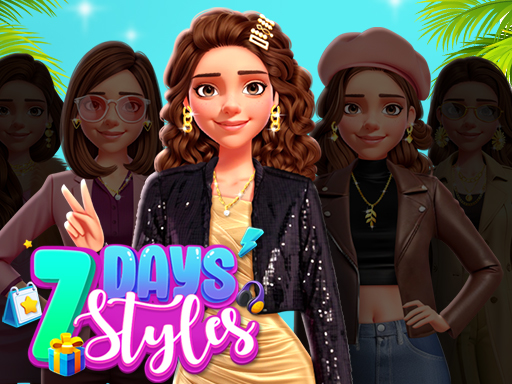
Fall Aesthetics is one of the girls games in the Diemakora collection. It loads in seconds and needs nothing installed. You do not need a tutorial for Fall Aesthetics. The design explains itself as you go, and the difficulty grows exactly as fast as your confidence does. A few things the tags reveal: it features princess characters and fairy-tale styling; you style a character with clothing, hair and accessories.
About Fall Aesthetics
Get ready to conquer the fashion world with Fall Aesthetics! Travel the globe alongside our stylish crew and unlock your inner fashionista. Mix and match outfits inspired by the vibrant streets of New York, the golden sunsets of Tuscany, the mesmerizing festivals, the traditional beauty of Japan, and the enchanting charm of Scotland. With endless options for dressing up and
The genre lives on a friendly difficulty curve, quick loading and controls that need no manual. Fall Aesthetics understands that, and it shows in the first minute of play. Under the surface it is a test of coordination and timing, dressed up in light-hearted presentation.
How to play Fall Aesthetics
- Press the play button above and wait for Fall Aesthetics to finish loading. On first load this can take a few seconds while the game files are fetched.
- Follow the on-screen prompts. The developer describes the controls like this: Use your mouse to play the game on a desktop tap to play on mobile devices
- Explore. Click everything once, try each button, and let the game teach you its loop.
- Switch to full screen if precision matters, and remember that the game keeps its own progress — finish a level before you close the tab.
Controls
You will not need a manual for Fall Aesthetics, but knowing the inputs before you start saves the first minute of fumbling:
| Input | What it does |
|---|---|
| Mouse | Use your mouse to play the game on a desktop tap to play on mobile devices. |
| Tap (touch) | Use your mouse to play the game on a desktop tap to play on mobile devices. |
The controls are tap and drag based, which makes it comfortable on touch screens as well as with a mouse.
Tips and tricks
- Do not compare your first hour to someone's hundredth. Casual games are built to be learned in public, one small improvement at a time.
- Watch your own replays or failed attempts critically: the same mistake usually repeats three times before you notice it.
- Read the on-screen prompts once. Most casual games explain their entire control scheme in the first ten seconds and never again.
- Sound effects are feedback, not decoration. Play with the volume up at least until you know the game.
- Because this is a Girls game, take your time with creative choices; there is rarely a wrong answer in this kind of game.
- Because this is a Dress Up game, pick a colour theme first and let it guide the other choices.
Who will enjoy it
We would recommend Fall Aesthetics to casual players of all ages looking for a quick, free game in the browser. A typical session is anything from two minutes to an afternoon. Difficulty-wise it is friendly at first and steadily more demanding. The controls are tap and drag based, which makes it comfortable on touch screens as well as with a mouse.
Game details
| Category | Girls Games |
|---|---|
| Tags | Girls, 1 Player, Dress Up, Fashion, Princess |
| Platform | Browser (desktop, tablet and mobile) |
| Controls | Touch and mouse |
| Technology | HTML5 — no download or plugin required |
| Frame | Landscape (1024×768) |
| Added | 7 March 2026 |
| Plays | 2 |
| Price | Free to play |
Frequently asked questions
Is Fall Aesthetics free to play?
It is free. Open the page, press play and the game loads in the browser. You do not need to install anything or register.
Can I play Fall Aesthetics on my phone?
Fall Aesthetics works on mobile devices. Open this page on your phone or tablet and use the touch controls; rotating the device to landscape usually gives the best view.
What are the controls for Fall Aesthetics?
In short: Mouse — Use your mouse to play the game on a desktop tap to play on mobile devices; Tap (touch) — Use your mouse to play the game on a desktop tap to play on mobile devices. The full list is in the controls section above.
Does Fall Aesthetics save my progress?
Progress in Fall Aesthetics is kept by the game itself inside your browser storage. It will normally be there when you come back on the same device and browser.
How do I play Fall Aesthetics in full screen?
Use the full-screen button just below the game frame. Press Esc on your keyboard to leave full-screen mode again.
Is Fall Aesthetics suitable for children?
It is tagged Girls, Princess, which usually indicates content aimed at younger players. As with any online game, we suggest a parent takes a quick look first.
Games similar to Fall Aesthetics
Finished a session? The games listed below were picked because they share tags or a category with Fall Aesthetics.