Looking for a puzzle game that starts instantly? Find The Missing Part runs in your browser and is completely free to play. Puzzle games such as Find The Missing Part are about the moment of insight: you stare, you try, you notice the thing you missed, and suddenly the level is done. Its tags tell you what to expect: the content and difficulty are tuned for younger players; it is suitable for all ages and works well played together.
About Find The Missing Part
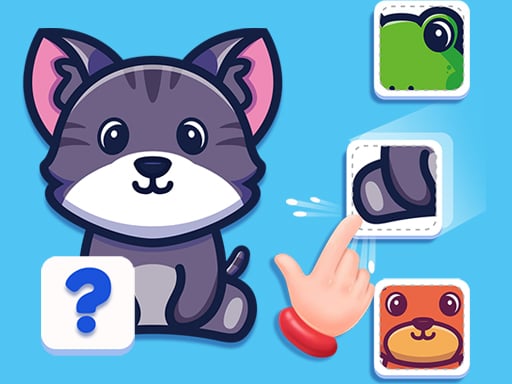
Prepare yourself for an exciting journey of visual discovery with Find The Missing Part. This engaging game presents you with 100 levels filled with progressively tough puzzles designed to challenge your observation skills like never before. Each level displays an image with specific sections missing, and it s up to you to pinpoint these absent pieces from a selection of
Judged as a puzzle game, Find The Missing Part hits the notes you would hope for: levels that teach one idea at a time, a calm pace and clear rules that never change unfairly. Playing it works your pattern recognition and planning, which is a large part of why the "one more round" feeling is so strong.
How to play Find The Missing Part
- Press the play button above and wait for Find The Missing Part to finish loading. On first load this can take a few seconds while the game files are fetched.
- Follow the on-screen prompts. The developer describes the controls like this: Click or tap to interact
- Read the whole level before your first move. Identify the goal, then look for the forced moves that must happen regardless.
- Switch to full screen if precision matters, and remember that the game keeps its own progress — finish a level before you close the tab.
Controls
You will not need a manual for Find The Missing Part, but knowing the inputs before you start saves the first minute of fumbling:
| Input | What it does |
|---|---|
| Mouse | Click or tap to interact. |
| Tap (touch) | Click or tap to interact. |
The controls are tap and drag based, which makes it comfortable on touch screens as well as with a mouse.
Tips and tricks
- Work backwards from the goal. Ask what the final state has to look like, then ask what the state before that must be.
- Use undo or restart freely. Experimenting is how you learn the mechanics; there is no penalty for trying an idea.
- Play with sound on if the game has it; audio cues often confirm a correct move before the animation finishes.
- Look for forced moves — places where only one option is legal. Solving those first shrinks the problem.
- Because this is a Kids game, younger children do better with a mouse or touch screen than with keyboard combinations.
Who will enjoy it
Who is Find The Missing Part for? In a word, players who prefer thinking to twitching, from casual brain-teaser fans to dedicated solvers. Expect a level or two in five minutes, or a long relaxed session. How hard is it? Gentle at the start and genuinely tricky later. The controls are tap and drag based, which makes it comfortable on touch screens as well as with a mouse.
Game details
| Category | Puzzle Games |
|---|---|
| Tags | Kids, Girls, Skills, Educational, Family, New |
| Platform | Browser (desktop, tablet and mobile) |
| Controls | Touch and mouse |
| Technology | HTML5 — no download or plugin required |
| Frame | Landscape (854×560) |
| Added | 26 September 2024 |
| Plays | 2 |
| Price | Free to play |
Frequently asked questions
Is Find The Missing Part free to play?
Yes. Find The Missing Part is completely free to play on Diemakora. There is no download, no account and no payment — the game runs in your browser.
Can I play Find The Missing Part on my phone?
Find The Missing Part works on mobile devices. Open this page on your phone or tablet and use the touch controls; rotating the device to landscape usually gives the best view.
What are the controls for Find The Missing Part?
In short: Mouse — Click or tap to interact; Tap (touch) — Click or tap to interact. The full list is in the controls section above.
Does Find The Missing Part save my progress?
Progress in Find The Missing Part is kept by the game itself inside your browser storage. It will normally be there when you come back on the same device and browser.
What if Find The Missing Part does not load?
A blank frame usually means the game is still loading or a browser extension blocked it. Wait a few seconds, then reload; if that fails, try another browser.
Is Find The Missing Part suitable for children?
It is tagged Kids, Girls, Educational, Family, which usually indicates content aimed at younger players. As with any online game, we suggest a parent takes a quick look first.
Games similar to Find The Missing Part
If you enjoy Find The Missing Part, the related games below share its category or tags and are a natural next step.