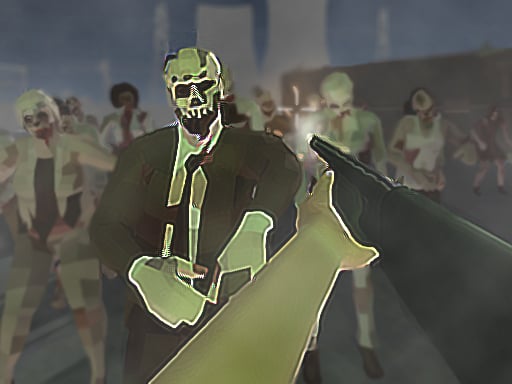
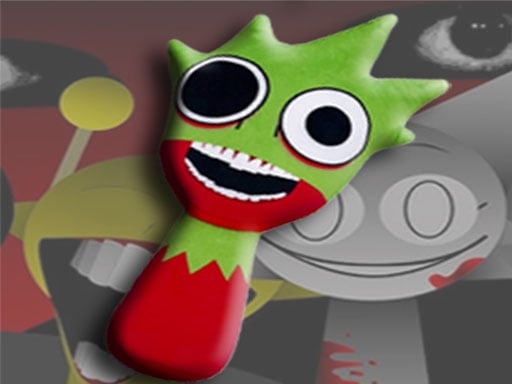
Welcome to Flying Grimace, a browser-based shooting game. Click play, wait a moment for it to load, and you are in. Shooting games are really about attention: Flying Grimace rewards the player who tracks several moving things at once and picks the right one to deal with first.
About Flying Grimace
Flying Grimace is an exhilarating shooting game designed for players of all skill levels. Set against vibrant, eye-catching backdrops, this game invites you to showcase your precise aiming abilities. Your primary objective is simple: take down as many Grimaces as you can within your limited ammunition supply. Each level presents unique challenges that will test your shooting prowess and provide
The genre lives on satisfying hit feedback, waves or levels that build up and enemies with distinct behaviours. Flying Grimace understands that, and it shows in the first minute of play. Under the surface it is a test of target prioritisation and situational awareness, dressed up in tactical presentation.
How to play Flying Grimace
- Press the play button above and wait for Flying Grimace to finish loading. On first load this can take a few seconds while the game files are fetched.
- Follow the on-screen prompts. The developer describes the controls like this: PC You can use ASDW or the right-left and up-down arrow keys to fix your target And space key to shoot Mobile Use the joystick to fix your target and tap on the shoot button to shoot
- Take a few practice shots at the first targets to learn the aim speed, then move on to prioritising the dangerous enemies.
- Use the full-screen button under the frame for the best view, and keep an eye on the score, timer or health display so you know what the game is asking of you.
Controls
Here is how Flying Grimace is controlled, based on the developer's instructions and our own testing:
| Input | What it does |
|---|---|
| Arrow keys | PC You can use ASDW or the right-left and up-down arrow keys to fix your target And space key to shoot Mobile Use the joystick to fix your target and tap on the shoot button to shoot. |
| Space bar | PC You can use ASDW or the right-left and up-down arrow keys to fix your target And space key to shoot Mobile Use the joystick to fix your target and tap on the shoot button to shoot. |
| Tap (touch) | PC You can use ASDW or the right-left and up-down arrow keys to fix your target And space key to shoot Mobile Use the joystick to fix your target and tap on the shoot button to shoot. |
The controls are tap and drag based, which makes it comfortable on touch screens as well as with a mouse.
Tips and tricks
- Learn the spawn points. Most levels reuse the same few entry points, and knowing them turns panic into routine.
- Keep your cursor or crosshair roughly where enemies appear, not on the spot where the last one died.
- Move between shots. Many shooters make you an easy target only when you stand in one place.
- If there is a reload, reload during quiet moments — never in the middle of a wave.
Who will enjoy it
Flying Grimace is a good fit for players who like precision, quick targeting and progressively tougher waves. Expect levels of a few minutes each, with longer runs in survival modes. How hard is it? Approachable at first, with a steep climb in the later waves. The controls are tap and drag based, which makes it comfortable on touch screens as well as with a mouse.
Game details
| Category | Shooting Games |
|---|---|
| Tags | Funny, First Person Shooter, Shooting, Highscore, Naptech Games, Grimace Shake |
| Platform | Browser (desktop, tablet and mobile) |
| Controls | Touch and mouse |
| Technology | HTML5 — no download or plugin required |
| Frame | Landscape (1280×720) |
| Added | 26 September 2024 |
| Plays | 1 |
| Price | Free to play |
Frequently asked questions
Is Flying Grimace free to play?
Yes. Flying Grimace is completely free to play on Diemakora. There is no download, no account and no payment — the game runs in your browser.
Can I play Flying Grimace on my phone?
Flying Grimace works on mobile devices. Open this page on your phone or tablet and use the touch controls; rotating the device to landscape usually gives the best view.
What are the controls for Flying Grimace?
In short: Arrow keys — PC You can use ASDW or the right-left and up-down arrow keys to fix your target And space key to shoot Mobile Use the joystick to fix your target and tap on the shoot button to shoot; Space bar — PC You can use ASDW or the right-left and up-down arrow keys to fix your target And space key to shoot Mobile Use the joystick to fix your target and tap on the shoot button to shoot; Tap (touch) — PC You can use ASDW or the right-left and up-down arrow keys to fix your target And space key to shoot Mobile Use the joystick to fix your target and tap on the shoot button to shoot. The full list is in the controls section above.
Does Flying Grimace save my progress?
Most browser games, including Flying Grimace, store progress locally in your browser. If you clear your cookies or switch devices, that progress may be lost, so finish sessions before clearing browser data.
How do I play Flying Grimace in full screen?
Click the expand icon under the game to switch Flying Grimace to full screen. Esc returns you to the normal view.
What kind of game is Flying Grimace?
It is a shooting game with the tags Funny, First Person Shooter, Shooting, Highscore. Approachable at first, with a steep climb in the later waves, and levels of a few minutes each, with longer runs in survival modes.
Games similar to Flying Grimace
Finished a session? The games listed below were picked because they share tags or a category with Flying Grimace.