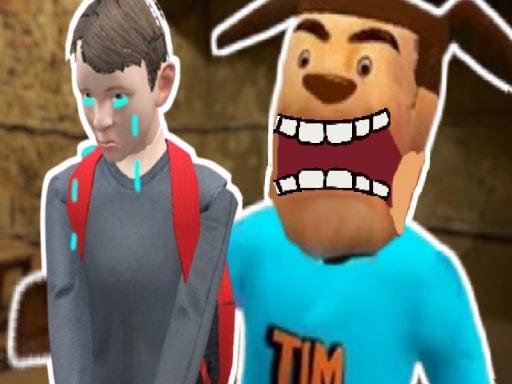
Play FNAF Strike 2 for free — a shooting game that runs directly in your browser on desktop, tablet or phone. The appeal of FNAF Strike 2 is simple and old: line up the shot, take it, and watch the result. What makes it stick is the escalation that follows.
About FNAF Strike 2
FNAF Strike 2 is an intense first-person shooter game that throws you into a terrifying battle for survival against hostile animatronics. Armed with a wide variety of powerful weapons, you must fight your way through dark, eerie corridors where danger lurks around every corner. Each level presents a new challenge, as you explore creepy environments filled with jump scares and
Judged as a shooting game, FNAF Strike 2 hits the notes you would hope for: waves or levels that build up, satisfying hit feedback and ammunition or cooldown management. Playing it works your situational awareness and aim, which is a large part of why the "one more round" feeling is so strong.
How to play FNAF Strike 2
- Press the play button above and wait for FNAF Strike 2 to finish loading. On first load this can take a few seconds while the game files are fetched.
- Follow the on-screen prompts. The developer describes the controls like this: WASD - Move LMB - Shoot RMB - Aim Flashlight Space - Jump R - Reload G - Grenade C - Crouch Shift - Run Mouse Wheel - Change Weapon
- Take a few practice shots at the first targets to learn the aim speed, then move on to prioritising the dangerous enemies.
- When you are comfortable, set a target: a score to beat, a level to clear or a time to shave. Small goals are what make FNAF Strike 2 stick.
Controls
Here is how FNAF Strike 2 is controlled, based on the developer's instructions and our own testing:
| Input | What it does |
|---|---|
| WASD keys | WASD - Move LMB - Shoot RMB - Aim Flashlight Space - Jump R - Reload G - Grenade C - Crouch Shift - Run Mouse Wheel - Change Weapon. |
| Space bar | WASD - Move LMB - Shoot RMB - Aim Flashlight Space - Jump R - Reload G - Grenade C - Crouch Shift - Run Mouse Wheel - Change Weapon. |
| Mouse | WASD - Move LMB - Shoot RMB - Aim Flashlight Space - Jump R - Reload G - Grenade C - Crouch Shift - Run Mouse Wheel - Change Weapon. |
| Shift | WASD - Move LMB - Shoot RMB - Aim Flashlight Space - Jump R - Reload G - Grenade C - Crouch Shift - Run Mouse Wheel - Change Weapon. |
It is designed for desktop play with a keyboard and mouse.
Tips and tricks
- Learn the spawn points. Most levels reuse the same few entry points, and knowing them turns panic into routine.
- Sound tells you where an enemy is before you can see it. Headphones help more than you would expect.
- If there is a reload, reload during quiet moments — never in the middle of a wave.
- Headshots, weak points and combo multipliers are where high scores live; once survival is comfortable, start hunting for them.
Who will enjoy it
Who is FNAF Strike 2 for? In a word, players who like precision, quick targeting and progressively tougher waves. Expect levels of a few minutes each, with longer runs in survival modes. How hard is it? Approachable at first, with a steep climb in the later waves. It is designed for desktop play with a keyboard and mouse.
Game details
| Category | Shooting Games |
|---|---|
| Tags | 3d Games, Action, Unity3d, First Person Shooter, Shooting, Shoot Em Up, Horror, Csgo |
| Platform | Browser (desktop) |
| Controls | Keyboard and mouse |
| Technology | HTML5 — no download or plugin required |
| Frame | Landscape (960×600) |
| Added | 28 May 2025 |
| Plays | 2 |
| Price | Free to play |
Frequently asked questions
Is FNAF Strike 2 free to play?
Yes. FNAF Strike 2 is completely free to play on Diemakora. There is no download, no account and no payment — the game runs in your browser.
Can I play FNAF Strike 2 on my phone?
FNAF Strike 2 is best played on a desktop or laptop. It relies on keyboard and mouse input, and while it may load on a phone, the controls will not be comfortable.
What are the controls for FNAF Strike 2?
In short: WASD keys — WASD - Move LMB - Shoot RMB - Aim Flashlight Space - Jump R - Reload G - Grenade C - Crouch Shift - Run Mouse Wheel - Change Weapon; Space bar — WASD - Move LMB - Shoot RMB - Aim Flashlight Space - Jump R - Reload G - Grenade C - Crouch Shift - Run Mouse Wheel - Change Weapon; Mouse — WASD - Move LMB - Shoot RMB - Aim Flashlight Space - Jump R - Reload G - Grenade C - Crouch Shift - Run Mouse Wheel - Change Weapon. The full list is in the controls section above.
Does FNAF Strike 2 save my progress?
Progress in FNAF Strike 2 is kept by the game itself inside your browser storage. It will normally be there when you come back on the same device and browser.
What if FNAF Strike 2 does not load?
A blank frame usually means the game is still loading or a browser extension blocked it. Wait a few seconds, then reload; if that fails, try another browser.
What kind of game is FNAF Strike 2?
It is a shooting game with the tags 3d Games, Action, Unity3d, First Person Shooter. Approachable at first, with a steep climb in the later waves, and levels of a few minutes each, with longer runs in survival modes.
Games similar to FNAF Strike 2
You will find more games like FNAF Strike 2 further down this page, chosen by matching tags and category.