FNF Music Battle: Original Mod is one of the multiplayer games in the Diemakora collection. It loads in seconds and needs nothing installed. FNF Music Battle: Original Mod works because it is social. Winning feels better and losing is funnier when there is a real person on the other side.
About FNF Music Battle: Original Mod
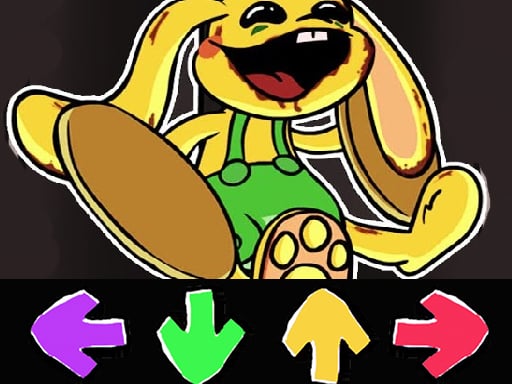
FNF Music Battle: Original Mod is an electrifying rhythm game that invites players to engage in a thrilling musical competition. This enchanting game tests your ability to keep up with the beats, challenging your reflexes and your understanding of music. As you immerse yourself in the vibrant world of notes and melodies, you'll find yourself tapping along to catchy tunes
Judged as a multiplayer game, FNF Music Battle: Original Mod hits the notes you would hope for: head-to-head or cooperative play, quick matchmaking or shared-screen setup and moments of comeback and reversal. Under the surface it is a test of communication and reading opponents, dressed up in chaotic presentation.
How to play FNF Music Battle: Original Mod
- Start by clicking the big play button. FNF Music Battle: Original Mod loads inside the frame; give it a moment, especially on a slow connection.
- Follow the on-screen prompts. The developer describes the controls like this: The FMF game has several characters boyfriend girlfriend daddy dearest mommy closest monster and spirit In addition we have guest characters like Skid and Pump Pico Tankman and Whitty
- Try a round against the computer or alone first so the controls are familiar before you bring in another player.
- Use the full-screen button under the frame for the best view, and keep an eye on the score, timer or health display so you know what the game is asking of you.
Controls
You will not need a manual for FNF Music Battle: Original Mod, but knowing the inputs before you start saves the first minute of fumbling:
| Input | What it does |
|---|---|
| Mouse | Point and click to play; the game shows its own prompts on screen. |
| Keyboard | Some actions may use the arrow keys or space bar — check the in-game hints. |
It is designed for desktop play with a keyboard and mouse.
Tips and tricks
- Short, frequent matches build skill faster than marathon sessions.
- Be a good winner. Rematches are how multiplayer games stay fun, and nobody replays a gloater.
- Play the opponent, not the game. Notice what your rival keeps doing and punish that habit.
- Do not tilt. After a bad round, the next one is a fresh start; the player who resets emotionally usually wins the set.
Who will enjoy it
We would recommend FNF Music Battle: Original Mod to friends on one screen, online competitors and anyone who finds bots boring. Expect matches of two to ten minutes, best played in a series. The learning curve is entirely dependent on who you are playing against. It is designed for desktop play with a keyboard and mouse.
Game details
| Category | Multiplayer Games |
|---|---|
| Tags | Html5 Games For Your Site, Bmx Games, Html Games For Your Website |
| Platform | Browser (desktop) |
| Controls | Mouse |
| Technology | HTML5 — no download or plugin required |
| Frame | Landscape (800×600) |
| Added | 26 September 2024 |
| Plays | 1 |
| Price | Free to play |
Frequently asked questions
Is FNF Music Battle: Original Mod free to play?
It is free. Open the page, press play and the game loads in the browser. You do not need to install anything or register.
Can I play FNF Music Battle: Original Mod on my phone?
This one is a desktop game. It expects a keyboard and mouse, so we recommend playing FNF Music Battle: Original Mod on a computer for the intended experience.
What are the controls for FNF Music Battle: Original Mod?
The developer did not publish detailed controls, but the game follows genre conventions: Mouse — Point and click to play; the game shows its own prompts on screen; Keyboard — Some actions may use the arrow keys or space bar — check the in-game hints. The full list is in the controls section above.
Does FNF Music Battle: Original Mod save my progress?
Most browser games, including FNF Music Battle: Original Mod, store progress locally in your browser. If you clear your cookies or switch devices, that progress may be lost, so finish sessions before clearing browser data.
How do I play FNF Music Battle: Original Mod in full screen?
Use the full-screen button just below the game frame. Press Esc on your keyboard to leave full-screen mode again.
What kind of game is FNF Music Battle: Original Mod?
It is a multiplayer game with the tags Html5 Games For Your Site, Bmx Games, Html Games For Your Website. Entirely dependent on who you are playing against, and matches of two to ten minutes, best played in a series.
Games similar to FNF Music Battle: Original Mod
You will find more games like FNF Music Battle: Original Mod further down this page, chosen by matching tags and category.