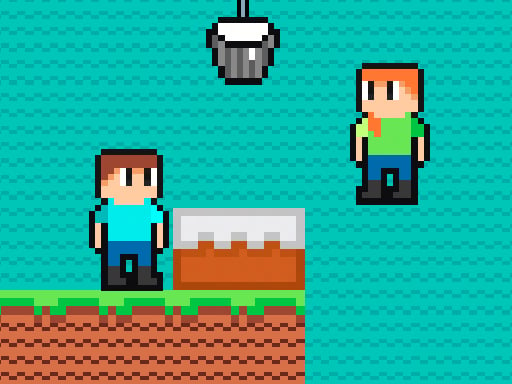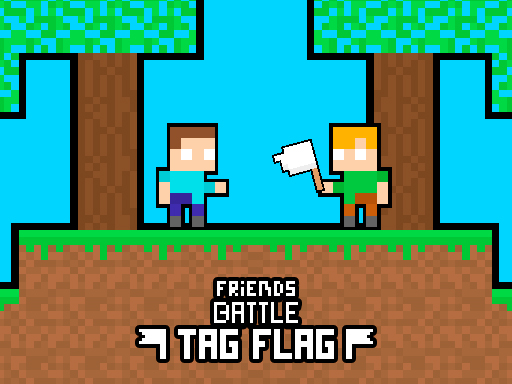
Friends Battle Tag Flag is a free online arcade game you can play right here in your browser, with no download and no sign-up. You will understand Friends Battle Tag Flag in about ten seconds and still be improving at it a week later. That is the arcade formula done right. Its tags tell you what to expect: fast reactions and constant movement are the point; there is a journey with a beginning and an end rather than an endless score chase; the structure is classic arcade — quick rounds, rising difficulty and a score to beat.
About Friends Battle Tag Flag
Welcome to the thrilling world of Friends Battle Tag Flag, the second installment in the exciting Friends Battle series. In this electrifying game, two friends take on the challenge of racing for the ultimate prize the flag! But beware, in this game, holding the flag means you're actually the loser. Your strategic mission is to avoid the flag for
What makes a good arcade game? Usually a single, easy-to-read score, difficulty that ramps steadily and bright, readable visuals — and Friends Battle Tag Flag has each of them in some measure. Under the surface it is a test of timing and rhythm, dressed up in upbeat presentation.
How to play Friends Battle Tag Flag
- Press the play button above and wait for Friends Battle Tag Flag to finish loading. On first load this can take a few seconds while the game files are fetched.
- Follow the on-screen prompts. The developer describes the controls like this: The red player moves using the WASD keys The blue player moves using the arrow keys Run away from the flag whoever has the flag loses Avoid the flag for 2 minutes
- Play the first run purely to learn. Notice the rhythm of the obstacles, then start a fresh run and aim for a clean start.
- Switch to full screen if precision matters, and remember that the game keeps its own progress — finish a level before you close the tab.
Controls
Controls for Friends Battle Tag Flag at a glance:
| Input | What it does |
|---|---|
| WASD keys | The red player moves using the WASD keys The blue player moves using the arrow keys Run away from the flag whoever has the flag loses Avoid the flag for 2 minutes. |
| Arrow keys | The red player moves using the WASD keys The blue player moves using the arrow keys Run away from the flag whoever has the flag loses Avoid the flag for 2 minutes. |
It is designed for desktop play with a keyboard and mouse.
Tips and tricks
- Aim for consistency before you aim for records. A steady run that avoids mistakes usually scores higher than a flashy one that ends early.
- Find the rhythm. Most arcade games have an underlying beat — taps, jumps or moves that fall on a regular interval — and once you feel it, your accuracy jumps.
- Restart early. If a run starts badly, do not grind it out; a fresh attempt costs nothing and saves your focus.
- Play in a quiet tab with nothing else running. Small frame drops cause missed timing that feels like bad luck but is not.
- Because this is a Action game, keep moving.
- Because this is a Minecraft game, gather before you build; running out mid-project is the classic mistake.
Who will enjoy it
We would recommend Friends Battle Tag Flag to anyone with a few minutes to spare and a competitive streak. A typical session is runs of thirty seconds to a few minutes, endlessly repeatable. The learning curve is simple rules, high skill ceiling. It is designed for desktop play with a keyboard and mouse.
Game details
| Category | Arcade Games |
|---|---|
| Tags | Arcade, Adventure, Action, 2d, 2 Player Games, Pixel, Minecraft |
| Platform | Browser (desktop) |
| Controls | Keyboard |
| Technology | HTML5 — no download or plugin required |
| Frame | Landscape (800×600) |
| Added | 26 September 2024 |
| Plays | 3 |
| Price | Free to play |
Frequently asked questions
Is Friends Battle Tag Flag free to play?
It is free. Open the page, press play and the game loads in the browser. You do not need to install anything or register.
Can I play Friends Battle Tag Flag on my phone?
This one is a desktop game. It expects a keyboard and mouse, so we recommend playing Friends Battle Tag Flag on a computer for the intended experience.
What are the controls for Friends Battle Tag Flag?
In short: WASD keys — The red player moves using the WASD keys The blue player moves using the arrow keys Run away from the flag whoever has the flag loses Avoid the flag for 2 minutes; Arrow keys — The red player moves using the WASD keys The blue player moves using the arrow keys Run away from the flag whoever has the flag loses Avoid the flag for 2 minutes. The full list is in the controls section above.
Does Friends Battle Tag Flag save my progress?
Most browser games, including Friends Battle Tag Flag, store progress locally in your browser. If you clear your cookies or switch devices, that progress may be lost, so finish sessions before clearing browser data.
What if Friends Battle Tag Flag does not load?
A blank frame usually means the game is still loading or a browser extension blocked it. Wait a few seconds, then reload; if that fails, try another browser.
What kind of game is Friends Battle Tag Flag?
It is a arcade game with the tags Arcade, Adventure, Action, 2d. Simple rules, high skill ceiling, and runs of thirty seconds to a few minutes, endlessly repeatable.
Games similar to Friends Battle Tag Flag
If you enjoy Friends Battle Tag Flag, the related games below share its category or tags and are a natural next step.