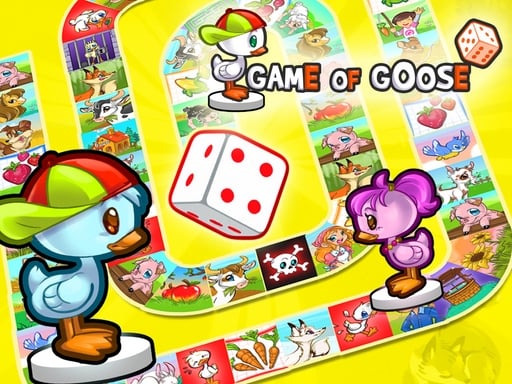
Welcome to Game of Goose, a browser-based multiplayer game. Click play, wait a moment for it to load, and you are in. Solo games are predictable; other people are not. Game of Goose uses that unpredictability as its engine, and every match ends up telling a slightly different story. From the tags you can already tell that other players are involved, either online or on the same device; the structure is classic arcade — quick rounds, rising difficulty and a score to beat.
About Game of Goose
Get ready to relive your childhood memories with the engaging Game of Goose, a delightful twist on the beloved classic known as Snakes and Ladders. This charming game invites players to take a nostalgic journey filled with excitement and competition. Whether you want to challenge yourself solo or invite up to four friends for some group fun, this vibrant reskin
What makes a good multiplayer game? Usually head-to-head or cooperative play, simple rules everyone can grasp fast and bragging rights — and Game of Goose has each of them in some measure. Under the surface it is a test of communication and communication, dressed up in competitive presentation.
How to play Game of Goose
- Start by clicking the big play button. Game of Goose loads inside the frame; give it a moment, especially on a slow connection.
- Follow the on-screen prompts. The developer describes the controls like this: When it s your turn toss the dices then choose which pawn to move
- Try a round against the computer or alone first so the controls are familiar before you bring in another player.
- Switch to full screen if precision matters, and remember that the game keeps its own progress — finish a level before you close the tab.
Controls
You will not need a manual for Game of Goose, but knowing the inputs before you start saves the first minute of fumbling:
| Input | What it does |
|---|---|
| General | When it s your turn toss the dices then choose which pawn to move. |
It is designed for desktop play with a keyboard and mouse.
Tips and tricks
- In shared-keyboard games, agree on who uses which keys before you start — hand collisions cause more losses than skill does.
- Learn the controls alone for two minutes before you invite a friend. Fumbling the basics is the fastest way to lose a match you should win.
- Cooperative modes reward splitting roles: one player handles offence while the other covers, rather than both rushing.
- Play the opponent, not the game. Notice what your rival keeps doing and punish that habit.
- Because this is a Arcade game, restart early when a run goes wrong instead of grinding out a poor score.
Who will enjoy it
Game of Goose is a good fit for friends on one screen, online competitors and anyone who finds bots boring. Expect matches of two to ten minutes, best played in a series. How hard is it? Entirely dependent on who you are playing against. It is designed for desktop play with a keyboard and mouse.
Game details
| Category | Multiplayer Games |
|---|---|
| Tags | Arcade, Multiplayer, Skateboard, Family |
| Platform | Browser (desktop) |
| Controls | Mouse |
| Technology | HTML5 — no download or plugin required |
| Frame | Portrait (600×800) |
| Added | 26 September 2024 |
| Plays | 1 |
| Price | Free to play |
Frequently asked questions
Is Game of Goose free to play?
It is free. Open the page, press play and the game loads in the browser. You do not need to install anything or register.
Can I play Game of Goose on my phone?
This one is a desktop game. It expects a keyboard and mouse, so we recommend playing Game of Goose on a computer for the intended experience.
What are the controls for Game of Goose?
In short: General — When it s your turn toss the dices then choose which pawn to move. The full list is in the controls section above.
Does Game of Goose save my progress?
Progress in Game of Goose is kept by the game itself inside your browser storage. It will normally be there when you come back on the same device and browser.
How do I play Game of Goose in full screen?
Click the expand icon under the game to switch Game of Goose to full screen. Esc returns you to the normal view.
Is Game of Goose suitable for children?
It is tagged Family, which usually indicates content aimed at younger players. As with any online game, we suggest a parent takes a quick look first.
Games similar to Game of Goose
Finished a session? The games listed below were picked because they share tags or a category with Game of Goose.