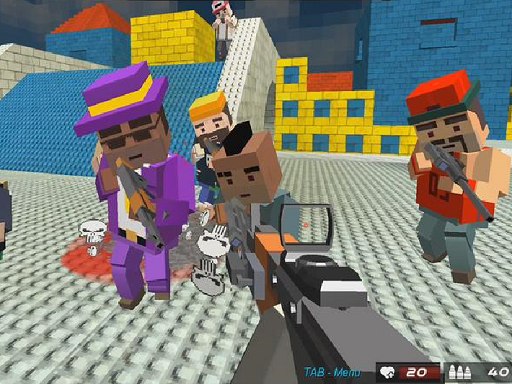
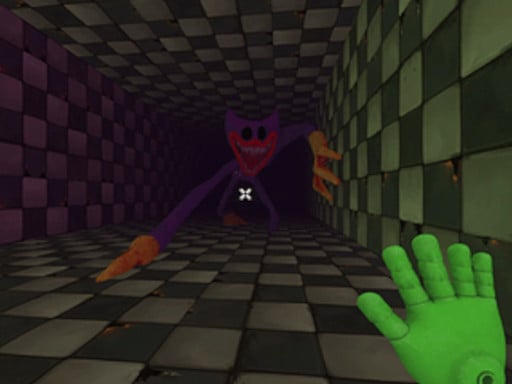
Looking for a multiplayer game that starts instantly? Gangster City Crime runs in your browser and is completely free to play. Gangster City Crime is better with company. Whether you share a keyboard or meet other players online, the game is built around what people do to — and with — each other. Its tags tell you what to expect: it uses hardware-accelerated graphics in the browser; it takes place in or involves building a city.
About Gangster City Crime
Welcome to the perilous world of Gangster City Crime, where you find yourself as a newcomer in a bustling metropolis. In this city, power is dictated by the underworld, and to survive, you must learn the rules of the street. Engaging in thrilling gangster fights, you ll need to display your mettle and strategically navigate through the treacherous ranks of
What makes a good multiplayer game? Usually moments of comeback and reversal, simple rules everyone can grasp fast and bragging rights — and Gangster City Crime has each of them in some measure. Under the surface it is a test of communication and reading opponents, dressed up in chaotic presentation.
How to play Gangster City Crime
- Start by clicking the big play button. Gangster City Crime loads inside the frame; give it a moment, especially on a slow connection.
- Follow the on-screen prompts. The developer describes the controls like this: WASD to move Space to jump Left mouse click to attack Right mouse click to block Escape to pause
- Try a round against the computer or alone first so the controls are familiar before you bring in another player.
- Switch to full screen if precision matters, and remember that the game keeps its own progress — finish a level before you close the tab.
Controls
Here is how Gangster City Crime is controlled, based on the developer's instructions and our own testing:
| Input | What it does |
|---|---|
| WASD keys | WASD to move Space to jump Left mouse click to attack Right mouse click to block Escape to pause. |
| Space bar | WASD to move Space to jump Left mouse click to attack Right mouse click to block Escape to pause. |
| Mouse | WASD to move Space to jump Left mouse click to attack Right mouse click to block Escape to pause. |
| Esc | WASD to move Space to jump Left mouse click to attack Right mouse click to block Escape to pause. |
It is designed for desktop play with a keyboard and mouse.
Tips and tricks
- Cooperative modes reward splitting roles: one player handles offence while the other covers, rather than both rushing.
- Be a good winner. Rematches are how multiplayer games stay fun, and nobody replays a gloater.
- Use the first round to test. Try something unusual and see how the opponent reacts; the information is worth more than the round.
- Short, frequent matches build skill faster than marathon sessions.
- Because this is a Webgl game, enable hardware acceleration in your browser settings if it stutters.
- Because this is a City game, roads first, then everything else.
Who will enjoy it
We would recommend Gangster City Crime to friends on one screen, online competitors and anyone who finds bots boring. In terms of time, think of matches of two to ten minutes, best played in a series. How hard is it? Entirely dependent on who you are playing against. It is designed for desktop play with a keyboard and mouse.
Game details
| Category | Multiplayer Games |
|---|---|
| Tags | Webgl, Unity3d, City |
| Platform | Browser (desktop) |
| Controls | Keyboard and mouse |
| Technology | HTML5 — no download or plugin required |
| Frame | Landscape (960×600) |
| Added | 25 October 2024 |
| Plays | 1 |
| Price | Free to play |
Frequently asked questions
Is Gangster City Crime free to play?
It is free. Open the page, press play and the game loads in the browser. You do not need to install anything or register.
Can I play Gangster City Crime on my phone?
Gangster City Crime is best played on a desktop or laptop. It relies on keyboard and mouse input, and while it may load on a phone, the controls will not be comfortable.
What are the controls for Gangster City Crime?
In short: WASD keys — WASD to move Space to jump Left mouse click to attack Right mouse click to block Escape to pause; Space bar — WASD to move Space to jump Left mouse click to attack Right mouse click to block Escape to pause; Mouse — WASD to move Space to jump Left mouse click to attack Right mouse click to block Escape to pause. The full list is in the controls section above.
Does Gangster City Crime save my progress?
Progress in Gangster City Crime is kept by the game itself inside your browser storage. It will normally be there when you come back on the same device and browser.
What if Gangster City Crime does not load?
If Gangster City Crime does not load, refresh the page, make sure your browser is up to date and check that hardware acceleration is enabled. Ad blockers occasionally interfere with the game frame as well.
What kind of game is Gangster City Crime?
It is a multiplayer game with the tags Webgl, Unity3d, City. Entirely dependent on who you are playing against, and matches of two to ten minutes, best played in a series.
Games similar to Gangster City Crime
You will find more games like Gangster City Crime further down this page, chosen by matching tags and category.