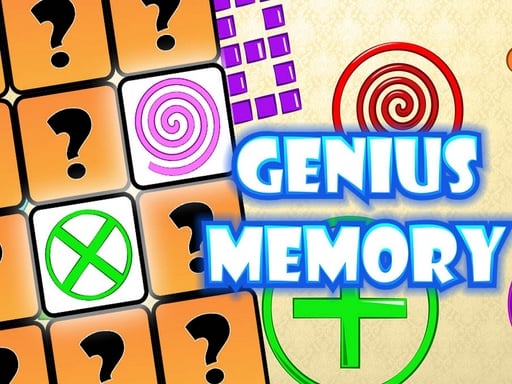
Play Genius Memory for free — a arcade game that runs directly in your browser on desktop, tablet or phone. Genius Memory follows the oldest recipe in gaming: one clear rule, one clear score, and the urge to try just one more time. Its tags tell you what to expect: it is played with cards, so probability and memory matter; you line up three or more matching pieces to clear them.
About Genius Memory
Are you ready to put your memory skills to the ultimate test? Welcome to Genius Memory, a fun and engaging game designed to challenge your cognitive abilities while keeping you entertained. Whether you consider yourself a memory master or just looking to improve your recall, this game is perfect for all ages! Genius Memory is more than just a game; it
The genre lives on instant restarts, bright, readable visuals and a single, easy-to-read score. Genius Memory understands that, and it shows in the first minute of play. The skills it leans on are timing and timing; both improve noticeably after a few sessions.
How to play Genius Memory
- Start by clicking the big play button. Genius Memory loads inside the frame; give it a moment, especially on a slow connection.
- Follow the on-screen prompts. The developer describes the controls like this: The goal is to match pairs of cards in as little moves as possible and as fast as possible within a limited time When cards are turned over it is important to remember their locations Genius Memory will allow you to…
- Play the first run purely to learn. Notice the rhythm of the obstacles, then start a fresh run and aim for a clean start.
- Use the full-screen button under the frame for the best view, and keep an eye on the score, timer or health display so you know what the game is asking of you.
Controls
Here is how Genius Memory is controlled, based on the developer's instructions and our own testing:
| Input | What it does |
|---|---|
| Mouse | Point and click to play; the game shows its own prompts on screen. |
| Keyboard | Some actions may use the arrow keys or space bar — check the in-game hints. |
It is designed for desktop play with a keyboard and mouse.
Tips and tricks
- Learn the first thirty seconds perfectly. The opening is the same every time, so it should never be where you lose.
- Aim for consistency before you aim for records. A steady run that avoids mistakes usually scores higher than a flashy one that ends early.
- Look one step ahead of your character. Reacting to what is under you is too late; reacting to what is coming is exactly on time.
- Combo systems reward patience: keep the chain alive with safe moves rather than reaching for risky bonuses.
- Because this is a Card game, track which cards have already been played.
- Because this is a Match 3 game, work from the bottom of the board so cascades do the work for you.
Who will enjoy it
We would recommend Genius Memory to anyone with a few minutes to spare and a competitive streak. A typical session is runs of thirty seconds to a few minutes, endlessly repeatable. Difficulty-wise it is simple rules, high skill ceiling. It is designed for desktop play with a keyboard and mouse.
Game details
| Category | Arcade Games |
|---|---|
| Tags | Matching, Match 3, Memory, Card |
| Platform | Browser (desktop) |
| Controls | Mouse |
| Technology | HTML5 — no download or plugin required |
| Frame | Portrait (600×800) |
| Added | 26 September 2024 |
| Plays | 2 |
| Price | Free to play |
Frequently asked questions
Is Genius Memory free to play?
Yes. Genius Memory is completely free to play on Diemakora. There is no download, no account and no payment — the game runs in your browser.
Can I play Genius Memory on my phone?
Genius Memory is best played on a desktop or laptop. It relies on keyboard and mouse input, and while it may load on a phone, the controls will not be comfortable.
What are the controls for Genius Memory?
The developer did not publish detailed controls, but the game follows genre conventions: Mouse — Point and click to play; the game shows its own prompts on screen; Keyboard — Some actions may use the arrow keys or space bar — check the in-game hints. The full list is in the controls section above.
Does Genius Memory save my progress?
Most browser games, including Genius Memory, store progress locally in your browser. If you clear your cookies or switch devices, that progress may be lost, so finish sessions before clearing browser data.
How do I play Genius Memory in full screen?
Use the full-screen button just below the game frame. Press Esc on your keyboard to leave full-screen mode again.
What kind of game is Genius Memory?
It is a arcade game with the tags Matching, Match 3, Memory, Card. Simple rules, high skill ceiling, and runs of thirty seconds to a few minutes, endlessly repeatable.
Games similar to Genius Memory
You will find more games like Genius Memory further down this page, chosen by matching tags and category.