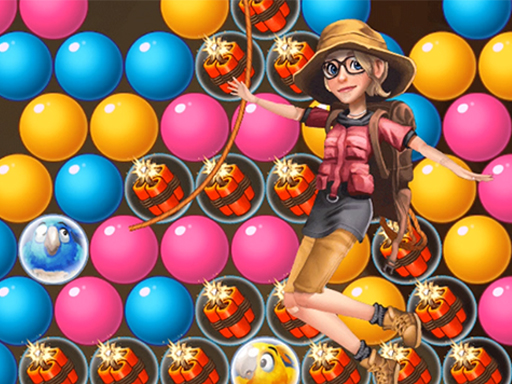
Play Going Balls 3D: Ball Run for free — a arcade game that runs directly in your browser on desktop, tablet or phone. You will understand Going Balls 3D: Ball Run in about ten seconds and still be improving at it a week later. That is the arcade formula done right.
About Going Balls 3D: Ball Run
Experience the exhilarating challenge of Going Balls 3D: Ball Run, a unique game that offers an unmatched ball-rolling adventure. Dive into this thrilling platformer where you'll navigate your ball through a track filled with unexpected obstacles. Unlike any other ball game you've played, this one invites you to skillfully guide your ball mid-air while collecting coins and keys along the
The genre lives on the "one more go" effect, instant restarts and bright, readable visuals. Going Balls 3D: Ball Run understands that, and it shows in the first minute of play. Under the surface it is a test of consistency and timing, dressed up in quick presentation.
How to play Going Balls 3D: Ball Run
- Press the play button above and wait for Going Balls 3D: Ball Run to finish loading. On first load this can take a few seconds while the game files are fetched.
- Follow the on-screen prompts. The developer describes the controls like this: keyboard
- Play the first run purely to learn. Notice the rhythm of the obstacles, then start a fresh run and aim for a clean start.
- Switch to full screen if precision matters, and remember that the game keeps its own progress — finish a level before you close the tab.
Controls
Controls for Going Balls 3D: Ball Run at a glance:
| Input | What it does |
|---|---|
| Arrow keys / WASD | Move your character or vehicle. |
| Space | Jump, fire or confirm, depending on the level. |
It is designed for desktop play with a keyboard and mouse.
Tips and tricks
- Aim for consistency before you aim for records. A steady run that avoids mistakes usually scores higher than a flashy one that ends early.
- Restart early. If a run starts badly, do not grind it out; a fresh attempt costs nothing and saves your focus.
- Combo systems reward patience: keep the chain alive with safe moves rather than reaching for risky bonuses.
- Take a short break after three or four failed runs. Arcade games punish tired eyes more than any other genre.
- Because this is a Basketball game, release at the top of the jump.
Who will enjoy it
We would recommend Going Balls 3D: Ball Run to anyone with a few minutes to spare and a competitive streak. A typical session is runs of thirty seconds to a few minutes, endlessly repeatable. Difficulty-wise it is simple rules, high skill ceiling. It is designed for desktop play with a keyboard and mouse.
Game details
| Category | Arcade Games |
|---|---|
| Tags | 3d Games, Bmx Games, Supercars, Cartoon Network, Fashion, 2 Player Games, .io Games, Dragon Ball Z, Candy, Highscore, Spaceship, Football, Basketball, 8 Ball Pool, Fantasy, Ballon, Shopping, Side Scrolling, Baseball, Pinball, Hello Kitty, Tomb |
| Platform | Browser (desktop) |
| Controls | Keyboard |
| Technology | HTML5 — no download or plugin required |
| Frame | Landscape (800×600) |
| Added | 26 September 2024 |
| Plays | 2 |
| Price | Free to play |
Frequently asked questions
Is Going Balls 3D: Ball Run free to play?
Yes. Going Balls 3D: Ball Run is completely free to play on Diemakora. There is no download, no account and no payment — the game runs in your browser.
Can I play Going Balls 3D: Ball Run on my phone?
Going Balls 3D: Ball Run is best played on a desktop or laptop. It relies on keyboard and mouse input, and while it may load on a phone, the controls will not be comfortable.
What are the controls for Going Balls 3D: Ball Run?
The developer did not publish detailed controls, but the game follows genre conventions: Arrow keys / WASD — Move your character or vehicle; Space — Jump, fire or confirm, depending on the level. The full list is in the controls section above.
Does Going Balls 3D: Ball Run save my progress?
Progress in Going Balls 3D: Ball Run is kept by the game itself inside your browser storage. It will normally be there when you come back on the same device and browser.
How do I play Going Balls 3D: Ball Run in full screen?
Use the full-screen button just below the game frame. Press Esc on your keyboard to leave full-screen mode again.
What kind of game is Going Balls 3D: Ball Run?
It is a arcade game with the tags 3d Games, Bmx Games, Supercars, Cartoon Network. Simple rules, high skill ceiling, and runs of thirty seconds to a few minutes, endlessly repeatable.
Games similar to Going Balls 3D: Ball Run
Finished a session? The games listed below were picked because they share tags or a category with Going Balls 3D: Ball Run.