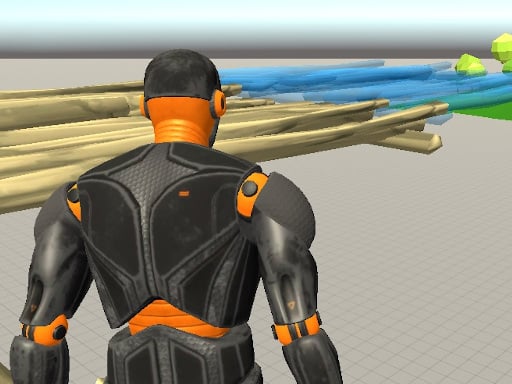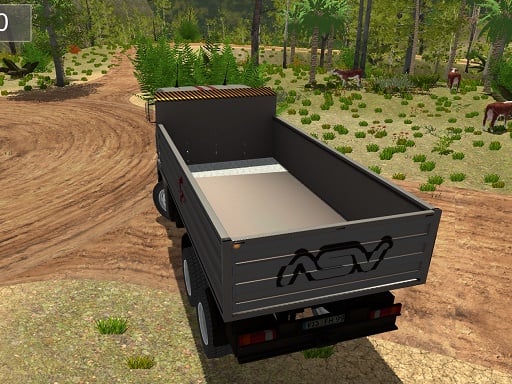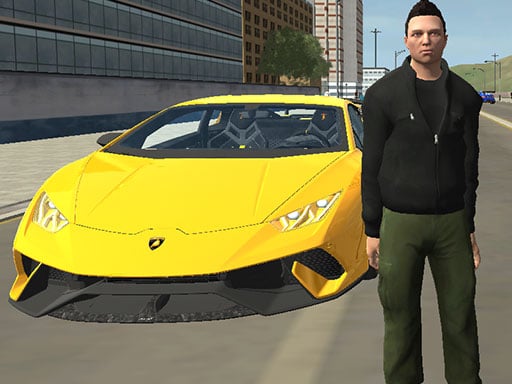
Grand City Car Thief is one of the action games in the Diemakora collection. It loads in seconds and needs nothing installed. If you like games that reward quick decisions over slow deliberation, Grand City Car Thief was built for you. Every few seconds something changes and you have to answer it. Its tags tell you what to expect: it is a driving game where handling and road awareness matter more than raw speed; it uses hardware-accelerated graphics in the browser.
About Grand City Car Thief
Welcome to Grand City Car Thief, where you step into the thrilling life of an intrepid car thief roaming the bustling streets of a sprawling metropolis. In this immersive game, you will navigate through crowded urban environments, evading persistent law enforcement while executing daring heists. Your ultimate objective is to liberate high-end vehicles and chisel them away to your private
The genre lives on short, intense rounds, a satisfying rhythm once you learn the patterns and clear feedback on every hit or miss. Grand City Car Thief understands that, and it shows in the first minute of play. Playing it works your reaction time and hand-eye coordination, which is a large part of why the "one more round" feeling is so strong.
How to play Grand City Car Thief
- Start by clicking the big play button. Grand City Car Thief loads inside the frame; give it a moment, especially on a slow connection.
- Follow the on-screen prompts. The developer describes the controls like this: WASD - Move Space - Jump F - Enter car C - Change camera
- Start slowly. Learn the movement and the first enemy pattern before you push for score; speed comes naturally once the inputs are automatic.
- Switch to full screen if precision matters, and remember that the game keeps its own progress — finish a level before you close the tab.
Controls
Controls for Grand City Car Thief at a glance:
| Input | What it does |
|---|---|
| WASD keys | WASD - Move Space - Jump F - Enter car C - Change camera. |
| Space bar | WASD - Move Space - Jump F - Enter car C - Change camera. |
| Enter | WASD - Move Space - Jump F - Enter car C - Change camera. |
It is designed for desktop play with a keyboard and mouse.
Tips and tricks
- When you die, note exactly what killed you. The answer is usually one specific pattern, and fixing that one thing is worth more than "trying harder".
- Watch the edges of the screen, not just your character. New threats almost always enter from the sides or the top, and spotting them early gives you a full second of extra time.
- Sound is a cue. Many action games telegraph attacks with an audio effect a moment before the visual one — play with sound on when you are learning.
- Do not chase every bonus. Collectibles placed near danger are a trade-off the designer set for you; take them only when your position is safe.
- Because this is a Action game, keep moving.
Who will enjoy it
Who is Grand City Car Thief for? In a word, players who enjoy adrenaline, arcade-style progression and beating their own high score. A typical session is rounds of two to five minutes, which makes it ideal for a quick break. The learning curve is easy to pick up but genuinely demanding to master. It is designed for desktop play with a keyboard and mouse.
Game details
| Category | Action Games |
|---|---|
| Tags | 3d Games, Action, Trial Car, Webgl, Unity3d, Racing, Driving, Gta, Sandbox |
| Platform | Browser (desktop) |
| Controls | Keyboard |
| Technology | HTML5 — no download or plugin required |
| Frame | Landscape (960×600) |
| Added | 25 October 2024 |
| Plays | 1 |
| Price | Free to play |
Frequently asked questions
Is Grand City Car Thief free to play?
It is free. Open the page, press play and the game loads in the browser. You do not need to install anything or register.
Can I play Grand City Car Thief on my phone?
This one is a desktop game. It expects a keyboard and mouse, so we recommend playing Grand City Car Thief on a computer for the intended experience.
What are the controls for Grand City Car Thief?
In short: WASD keys — WASD - Move Space - Jump F - Enter car C - Change camera; Space bar — WASD - Move Space - Jump F - Enter car C - Change camera; Enter — WASD - Move Space - Jump F - Enter car C - Change camera. The full list is in the controls section above.
Does Grand City Car Thief save my progress?
Progress in Grand City Car Thief is kept by the game itself inside your browser storage. It will normally be there when you come back on the same device and browser.
How do I play Grand City Car Thief in full screen?
Click the expand icon under the game to switch Grand City Car Thief to full screen. Esc returns you to the normal view.
What kind of game is Grand City Car Thief?
It is a action game with the tags 3d Games, Action, Trial Car, Webgl. Easy to pick up but genuinely demanding to master, and rounds of two to five minutes, which makes it ideal for a quick break.
Games similar to Grand City Car Thief
Finished a session? The games listed below were picked because they share tags or a category with Grand City Car Thief.