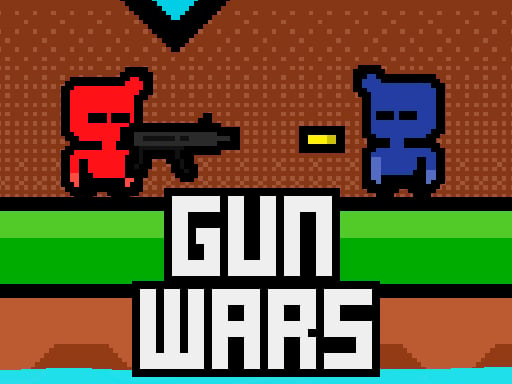
Welcome to Gunwars, a browser-based action game. Click play, wait a moment for it to load, and you are in. If you like games that reward quick decisions over slow deliberation, Gunwars was built for you. Every few seconds something changes and you have to answer it. Its tags tell you what to expect: fast reactions and constant movement are the point; the structure is classic arcade — quick rounds, rising difficulty and a score to beat.
About Gunwars
Get ready for an action-packed showdown in Gunwars, where the thrill of the battle awaits! With your guns drawn and adrenaline pumping, it s time to team up with a friend for an exhilarating duel. Choose your side red or blue and prepare to fire away as you compete to become the ultimate champion. In this fast-paced arena, your primary objective
The genre lives on tight controls, a satisfying rhythm once you learn the patterns and short, intense rounds. Gunwars understands that, and it shows in the first minute of play. The skills it leans on are reaction time and hand-eye coordination; both improve noticeably after a few sessions.
How to play Gunwars
- Press the play button above and wait for Gunwars to finish loading. On first load this can take a few seconds while the game files are fetched.
- Follow the on-screen prompts. The developer describes the controls like this: The red player moves using the WASD keys The blue player moves using the arrow keys The one who gets hit 20 times loses
- Start slowly. Learn the movement and the first enemy pattern before you push for score; speed comes naturally once the inputs are automatic.
- Use the full-screen button under the frame for the best view, and keep an eye on the score, timer or health display so you know what the game is asking of you.
Controls
Here is how Gunwars is controlled, based on the developer's instructions and our own testing:
| Input | What it does |
|---|---|
| WASD keys | The red player moves using the WASD keys The blue player moves using the arrow keys The one who gets hit 20 times loses. |
| Arrow keys | The red player moves using the WASD keys The blue player moves using the arrow keys The one who gets hit 20 times loses. |
It is designed for desktop play with a keyboard and mouse.
Tips and tricks
- Do not chase every bonus. Collectibles placed near danger are a trade-off the designer set for you; take them only when your position is safe.
- Keep moving. Standing still is the most common way to lose an action round, because the game is designed to punish hesitation.
- Watch the edges of the screen, not just your character. New threats almost always enter from the sides or the top, and spotting them early gives you a full second of extra time.
- Sound is a cue. Many action games telegraph attacks with an audio effect a moment before the visual one — play with sound on when you are learning.
- Because this is a Arcade game, restart early when a run goes wrong instead of grinding out a poor score.
Who will enjoy it
Who is Gunwars for? In a word, players who enjoy adrenaline, arcade-style progression and beating their own high score. In terms of time, think of rounds of two to five minutes, which makes it ideal for a quick break. The learning curve is easy to pick up but genuinely demanding to master. It is designed for desktop play with a keyboard and mouse.
Game details
| Category | Action Games |
|---|---|
| Tags | Arcade, Adventure, Action, 2d, 2 Player Games, Battleship |
| Platform | Browser (desktop) |
| Controls | Keyboard |
| Technology | HTML5 — no download or plugin required |
| Frame | Landscape (800×600) |
| Added | 26 September 2024 |
| Plays | 0 |
| Price | Free to play |
Frequently asked questions
Is Gunwars free to play?
Yes. Gunwars is completely free to play on Diemakora. There is no download, no account and no payment — the game runs in your browser.
Can I play Gunwars on my phone?
This one is a desktop game. It expects a keyboard and mouse, so we recommend playing Gunwars on a computer for the intended experience.
What are the controls for Gunwars?
In short: WASD keys — The red player moves using the WASD keys The blue player moves using the arrow keys The one who gets hit 20 times loses; Arrow keys — The red player moves using the WASD keys The blue player moves using the arrow keys The one who gets hit 20 times loses. The full list is in the controls section above.
Does Gunwars save my progress?
Progress in Gunwars is kept by the game itself inside your browser storage. It will normally be there when you come back on the same device and browser.
What if Gunwars does not load?
If Gunwars does not load, refresh the page, make sure your browser is up to date and check that hardware acceleration is enabled. Ad blockers occasionally interfere with the game frame as well.
What kind of game is Gunwars?
It is a action game with the tags Arcade, Adventure, Action, 2d. Easy to pick up but genuinely demanding to master, and rounds of two to five minutes, which makes it ideal for a quick break.
Games similar to Gunwars
Finished a session? The games listed below were picked because they share tags or a category with Gunwars.