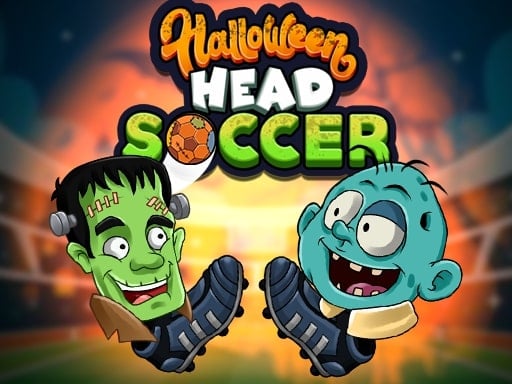
Halloween Head Soccer is a free online sports game you can play right here in your browser, with no download and no sign-up. Sports games work because we already know the rules. Halloween Head Soccer spends that familiarity wisely: you understand what to do immediately, and the challenge is doing it well. Its tags tell you what to expect: other players are involved, either online or on the same device; fast reactions and constant movement are the point; it is based on a real sport.
About Halloween Head Soccer
Get ready for a spine-tingling sports showdown with Halloween Head Soccer! This electrifying football game features your beloved Halloween characters. Whether you prefer playing solo or facing off against a friend, simply select between 1P for a single player mode or 2P for a thrilling two-player experience. The vibrant graphics and mesmerizing sound effects draw you into the Halloween spirit
The genre lives on a strong sense of momentum, skill-based timing and familiar rules. Halloween Head Soccer understands that, and it shows in the first minute of play. The skills it leans on are aim and aim; both improve noticeably after a few sessions.
How to play Halloween Head Soccer
- Start by clicking the big play button. Halloween Head Soccer loads inside the frame; give it a moment, especially on a slow connection.
- Follow the on-screen prompts. The developer describes the controls like this: GAME CONTROLS Single-player Mode- Arrow keys to move Z X for shoot Player 1 - A D keys to move N M for shoot Player 2 - Arrow keys to move 1 2 for shoot
- Use the practice or the first easy match to find the timing sweet spot for shots, swings or jumps.
- Switch to full screen if precision matters, and remember that the game keeps its own progress — finish a level before you close the tab.
Controls
Controls for Halloween Head Soccer at a glance:
| Input | What it does |
|---|---|
| Arrow keys | GAME CONTROLS Single-player Mode- Arrow keys to move Z X for shoot Player 1 - A D keys to move N M for shoot Player 2 - Arrow keys to move 1 2 for shoot. |
It is designed for desktop play with a keyboard and mouse.
Tips and tricks
- Learn the special moves last. The fundamentals — passing, positioning, basic shots — win far more games than trick shots.
- Small, steady inputs. Over-steering, over-swinging and over-jumping are the most common mistakes in every sports game.
- Watch the opponent, not your player. Their movement tells you where the ball or the gap is going to be.
- Defend first when you are ahead, attack first when you are behind. It sounds obvious, and yet.
- Because this is a Sports game, timing beats power.
- Because this is a Multiplayer game, expect surprises — real opponents do not follow the patterns bots do.
Who will enjoy it
Who is Halloween Head Soccer for? In a word, sports fans, casual competitors and anyone who likes a clear scoreboard. Expect a match in three to five minutes. How hard is it? Easy to start, satisfying to master. It is designed for desktop play with a keyboard and mouse.
Game details
| Category | Sports Games |
|---|---|
| Tags | Action, Sports, Multiplayer |
| Platform | Browser (desktop) |
| Controls | Keyboard |
| Technology | HTML5 — no download or plugin required |
| Frame | Landscape (1280×720) |
| Added | 26 September 2024 |
| Plays | 1 |
| Price | Free to play |
Frequently asked questions
Is Halloween Head Soccer free to play?
It is free. Open the page, press play and the game loads in the browser. You do not need to install anything or register.
Can I play Halloween Head Soccer on my phone?
This one is a desktop game. It expects a keyboard and mouse, so we recommend playing Halloween Head Soccer on a computer for the intended experience.
What are the controls for Halloween Head Soccer?
In short: Arrow keys — GAME CONTROLS Single-player Mode- Arrow keys to move Z X for shoot Player 1 - A D keys to move N M for shoot Player 2 - Arrow keys to move 1 2 for shoot. The full list is in the controls section above.
Does Halloween Head Soccer save my progress?
Most browser games, including Halloween Head Soccer, store progress locally in your browser. If you clear your cookies or switch devices, that progress may be lost, so finish sessions before clearing browser data.
How do I play Halloween Head Soccer in full screen?
Use the full-screen button just below the game frame. Press Esc on your keyboard to leave full-screen mode again.
What kind of game is Halloween Head Soccer?
It is a sports game with the tags Action, Sports, Multiplayer. Easy to start, satisfying to master, and a match in three to five minutes.
Games similar to Halloween Head Soccer
If you enjoy Halloween Head Soccer, the related games below share its category or tags and are a natural next step.