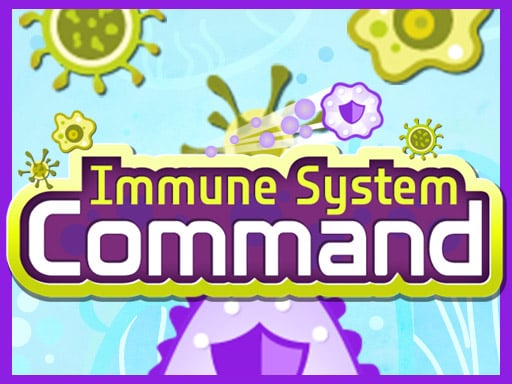
Immune system Command is one of the shooting games in the Diemakora collection. It loads in seconds and needs nothing installed. Immune system Command puts a target in front of you and a weapon in your hands. Aim, timing and knowing when not to fire are the whole game. A few things the tags reveal: there is no final level; the game continues until you fail, and distance or score is the goal.
About Immune system Command
Step into the world of Immune System Command, where you take on the vital role of the immune system, tasked with defending your body against a relentless onslaught of menacing viruses. This game offers a fresh, modern twist on a retro classic, combining simple yet addictive gameplay with vibrant visuals that will keep you engaged for hours. With just a single
Judged as a shooting game, Immune system Command hits the notes you would hope for: ammunition or cooldown management, waves or levels that build up and satisfying hit feedback. Under the surface it is a test of resource management and resource management, dressed up in explosive presentation.
How to play Immune system Command
- Press the play button above and wait for Immune system Command to finish loading. On first load this can take a few seconds while the game files are fetched.
- Follow the on-screen prompts. The developer describes the controls like this: Just one Click Touch to play the game
- Take a few practice shots at the first targets to learn the aim speed, then move on to prioritising the dangerous enemies.
- When you are comfortable, set a target: a score to beat, a level to clear or a time to shave. Small goals are what make Immune system Command stick.
Controls
The controls in Immune system Command are straightforward once you have seen them written down:
| Input | What it does |
|---|---|
| Mouse | Just one Click Touch to play the game. |
| Tap (touch) | Just one Click Touch to play the game. |
The controls are tap and drag based, which makes it comfortable on touch screens as well as with a mouse.
Tips and tricks
- Learn the spawn points. Most levels reuse the same few entry points, and knowing them turns panic into routine.
- Keep your cursor or crosshair roughly where enemies appear, not on the spot where the last one died.
- Move between shots. Many shooters make you an easy target only when you stand in one place.
- If there is a reload, reload during quiet moments — never in the middle of a wave.
- Because this is a Shooting game, aim before you fire, and fire in short bursts.
- Because this is a Endless game, consistency beats bravery — a safe lane held for a long time outscores risky bonuses.
Who will enjoy it
We would recommend Immune system Command to players who like precision, quick targeting and progressively tougher waves. A typical session is levels of a few minutes each, with longer runs in survival modes. The learning curve is approachable at first, with a steep climb in the later waves. The controls are tap and drag based, which makes it comfortable on touch screens as well as with a mouse.
Game details
| Category | Shooting Games |
|---|---|
| Tags | Kids, First Person Shooter, Shooting, Endless, Warrior, Family, Rocket |
| Platform | Browser (desktop, tablet and mobile) |
| Controls | Touch and mouse |
| Technology | HTML5 — no download or plugin required |
| Frame | Landscape (1024×600) |
| Added | 26 September 2024 |
| Plays | 1 |
| Price | Free to play |
Frequently asked questions
Is Immune system Command free to play?
Yes. Immune system Command is completely free to play on Diemakora. There is no download, no account and no payment — the game runs in your browser.
Can I play Immune system Command on my phone?
Yes — the game supports touch input and adapts to smaller screens, so you can play Immune system Command on a phone or tablet as well as on a computer.
What are the controls for Immune system Command?
In short: Mouse — Just one Click Touch to play the game; Tap (touch) — Just one Click Touch to play the game. The full list is in the controls section above.
Does Immune system Command save my progress?
Progress in Immune system Command is kept by the game itself inside your browser storage. It will normally be there when you come back on the same device and browser.
What if Immune system Command does not load?
If Immune system Command does not load, refresh the page, make sure your browser is up to date and check that hardware acceleration is enabled. Ad blockers occasionally interfere with the game frame as well.
Is Immune system Command suitable for children?
It is tagged Kids, Family, which usually indicates content aimed at younger players. As with any online game, we suggest a parent takes a quick look first.
Games similar to Immune system Command
You will find more games like Immune system Command further down this page, chosen by matching tags and category.