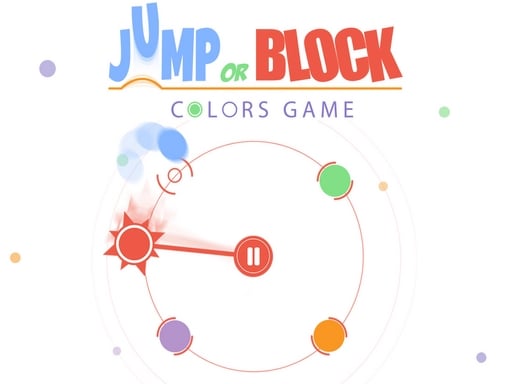
Welcome to Jump or Block : Colors Game, a browser-based arcade game. Click play, wait a moment for it to load, and you are in. You will understand Jump or Block : Colors Game in about ten seconds and still be improving at it a week later. That is the arcade formula done right. Its tags tell you what to expect: the structure is classic arcade — quick rounds, rising difficulty and a score to beat; timing your jumps is the main mechanic.
About Jump or Block : Colors Game
Welcome to Jump or Block: Colors Game, an exhilarating experience designed for up to 4 players! In this dynamic game, players must navigate through a series of challenging obstacles, including the notorious red needle with sharp pikes. Your primary objective is simple: either leap over the menacing obstacle or effectively block it with precise timing. But beware! A momentary lapse
Judged as a arcade game, Jump or Block : Colors Game hits the notes you would hope for: instant restarts, a single, easy-to-read score and difficulty that ramps steadily. The skills it leans on are consistency and focus; both improve noticeably after a few sessions.
How to play Jump or Block : Colors Game
- Press the play button above and wait for Jump or Block : Colors Game to finish loading. On first load this can take a few seconds while the game files are fetched.
- Follow the on-screen prompts. The developer describes the controls like this: You must jump over the red needle with pikes or block it
- Play the first run purely to learn. Notice the rhythm of the obstacles, then start a fresh run and aim for a clean start.
- Switch to full screen if precision matters, and remember that the game keeps its own progress — finish a level before you close the tab.
Controls
You will not need a manual for Jump or Block : Colors Game, but knowing the inputs before you start saves the first minute of fumbling:
| Input | What it does |
|---|---|
| General | You must jump over the red needle with pikes or block it. |
It is designed for desktop play with a keyboard and mouse.
Tips and tricks
- Combo systems reward patience: keep the chain alive with safe moves rather than reaching for risky bonuses.
- Restart early. If a run starts badly, do not grind it out; a fresh attempt costs nothing and saves your focus.
- Aim for consistency before you aim for records. A steady run that avoids mistakes usually scores higher than a flashy one that ends early.
- Learn the first thirty seconds perfectly. The opening is the same every time, so it should never be where you lose.
- Because this is a Multiplayer game, expect surprises — real opponents do not follow the patterns bots do.
- Because this is a Jumping game, watch the landing spot, not your character.
Who will enjoy it
We would recommend Jump or Block : Colors Game to anyone with a few minutes to spare and a competitive streak. Expect runs of thirty seconds to a few minutes, endlessly repeatable. How hard is it? Simple rules, high skill ceiling. It is designed for desktop play with a keyboard and mouse.
Game details
| Category | Arcade Games |
|---|---|
| Tags | Arcade, Puzzleblock, Action, Jumping, Blocky, Multiplayer |
| Platform | Browser (desktop) |
| Controls | Mouse |
| Technology | HTML5 — no download or plugin required |
| Frame | Portrait (600×800) |
| Added | 26 September 2024 |
| Plays | 1 |
| Price | Free to play |
Frequently asked questions
Is Jump or Block : Colors Game free to play?
Yes. Jump or Block : Colors Game is completely free to play on Diemakora. There is no download, no account and no payment — the game runs in your browser.
Can I play Jump or Block : Colors Game on my phone?
This one is a desktop game. It expects a keyboard and mouse, so we recommend playing Jump or Block : Colors Game on a computer for the intended experience.
What are the controls for Jump or Block : Colors Game?
In short: General — You must jump over the red needle with pikes or block it. The full list is in the controls section above.
Does Jump or Block : Colors Game save my progress?
Progress in Jump or Block : Colors Game is kept by the game itself inside your browser storage. It will normally be there when you come back on the same device and browser.
How do I play Jump or Block : Colors Game in full screen?
Use the full-screen button just below the game frame. Press Esc on your keyboard to leave full-screen mode again.
What kind of game is Jump or Block : Colors Game?
It is a arcade game with the tags Arcade, Puzzleblock, Action, Jumping. Simple rules, high skill ceiling, and runs of thirty seconds to a few minutes, endlessly repeatable.
Games similar to Jump or Block : Colors Game
You will find more games like Jump or Block : Colors Game further down this page, chosen by matching tags and category.