Welcome to Kawaii Cute Cat, a browser-based multiplayer game. Click play, wait a moment for it to load, and you are in. Kawaii Cute Cat is better with company. Whether you share a keyboard or meet other players online, the game is built around what people do to — and with — each other. Its tags tell you what to expect: there is a journey with a beginning and an end rather than an endless score chase; it teaches or practises a skill — often maths, reading or logic — while you play; it features animals as characters or theme.
About Kawaii Cute Cat
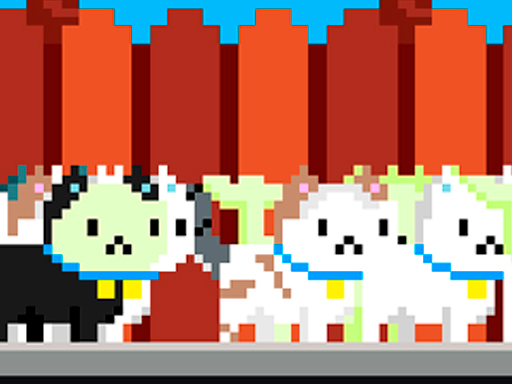
Step into the adorable world of Kawaii Sweetie Cat, a delightful game designed specifically for kids and cat enthusiasts! Here, you'll have the chance to transform into the cutest feline friend imaginable, exploring a vibrant universe filled with enchanting cats and mouthwatering candies. Your primary objective is to collect as many candies as possible while racing through a colorful landscape.
Judged as a multiplayer game, Kawaii Cute Cat hits the notes you would hope for: simple rules everyone can grasp fast, head-to-head or cooperative play and bragging rights. Under the surface it is a test of communication and adaptability, dressed up in competitive presentation.
How to play Kawaii Cute Cat
- Start by clicking the big play button. Kawaii Cute Cat loads inside the frame; give it a moment, especially on a slow connection.
- Follow the on-screen prompts. The developer describes the controls like this: Mouse Click Mobile Touch
- Try a round against the computer or alone first so the controls are familiar before you bring in another player.
- Use the full-screen button under the frame for the best view, and keep an eye on the score, timer or health display so you know what the game is asking of you.
Controls
Controls for Kawaii Cute Cat at a glance:
| Input | What it does |
|---|---|
| Mouse | Mouse Click Mobile Touch. |
| Tap (touch) | Mouse Click Mobile Touch. |
The controls are tap and drag based, which makes it comfortable on touch screens as well as with a mouse.
Tips and tricks
- In shared-keyboard games, agree on who uses which keys before you start — hand collisions cause more losses than skill does.
- Learn the controls alone for two minutes before you invite a friend. Fumbling the basics is the fastest way to lose a match you should win.
- Be a good winner. Rematches are how multiplayer games stay fun, and nobody replays a gloater.
- Cooperative modes reward splitting roles: one player handles offence while the other covers, rather than both rushing.
- Because this is a Educational game, say the answer out loud before you click; it makes the learning stick.
- Because this is a Multiplayer game, expect surprises — real opponents do not follow the patterns bots do.
Who will enjoy it
We would recommend Kawaii Cute Cat to friends on one screen, online competitors and anyone who finds bots boring. A typical session is matches of two to ten minutes, best played in a series. Difficulty-wise it is entirely dependent on who you are playing against. The controls are tap and drag based, which makes it comfortable on touch screens as well as with a mouse.
Game details
| Category | Multiplayer Games |
|---|---|
| Tags | Arcade, Girls, Adventure, Android, Animal, Educational, Multiplayer |
| Platform | Browser (desktop, tablet and mobile) |
| Controls | Touch and mouse |
| Technology | HTML5 — no download or plugin required |
| Frame | Landscape (800×600) |
| Added | 25 October 2024 |
| Plays | 1 |
| Price | Free to play |
Frequently asked questions
Is Kawaii Cute Cat free to play?
It is free. Open the page, press play and the game loads in the browser. You do not need to install anything or register.
Can I play Kawaii Cute Cat on my phone?
Yes — the game supports touch input and adapts to smaller screens, so you can play Kawaii Cute Cat on a phone or tablet as well as on a computer.
What are the controls for Kawaii Cute Cat?
In short: Mouse — Mouse Click Mobile Touch; Tap (touch) — Mouse Click Mobile Touch. The full list is in the controls section above.
Does Kawaii Cute Cat save my progress?
Most browser games, including Kawaii Cute Cat, store progress locally in your browser. If you clear your cookies or switch devices, that progress may be lost, so finish sessions before clearing browser data.
How do I play Kawaii Cute Cat in full screen?
Use the full-screen button just below the game frame. Press Esc on your keyboard to leave full-screen mode again.
Is Kawaii Cute Cat suitable for children?
It is tagged Girls, Educational, which usually indicates content aimed at younger players. As with any online game, we suggest a parent takes a quick look first.
Games similar to Kawaii Cute Cat
If you enjoy Kawaii Cute Cat, the related games below share its category or tags and are a natural next step.