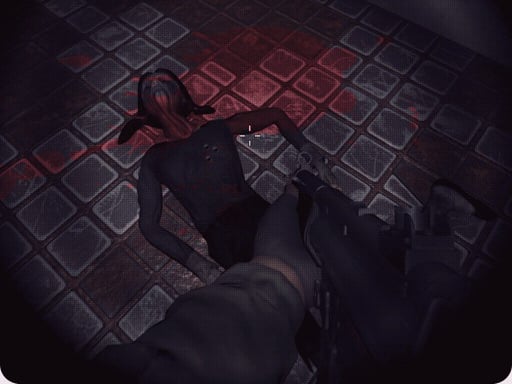
Play Keep Her Alive for free — a shooting game that runs directly in your browser on desktop, tablet or phone. The appeal of Keep Her Alive is simple and old: line up the shot, take it, and watch the result. What makes it stick is the escalation that follows. A few things the tags reveal: it is filed in the collection that traditionally appeals to girls, though the gameplay is for everyone.
About Keep Her Alive
Keep Her Alive is a precision puzzle game where you don’t fight enemies — you turn them against each other. Rotate the world, line up the angles, and let their own bullets do the work. One wrong degree and the girl dies. There are no second chances. Think slowly. Aim carefully. Keep Her Alive.
What makes a good shooting game? Usually ammunition or cooldown management, satisfying hit feedback and enemies with distinct behaviours — and Keep Her Alive has each of them in some measure. Playing it works your resource management and situational awareness, which is a large part of why the "one more round" feeling is so strong.
How to play Keep Her Alive
- Start by clicking the big play button. Keep Her Alive loads inside the frame; give it a moment, especially on a slow connection.
- Follow the on-screen prompts. The developer describes the controls like this: Rotate objects using A and D or the Left and Right Arrow keys Shoot using the Left Mouse Button or the Space Bar
- Take a few practice shots at the first targets to learn the aim speed, then move on to prioritising the dangerous enemies.
- Use the full-screen button under the frame for the best view, and keep an eye on the score, timer or health display so you know what the game is asking of you.
Controls
You will not need a manual for Keep Her Alive, but knowing the inputs before you start saves the first minute of fumbling:
| Input | What it does |
|---|---|
| General | Rotate objects using A. |
| D key | D or the Left. |
| Arrow keys | Right Arrow keys Shoot using the Left Mouse Button or the Space Bar. |
| Space bar | Right Arrow keys Shoot using the Left Mouse Button or the Space Bar. |
| Mouse | Right Arrow keys Shoot using the Left Mouse Button or the Space Bar. |
It is designed for desktop play with a keyboard and mouse.
Tips and tricks
- If there is a reload, reload during quiet moments — never in the middle of a wave.
- Sound tells you where an enemy is before you can see it. Headphones help more than you would expect.
- Learn the spawn points. Most levels reuse the same few entry points, and knowing them turns panic into routine.
- Headshots, weak points and combo multipliers are where high scores live; once survival is comfortable, start hunting for them.
- Because this is a Girls game, take your time with creative choices; there is rarely a wrong answer in this kind of game.
Who will enjoy it
Who is Keep Her Alive for? In a word, players who like precision, quick targeting and progressively tougher waves. Expect levels of a few minutes each, with longer runs in survival modes. The learning curve is approachable at first, with a steep climb in the later waves. It is designed for desktop play with a keyboard and mouse.
Game details
| Category | Shooting Games |
|---|---|
| Tags | Puzzleblock, Funny, Girls, Fall Boys, Gun |
| Platform | Browser (desktop) |
| Controls | Keyboard and mouse |
| Technology | HTML5 — no download or plugin required |
| Frame | Landscape (800×600) |
| Added | 7 March 2026 |
| Plays | 1 |
| Price | Free to play |
Frequently asked questions
Is Keep Her Alive free to play?
It is free. Open the page, press play and the game loads in the browser. You do not need to install anything or register.
Can I play Keep Her Alive on my phone?
Keep Her Alive is best played on a desktop or laptop. It relies on keyboard and mouse input, and while it may load on a phone, the controls will not be comfortable.
What are the controls for Keep Her Alive?
In short: General — Rotate objects using A; D key — D or the Left; Arrow keys — Right Arrow keys Shoot using the Left Mouse Button or the Space Bar. The full list is in the controls section above.
Does Keep Her Alive save my progress?
Most browser games, including Keep Her Alive, store progress locally in your browser. If you clear your cookies or switch devices, that progress may be lost, so finish sessions before clearing browser data.
What if Keep Her Alive does not load?
A blank frame usually means the game is still loading or a browser extension blocked it. Wait a few seconds, then reload; if that fails, try another browser.
Is Keep Her Alive suitable for children?
It is tagged Girls, which usually indicates content aimed at younger players. As with any online game, we suggest a parent takes a quick look first.
Games similar to Keep Her Alive
Finished a session? The games listed below were picked because they share tags or a category with Keep Her Alive.