Welcome to Kingdom Guards - Tower Defense, a browser-based shooting game. Click play, wait a moment for it to load, and you are in. Kingdom Guards - Tower Defense puts a target in front of you and a weapon in your hands. Aim, timing and knowing when not to fire are the whole game. From the tags you can already tell that the structure is classic arcade — quick rounds, rising difficulty and a score to beat; aiming and firing at targets is the primary action; fast reactions and constant movement are the point.
About Kingdom Guards - Tower Defense
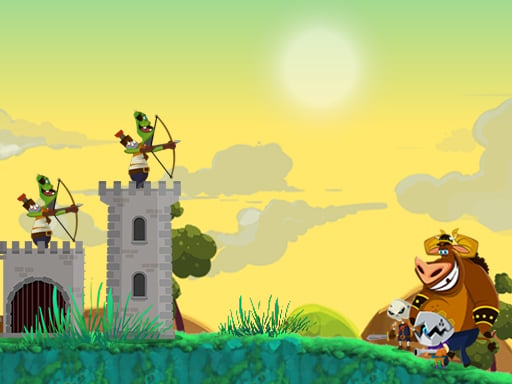
Step into the world of Kingdom Guards - Tower Defense, where strategy meets action in a battle to protect your tower from relentless foes. Assume command as the ultimate archery tactician, instructing your skilled archers to launch arrows toward incoming enemies. It's your responsibility to safeguard your domain from 30 meticulously crafted levels, each turning up the challenge as waves
The genre lives on waves or levels that build up, satisfying hit feedback and precise aiming. Kingdom Guards - Tower Defense understands that, and it shows in the first minute of play. The skills it leans on are situational awareness and resource management; both improve noticeably after a few sessions.
How to play Kingdom Guards - Tower Defense
- Start by clicking the big play button. Kingdom Guards - Tower Defense loads inside the frame; give it a moment, especially on a slow connection.
- Follow the on-screen prompts. The developer describes the controls like this: Click or tap in the direction the enemies are coming from
- Take a few practice shots at the first targets to learn the aim speed, then move on to prioritising the dangerous enemies.
- Use the full-screen button under the frame for the best view, and keep an eye on the score, timer or health display so you know what the game is asking of you.
Controls
Here is how Kingdom Guards - Tower Defense is controlled, based on the developer's instructions and our own testing:
| Input | What it does |
|---|---|
| Mouse | Click or tap in the direction the enemies are coming from. |
| Tap (touch) | Click or tap in the direction the enemies are coming from. |
The controls are tap and drag based, which makes it comfortable on touch screens as well as with a mouse.
Tips and tricks
- If there is a reload, reload during quiet moments — never in the middle of a wave.
- Move between shots. Many shooters make you an easy target only when you stand in one place.
- Sound tells you where an enemy is before you can see it. Headphones help more than you would expect.
- Prioritise the threat that will hurt you soonest, not the one that is closest or biggest. Fast enemies before slow ones, shooters before melee.
- Because this is a Strategy game, economy first, power later.
Who will enjoy it
We would recommend Kingdom Guards - Tower Defense to players who like precision, quick targeting and progressively tougher waves. Expect levels of a few minutes each, with longer runs in survival modes. Difficulty-wise it is approachable at first, with a steep climb in the later waves. The controls are tap and drag based, which makes it comfortable on touch screens as well as with a mouse.
Game details
| Category | Shooting Games |
|---|---|
| Tags | Html5 Games For Your Site, Arcade, Hypercasual, Action, Shooting, Strategy, Tower Defense, Castle, Slacking |
| Platform | Browser (desktop, tablet and mobile) |
| Controls | Touch and mouse |
| Technology | HTML5 — no download or plugin required |
| Frame | Landscape (900×506) |
| Added | 25 October 2024 |
| Plays | 1 |
| Price | Free to play |
Frequently asked questions
Is Kingdom Guards - Tower Defense free to play?
It is free. Open the page, press play and the game loads in the browser. You do not need to install anything or register.
Can I play Kingdom Guards - Tower Defense on my phone?
Kingdom Guards - Tower Defense works on mobile devices. Open this page on your phone or tablet and use the touch controls; rotating the device to landscape usually gives the best view.
What are the controls for Kingdom Guards - Tower Defense?
In short: Mouse — Click or tap in the direction the enemies are coming from; Tap (touch) — Click or tap in the direction the enemies are coming from. The full list is in the controls section above.
Does Kingdom Guards - Tower Defense save my progress?
Progress in Kingdom Guards - Tower Defense is kept by the game itself inside your browser storage. It will normally be there when you come back on the same device and browser.
What if Kingdom Guards - Tower Defense does not load?
A blank frame usually means the game is still loading or a browser extension blocked it. Wait a few seconds, then reload; if that fails, try another browser.
What kind of game is Kingdom Guards - Tower Defense?
It is a shooting game with the tags Html5 Games For Your Site, Arcade, Hypercasual, Action. Approachable at first, with a steep climb in the later waves, and levels of a few minutes each, with longer runs in survival modes.
Games similar to Kingdom Guards - Tower Defense
You will find more games like Kingdom Guards - Tower Defense further down this page, chosen by matching tags and category.