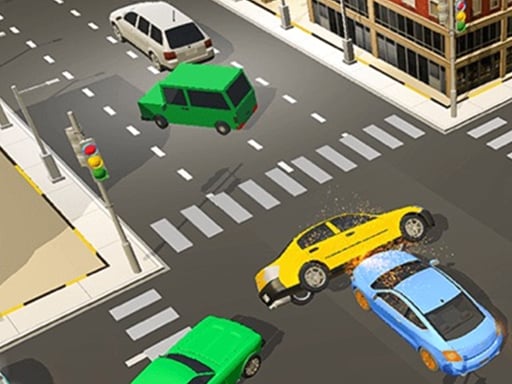
LaneChage 3D is one of the racing games in the Diemakora collection. It loads in seconds and needs nothing installed. Racing games live or die on how the vehicle feels, and LaneChage 3D gives you a car (or something like one) that you can actually learn: brake late, steer smooth, and the lap times start dropping. From the tags you can already tell that it exercises logic and quick thinking.
About LaneChage 3D
Get ready to dive into the exhilarating world of LaneChage 3D, a sensational driving simulation game designed to thrill every player! You will embark on a journey that combines skill and adrenaline as you navigate through a highly interactive environment filled with challenging scenarios. With fluid graphics and realistic mechanics, LaneChage 3D provides an immersive experience that captivates both novice
Judged as a racing game, LaneChage 3D hits the notes you would hope for: upgrades or unlocks between races, a sense of speed and tracks or roads that reward memorisation. Playing it works your risk management and timing, which is a large part of why the "one more round" feeling is so strong.
How to play LaneChage 3D
- Press the play button above and wait for LaneChage 3D to finish loading. On first load this can take a few seconds while the game files are fetched.
- Follow the on-screen prompts. The developer describes the controls like this: 1 Start the most exciting and joyful game challenge and feel the more interesting game 2 Players need to continuously complete one new level after another through your challenges 3 Feel the simple Q version of the game…
- Do a warm-up lap without worrying about position. Feel how the vehicle brakes and turns, then race for real.
- Switch to full screen if precision matters, and remember that the game keeps its own progress — finish a level before you close the tab.
Controls
You will not need a manual for LaneChage 3D, but knowing the inputs before you start saves the first minute of fumbling:
| Input | What it does |
|---|---|
| Mouse | Point and click to play; the game shows its own prompts on screen. |
| Keyboard | Some actions may use the arrow keys or space bar — check the in-game hints. |
It is designed for desktop play with a keyboard and mouse.
Tips and tricks
- Nitro or boost is best used on straights where you are already stable, not to rescue a bad corner.
- Look where you want to go, not at the wall you want to avoid. Your steering follows your attention.
- Use the whole width of the road. Cutting across from the outside to the inside of a bend and back out again shortens the distance and keeps your speed up.
- Learn one track completely before moving on. Knowing where every bend is worth several seconds a lap and the skill carries over.
- Because this is a Brain game, the obvious answer is often a trap in brain-teasers — pause before you click.
Who will enjoy it
Who is LaneChage 3D for? In a word, anyone who enjoys speed, vehicles and shaving seconds off a personal best. In terms of time, think of a single race of one to three minutes, or a longer career if unlocks are involved. How hard is it? Forgiving on early tracks, demanding on later ones. It is designed for desktop play with a keyboard and mouse.
Game details
| Category | Racing Games |
|---|---|
| Tags | Html5 Games For Your Site, 3d Games, Adventure, Unity3d, Supercars, Brain, Tanks, Traffic, Taxi |
| Platform | Browser (desktop) |
| Controls | Mouse |
| Technology | HTML5 — no download or plugin required |
| Frame | Portrait (750×1334) |
| Added | 25 October 2024 |
| Plays | 1 |
| Price | Free to play |
Frequently asked questions
Is LaneChage 3D free to play?
Yes. LaneChage 3D is completely free to play on Diemakora. There is no download, no account and no payment — the game runs in your browser.
Can I play LaneChage 3D on my phone?
This one is a desktop game. It expects a keyboard and mouse, so we recommend playing LaneChage 3D on a computer for the intended experience.
What are the controls for LaneChage 3D?
The developer did not publish detailed controls, but the game follows genre conventions: Mouse — Point and click to play; the game shows its own prompts on screen; Keyboard — Some actions may use the arrow keys or space bar — check the in-game hints. The full list is in the controls section above.
Does LaneChage 3D save my progress?
Most browser games, including LaneChage 3D, store progress locally in your browser. If you clear your cookies or switch devices, that progress may be lost, so finish sessions before clearing browser data.
What if LaneChage 3D does not load?
A blank frame usually means the game is still loading or a browser extension blocked it. Wait a few seconds, then reload; if that fails, try another browser.
What kind of game is LaneChage 3D?
It is a racing game with the tags Html5 Games For Your Site, 3d Games, Adventure, Unity3d. Forgiving on early tracks, demanding on later ones, and a single race of one to three minutes, or a longer career if unlocks are involved.
Games similar to LaneChage 3D
You will find more games like LaneChage 3D further down this page, chosen by matching tags and category.