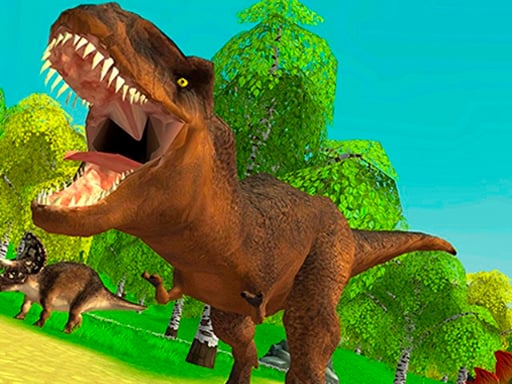
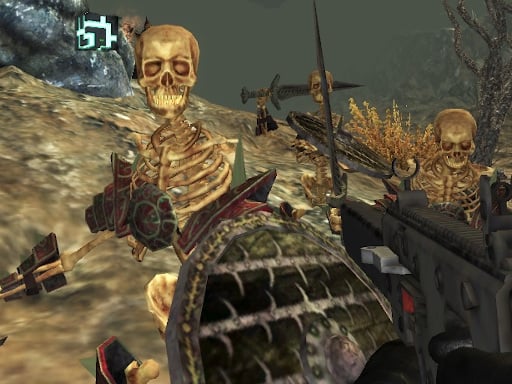
Welcome to Lion Hunting 3D, a browser-based shooting game. Click play, wait a moment for it to load, and you are in. Lion Hunting 3D puts a target in front of you and a weapon in your hands. Aim, timing and knowing when not to fire are the whole game. Its tags tell you what to expect: aiming and firing at targets is the primary action.
About Lion Hunting 3D
Experience the adrenaline rush of hunting in Lion Hunting 3D, an immersive simulation game that puts your hunting skills to the test in a vividly realistic jungle environment. Players are tasked with tracking and hunting down various wild animals that populate the wild, but beware! You can only target a specific animal; otherwise, your mission will fail. This game challenges
What makes a good shooting game? Usually enemies with distinct behaviours, waves or levels that build up and precise aiming — and Lion Hunting 3D has each of them in some measure. The skills it leans on are aim and aim; both improve noticeably after a few sessions.
How to play Lion Hunting 3D
- Start by clicking the big play button. Lion Hunting 3D loads inside the frame; give it a moment, especially on a slow connection.
- Follow the on-screen prompts. The developer describes the controls like this: Use WASD or Arrows to walk mouse to aim and shoot Shift - to run
- Take a few practice shots at the first targets to learn the aim speed, then move on to prioritising the dangerous enemies.
- Switch to full screen if precision matters, and remember that the game keeps its own progress — finish a level before you close the tab.
Controls
Controls for Lion Hunting 3D at a glance:
| Input | What it does |
|---|---|
| WASD keys | Use WASD or Arrows to walk mouse to aim and shoot Shift - to run. |
| Arrow keys | Use WASD or Arrows to walk mouse to aim and shoot Shift - to run. |
| Mouse | Use WASD or Arrows to walk mouse to aim and shoot Shift - to run. |
| Shift | Use WASD or Arrows to walk mouse to aim and shoot Shift - to run. |
It is designed for desktop play with a keyboard and mouse.
Tips and tricks
- Aim first, then shoot. Spraying costs time or ammo and rarely helps; a single well-placed shot almost always beats three rushed ones.
- Sound tells you where an enemy is before you can see it. Headphones help more than you would expect.
- If there is a reload, reload during quiet moments — never in the middle of a wave.
- Keep your cursor or crosshair roughly where enemies appear, not on the spot where the last one died.
- Because this is a Shooting game, aim before you fire, and fire in short bursts.
Who will enjoy it
We would recommend Lion Hunting 3D to players who like precision, quick targeting and progressively tougher waves. Expect levels of a few minutes each, with longer runs in survival modes. How hard is it? Approachable at first, with a steep climb in the later waves. It is designed for desktop play with a keyboard and mouse.
Game details
| Category | Shooting Games |
|---|---|
| Tags | 3d Games, First Person Shooter, Shooting |
| Platform | Browser (desktop) |
| Controls | Keyboard and mouse |
| Technology | HTML5 — no download or plugin required |
| Frame | Landscape (900×600) |
| Added | 25 October 2024 |
| Plays | 3 |
| Price | Free to play |
Frequently asked questions
Is Lion Hunting 3D free to play?
It is free. Open the page, press play and the game loads in the browser. You do not need to install anything or register.
Can I play Lion Hunting 3D on my phone?
This one is a desktop game. It expects a keyboard and mouse, so we recommend playing Lion Hunting 3D on a computer for the intended experience.
What are the controls for Lion Hunting 3D?
In short: WASD keys — Use WASD or Arrows to walk mouse to aim and shoot Shift - to run; Arrow keys — Use WASD or Arrows to walk mouse to aim and shoot Shift - to run; Mouse — Use WASD or Arrows to walk mouse to aim and shoot Shift - to run. The full list is in the controls section above.
Does Lion Hunting 3D save my progress?
Progress in Lion Hunting 3D is kept by the game itself inside your browser storage. It will normally be there when you come back on the same device and browser.
How do I play Lion Hunting 3D in full screen?
Click the expand icon under the game to switch Lion Hunting 3D to full screen. Esc returns you to the normal view.
What kind of game is Lion Hunting 3D?
It is a shooting game with the tags 3d Games, First Person Shooter, Shooting. Approachable at first, with a steep climb in the later waves, and levels of a few minutes each, with longer runs in survival modes.
Games similar to Lion Hunting 3D
Finished a session? The games listed below were picked because they share tags or a category with Lion Hunting 3D.