Madness Driver Vertigo City is one of the racing games in the Diemakora collection. It loads in seconds and needs nothing installed. In Madness Driver Vertigo City every corner is a small decision — brake early and lose time, brake late and risk the wall. That tension is what keeps people replaying the same track. A few things the tags reveal: it models a real activity or system with some fidelity; you compete against the clock or other racers to finish first.
About Madness Driver Vertigo City
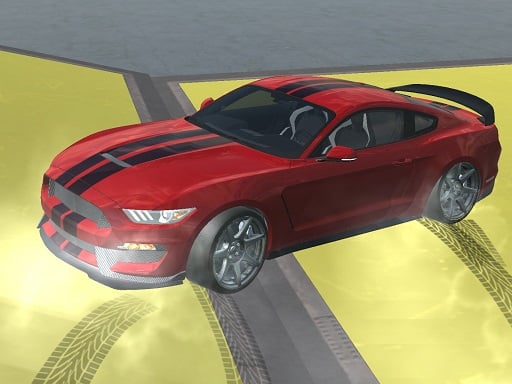
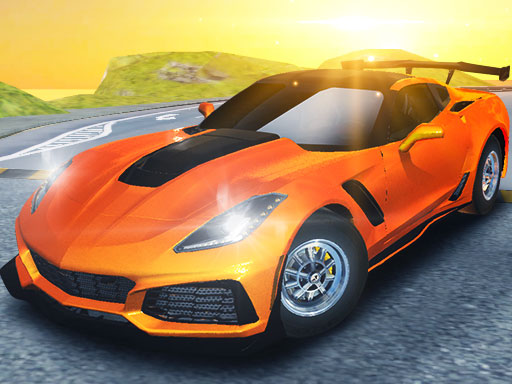
Welcome to Madness Driver Vertigo City, where adrenaline meets excitement! In this vibrant metropolis, mad drivers converge in an exhilarating race using sleek, high-performance supercars. The city is alive with thrilling events, featuring spectacular races that take your driving skills to the limit. Experience the joy of flying through ramps while collecting glimmering gems that enhance your gameplay. The excitement doesn
Judged as a racing game, Madness Driver Vertigo City hits the notes you would hope for: a sense of speed, tracks or roads that reward memorisation and responsive steering. Playing it works your timing and timing, which is a large part of why the "one more round" feeling is so strong.
How to play Madness Driver Vertigo City
- Press the play button above and wait for Madness Driver Vertigo City to finish loading. On first load this can take a few seconds while the game files are fetched.
- Follow the on-screen prompts. The developer describes the controls like this: Player 1 Move W A S D or ARROW KEYS 1P Mode Nitro L-SHIFT Restart R Look back T Player 2 Move ARROW KEYS Nitro R-SHIFT Restart O Look back P
- Do a warm-up lap without worrying about position. Feel how the vehicle brakes and turns, then race for real.
- Use the full-screen button under the frame for the best view, and keep an eye on the score, timer or health display so you know what the game is asking of you.
Controls
Here is how Madness Driver Vertigo City is controlled, based on the developer's instructions and our own testing:
| Input | What it does |
|---|---|
| Arrow keys | Player 1 Move W A S D or ARROW KEYS 1P Mode Nitro L-SHIFT Restart R Look back T Player 2 Move ARROW KEYS Nitro R-SHIFT Restart O Look back P. |
| Shift | Player 1 Move W A S D or ARROW KEYS 1P Mode Nitro L-SHIFT Restart R Look back T Player 2 Move ARROW KEYS Nitro R-SHIFT Restart O Look back P. |
It is designed for desktop play with a keyboard and mouse.
Tips and tricks
- Traffic and rivals are predictable: they hold their line. Plan your overtake two cars ahead rather than reacting to the one in front.
- Slow in, fast out. Entering a corner a little slower lets you accelerate earlier on the exit, which almost always beats a hard, late braking approach.
- Nitro or boost is best used on straights where you are already stable, not to rescue a bad corner.
- Learn one track completely before moving on. Knowing where every bend is worth several seconds a lap and the skill carries over.
- Because this is a Simulation game, learn the systems slowly — simulations reward understanding over speed.
Who will enjoy it
Who is Madness Driver Vertigo City for? In a word, anyone who enjoys speed, vehicles and shaving seconds off a personal best. A typical session is a single race of one to three minutes, or a longer career if unlocks are involved. Difficulty-wise it is forgiving on early tracks, demanding on later ones. It is designed for desktop play with a keyboard and mouse.
Game details
| Category | Racing Games |
|---|---|
| Tags | 3d Games, 1 Player, Simulation, Racing, Race, 2 Player Games, Sports, Simulator, Fly, Car Tuning |
| Platform | Browser (desktop) |
| Controls | Keyboard |
| Technology | HTML5 — no download or plugin required |
| Frame | Landscape (800×450) |
| Added | 26 September 2024 |
| Plays | 1 |
| Price | Free to play |
Frequently asked questions
Is Madness Driver Vertigo City free to play?
Yes. Madness Driver Vertigo City is completely free to play on Diemakora. There is no download, no account and no payment — the game runs in your browser.
Can I play Madness Driver Vertigo City on my phone?
Madness Driver Vertigo City is best played on a desktop or laptop. It relies on keyboard and mouse input, and while it may load on a phone, the controls will not be comfortable.
What are the controls for Madness Driver Vertigo City?
In short: Arrow keys — Player 1 Move W A S D or ARROW KEYS 1P Mode Nitro L-SHIFT Restart R Look back T Player 2 Move ARROW KEYS Nitro R-SHIFT Restart O Look back P; Shift — Player 1 Move W A S D or ARROW KEYS 1P Mode Nitro L-SHIFT Restart R Look back T Player 2 Move ARROW KEYS Nitro R-SHIFT Restart O Look back P. The full list is in the controls section above.
Does Madness Driver Vertigo City save my progress?
Most browser games, including Madness Driver Vertigo City, store progress locally in your browser. If you clear your cookies or switch devices, that progress may be lost, so finish sessions before clearing browser data.
What if Madness Driver Vertigo City does not load?
A blank frame usually means the game is still loading or a browser extension blocked it. Wait a few seconds, then reload; if that fails, try another browser.
What kind of game is Madness Driver Vertigo City?
It is a racing game with the tags 3d Games, 1 Player, Simulation, Racing. Forgiving on early tracks, demanding on later ones, and a single race of one to three minutes, or a longer career if unlocks are involved.
Games similar to Madness Driver Vertigo City
When you are done, scroll down for more racing games and titles that share tags with Madness Driver Vertigo City.