Madness Regent is one of the shooting games in the Diemakora collection. It loads in seconds and needs nothing installed. Madness Regent puts a target in front of you and a weapon in your hands. Aim, timing and knowing when not to fire are the whole game.
About Madness Regent
Madness Regent is an electrifying shooting game infused with thrilling platforming mechanics, allowing players to step into the shoes of a stylish protagonist. This adventure challenges gamers to navigate through dynamically designed levels, filled with hordes of enemies determined to take you down. Armed with a variety of weapons, players will move swiftly and strategically, using agile jumps and powerful
Judged as a shooting game, Madness Regent hits the notes you would hope for: ammunition or cooldown management, waves or levels that build up and enemies with distinct behaviours. Playing it works your resource management and target prioritisation, which is a large part of why the "one more round" feeling is so strong.
How to play Madness Regent
- Press the play button above and wait for Madness Regent to finish loading. On first load this can take a few seconds while the game files are fetched.
- Follow the on-screen prompts. The developer describes the controls like this: Left and right arrow keys move left and right Up arrow key aim gun upward S jump can be double-tapped for a double jump A shoot
- Take a few practice shots at the first targets to learn the aim speed, then move on to prioritising the dangerous enemies.
- Switch to full screen if precision matters, and remember that the game keeps its own progress — finish a level before you close the tab.
Controls
Here is how Madness Regent is controlled, based on the developer's instructions and our own testing:
| Input | What it does |
|---|---|
| Arrow keys | Left and right arrow keys move left and right Up arrow key aim gun upward S jump can be double-tapped for a double jump A shoot. |
It is designed for desktop play with a keyboard and mouse.
Tips and tricks
- Prioritise the threat that will hurt you soonest, not the one that is closest or biggest. Fast enemies before slow ones, shooters before melee.
- Headshots, weak points and combo multipliers are where high scores live; once survival is comfortable, start hunting for them.
- Learn the spawn points. Most levels reuse the same few entry points, and knowing them turns panic into routine.
- Aim first, then shoot. Spraying costs time or ammo and rarely helps; a single well-placed shot almost always beats three rushed ones.
Who will enjoy it
We would recommend Madness Regent to players who like precision, quick targeting and progressively tougher waves. A typical session is levels of a few minutes each, with longer runs in survival modes. How hard is it? Approachable at first, with a steep climb in the later waves. It is designed for desktop play with a keyboard and mouse.
Game details
| Category | Shooting Games |
|---|---|
| Tags | 3d Games |
| Platform | Browser (desktop) |
| Controls | Keyboard |
| Technology | HTML5 — no download or plugin required |
| Frame | Landscape (800×600) |
| Added | 26 September 2024 |
| Plays | 3 |
| Price | Free to play |
Frequently asked questions
Is Madness Regent free to play?
Yes. Madness Regent is completely free to play on Diemakora. There is no download, no account and no payment — the game runs in your browser.
Can I play Madness Regent on my phone?
Madness Regent is best played on a desktop or laptop. It relies on keyboard and mouse input, and while it may load on a phone, the controls will not be comfortable.
What are the controls for Madness Regent?
In short: Arrow keys — Left and right arrow keys move left and right Up arrow key aim gun upward S jump can be double-tapped for a double jump A shoot. The full list is in the controls section above.
Does Madness Regent save my progress?
Most browser games, including Madness Regent, store progress locally in your browser. If you clear your cookies or switch devices, that progress may be lost, so finish sessions before clearing browser data.
How do I play Madness Regent in full screen?
Click the expand icon under the game to switch Madness Regent to full screen. Esc returns you to the normal view.
What kind of game is Madness Regent?
It is a shooting game with the tags 3d Games. Approachable at first, with a steep climb in the later waves, and levels of a few minutes each, with longer runs in survival modes.
Games similar to Madness Regent
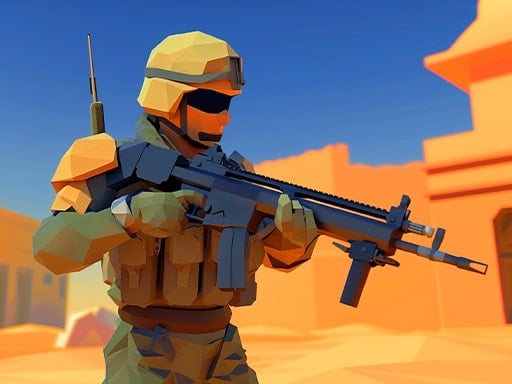
You will find more games like Madness Regent further down this page, chosen by matching tags and category.