Welcome to Merge Cubes 2048 3D, a browser-based hypercasual game. Click play, wait a moment for it to load, and you are in. Sometimes the best game is the one that respects your time. Merge Cubes 2048 3D loads fast, starts fast and lets you stop whenever you like without losing anything.
About Merge Cubes 2048 3D
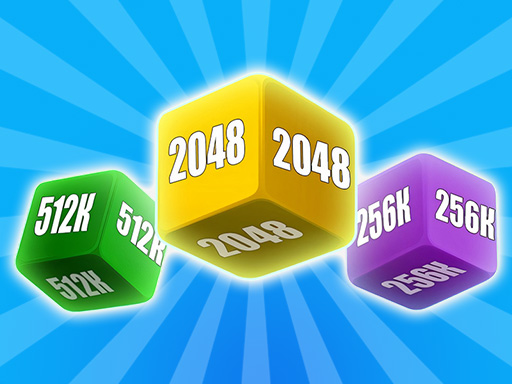
A completely new approach to the classic game 2048! Now in 3D and with dynamic physics! The cubes with numbers dont just merge - they bounce and collide, adding an element of surprise to every game! Compete with friends or colleagues!
What makes a good hypercasual game? Usually quick loading, progress you can feel and a clear goal — and Merge Cubes 2048 3D has each of them in some measure. Playing it works your coordination and a little patience, which is a large part of why the "one more round" feeling is so strong.
How to play Merge Cubes 2048 3D
- Start by clicking the big play button. Merge Cubes 2048 3D loads inside the frame; give it a moment, especially on a slow connection.
- Follow the on-screen prompts. The developer describes the controls like this: 1 At first it will be easy to connect the cubes but over time there will be more and more of them Once you connect the biggest cube in this game it will disappear
- Explore. Click everything once, try each button, and let the game teach you its loop.
- When you are comfortable, set a target: a score to beat, a level to clear or a time to shave. Small goals are what make Merge Cubes 2048 3D stick.
Controls
Here is how Merge Cubes 2048 3D is controlled, based on the developer's instructions and our own testing:
| Input | What it does |
|---|---|
| Mouse | Point and click to play; the game shows its own prompts on screen. |
| Keyboard | Some actions may use the arrow keys or space bar — check the in-game hints. |
It is designed for desktop play with a keyboard and mouse.
Tips and tricks
- Set a small goal per session — one level, one upgrade, one new best — and stop when you hit it. It keeps the game fun.
- Watch your own replays or failed attempts critically: the same mistake usually repeats three times before you notice it.
- Read the on-screen prompts once. Most casual games explain their entire control scheme in the first ten seconds and never again.
- If a level frustrates you, the game usually has a way around it: a different approach, a power-up you skipped or simply more practice on the previous level.
Who will enjoy it
Merge Cubes 2048 3D is a good fit for casual players of all ages looking for a quick, free game in the browser. Expect anything from two minutes to an afternoon. How hard is it? Friendly at first and steadily more demanding. It is designed for desktop play with a keyboard and mouse.
Game details
| Category | Hypercasual Games |
|---|---|
| Tags | 3d Games, 1 Player, Android, Dragon Ball Z, Logical, 2048 |
| Platform | Browser (desktop) |
| Controls | Mouse |
| Technology | HTML5 — no download or plugin required |
| Frame | Landscape (800×600) |
| Added | 27 January 2025 |
| Plays | 1 |
| Price | Free to play |
Frequently asked questions
Is Merge Cubes 2048 3D free to play?
Yes. Merge Cubes 2048 3D is completely free to play on Diemakora. There is no download, no account and no payment — the game runs in your browser.
Can I play Merge Cubes 2048 3D on my phone?
Merge Cubes 2048 3D is best played on a desktop or laptop. It relies on keyboard and mouse input, and while it may load on a phone, the controls will not be comfortable.
What are the controls for Merge Cubes 2048 3D?
The developer did not publish detailed controls, but the game follows genre conventions: Mouse — Point and click to play; the game shows its own prompts on screen; Keyboard — Some actions may use the arrow keys or space bar — check the in-game hints. The full list is in the controls section above.
Does Merge Cubes 2048 3D save my progress?
Progress in Merge Cubes 2048 3D is kept by the game itself inside your browser storage. It will normally be there when you come back on the same device and browser.
How do I play Merge Cubes 2048 3D in full screen?
Click the expand icon under the game to switch Merge Cubes 2048 3D to full screen. Esc returns you to the normal view.
What kind of game is Merge Cubes 2048 3D?
It is a hypercasual game with the tags 3d Games, 1 Player, Android, Dragon Ball Z. Friendly at first and steadily more demanding, and anything from two minutes to an afternoon.
Games similar to Merge Cubes 2048 3D
Finished a session? The games listed below were picked because they share tags or a category with Merge Cubes 2048 3D.