Looking for a arcade game that starts instantly? Minescraft Steve Adventures runs in your browser and is completely free to play. You will understand Minescraft Steve Adventures in about ten seconds and still be improving at it a week later. That is the arcade formula done right. From the tags you can already tell that the structure is classic arcade — quick rounds, rising difficulty and a score to beat; it uses a block-world style of building and exploring.
About Minescraft Steve Adventures
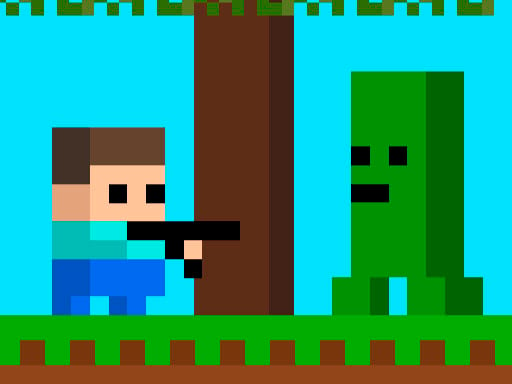
Minecraft Steve Adventures takes you on an exhilarating journey through a pixelated wonderland where adventurers unite to face the ultimate challenges! Join Steve as he embarks on a thrilling quest to hunt down formidable foes, including deadly zombies, skeletons armed for destruction, and explosive monsters ready to unleash mayhem. In this captivating realm, you are not alone; your charming designs
The genre lives on a single, easy-to-read score, instant restarts and difficulty that ramps steadily. Minescraft Steve Adventures understands that, and it shows in the first minute of play. The skills it leans on are consistency and rhythm; both improve noticeably after a few sessions.
How to play Minescraft Steve Adventures
- Start by clicking the big play button. Minescraft Steve Adventures loads inside the frame; give it a moment, especially on a slow connection.
- Follow the on-screen prompts. The developer describes the controls like this: WASD Mobile Control Touch
- Play the first run purely to learn. Notice the rhythm of the obstacles, then start a fresh run and aim for a clean start.
- When you are comfortable, set a target: a score to beat, a level to clear or a time to shave. Small goals are what make Minescraft Steve Adventures stick.
Controls
Here is how Minescraft Steve Adventures is controlled, based on the developer's instructions and our own testing:
| Input | What it does |
|---|---|
| WASD keys | WASD Mobile Control Touch. |
| Tap (touch) | WASD Mobile Control Touch. |
The controls are tap and drag based, which makes it comfortable on touch screens as well as with a mouse.
Tips and tricks
- Learn the first thirty seconds perfectly. The opening is the same every time, so it should never be where you lose.
- Restart early. If a run starts badly, do not grind it out; a fresh attempt costs nothing and saves your focus.
- Aim for consistency before you aim for records. A steady run that avoids mistakes usually scores higher than a flashy one that ends early.
- Play in a quiet tab with nothing else running. Small frame drops cause missed timing that feels like bad luck but is not.
- Because this is a Minecraft game, gather before you build; running out mid-project is the classic mistake.
Who will enjoy it
Who is Minescraft Steve Adventures for? In a word, anyone with a few minutes to spare and a competitive streak. In terms of time, think of runs of thirty seconds to a few minutes, endlessly repeatable. The learning curve is simple rules, high skill ceiling. The controls are tap and drag based, which makes it comfortable on touch screens as well as with a mouse.
Game details
| Category | Arcade Games |
|---|---|
| Tags | Arcade, Adventure, Action, Android, Blocky, Minecraft, Crafting |
| Platform | Browser (desktop, tablet and mobile) |
| Controls | Touch and mouse |
| Technology | HTML5 — no download or plugin required |
| Frame | Landscape (800×600) |
| Added | 25 October 2024 |
| Plays | 1 |
| Price | Free to play |
Frequently asked questions
Is Minescraft Steve Adventures free to play?
It is free. Open the page, press play and the game loads in the browser. You do not need to install anything or register.
Can I play Minescraft Steve Adventures on my phone?
Yes — the game supports touch input and adapts to smaller screens, so you can play Minescraft Steve Adventures on a phone or tablet as well as on a computer.
What are the controls for Minescraft Steve Adventures?
In short: WASD keys — WASD Mobile Control Touch; Tap (touch) — WASD Mobile Control Touch. The full list is in the controls section above.
Does Minescraft Steve Adventures save my progress?
Progress in Minescraft Steve Adventures is kept by the game itself inside your browser storage. It will normally be there when you come back on the same device and browser.
How do I play Minescraft Steve Adventures in full screen?
Click the expand icon under the game to switch Minescraft Steve Adventures to full screen. Esc returns you to the normal view.
What kind of game is Minescraft Steve Adventures?
It is a arcade game with the tags Arcade, Adventure, Action, Android. Simple rules, high skill ceiling, and runs of thirty seconds to a few minutes, endlessly repeatable.
Games similar to Minescraft Steve Adventures
You will find more games like Minescraft Steve Adventures further down this page, chosen by matching tags and category.